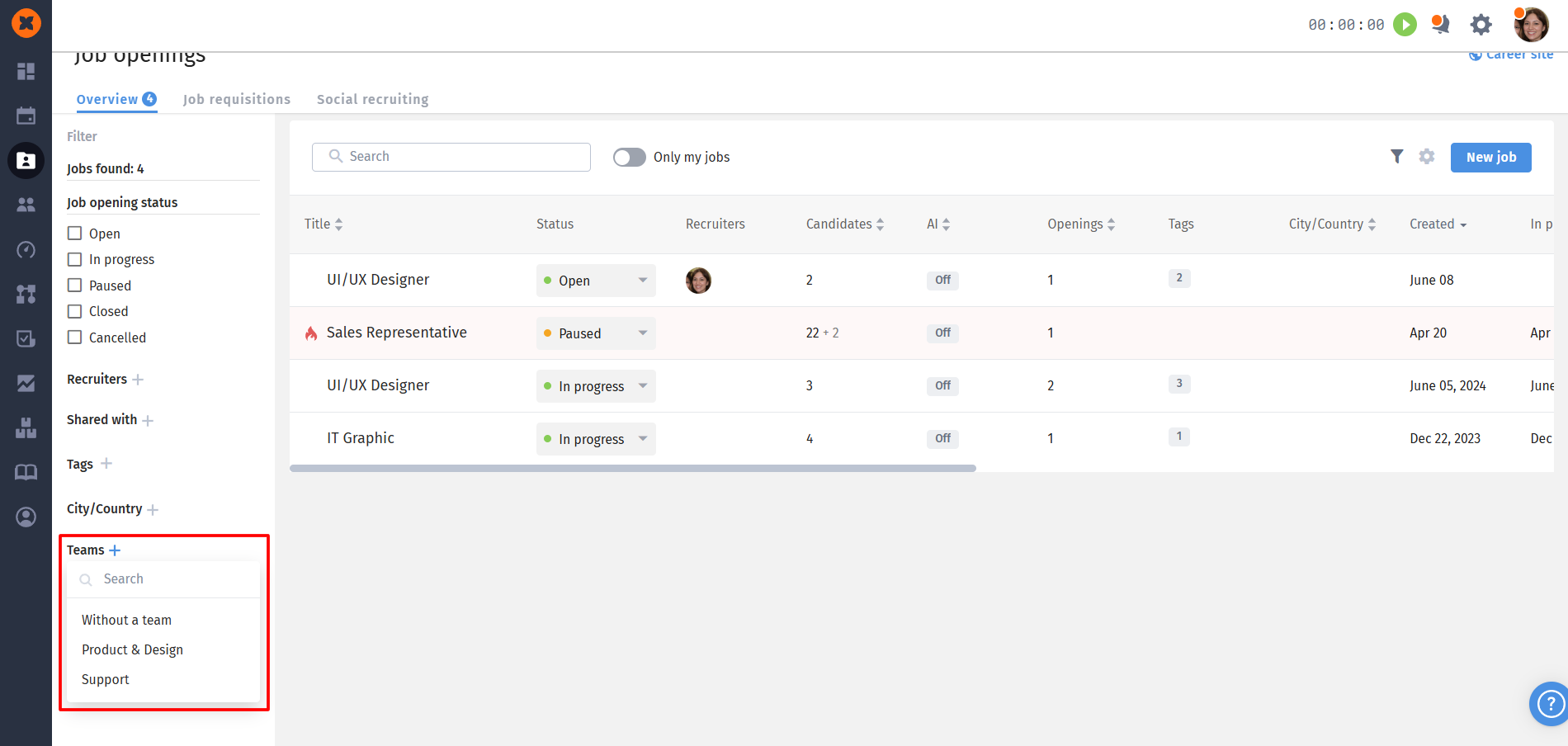
The system has implemented the ability to assign responsible recruiters to specific teams. This allows flexible access configuration and optimizes work within a large company structure.
To be able to assign recruiters or hiring managers to teams and manage vacancies for specific teams, a user must have the appropriate access rights in their role. Access settings are configured in the "Company" - "Teams" - "Recruitment" section in the view and edit section.
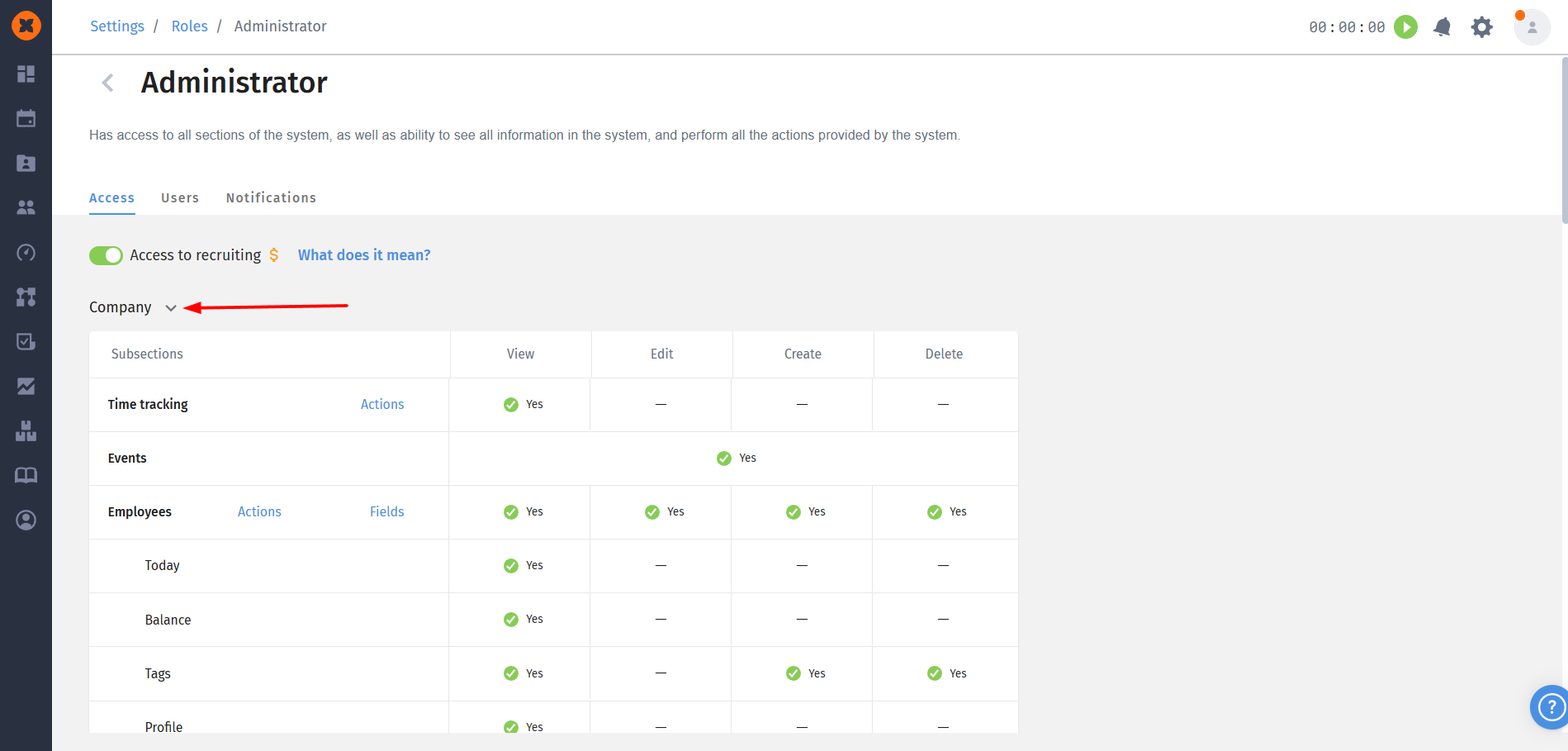
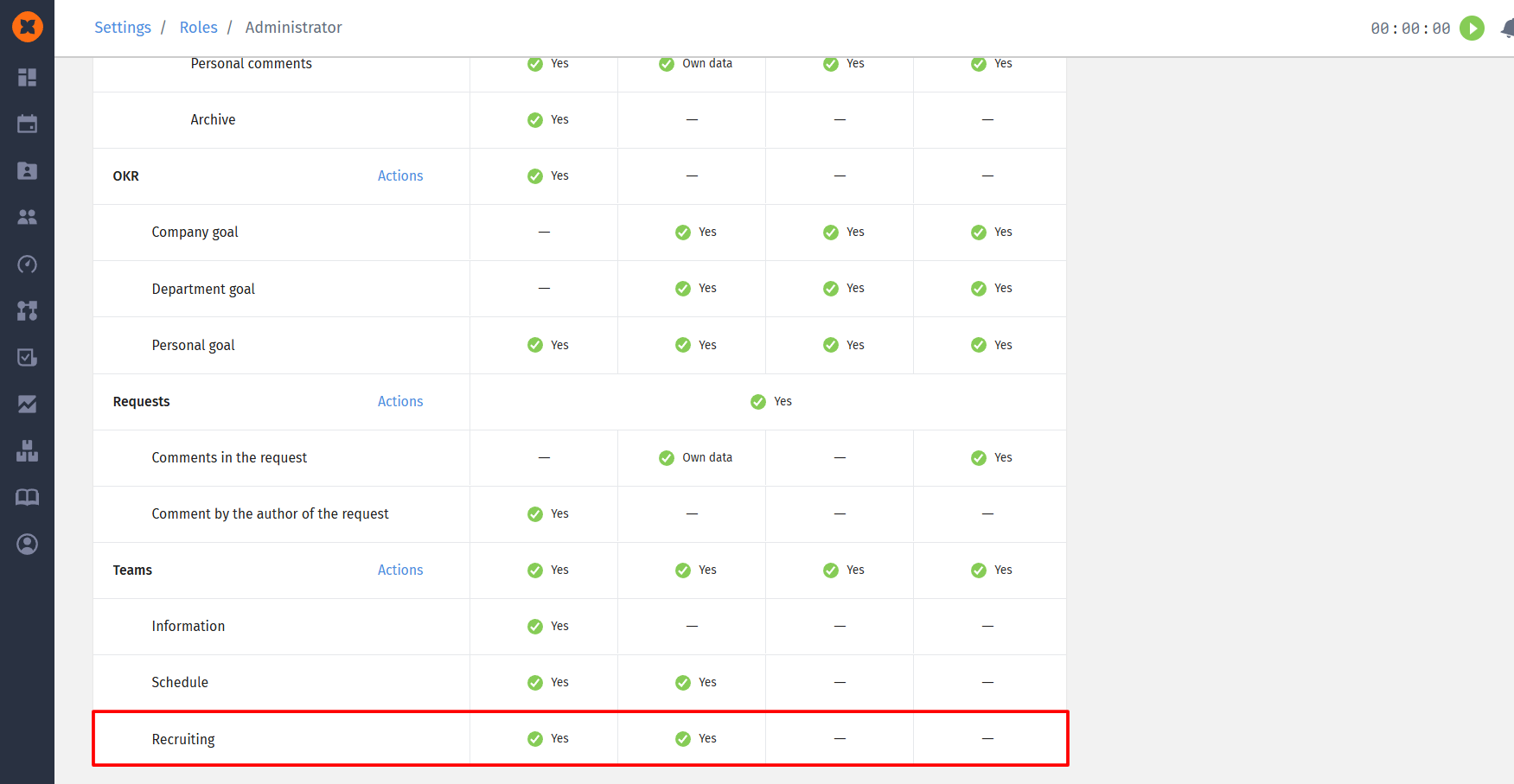
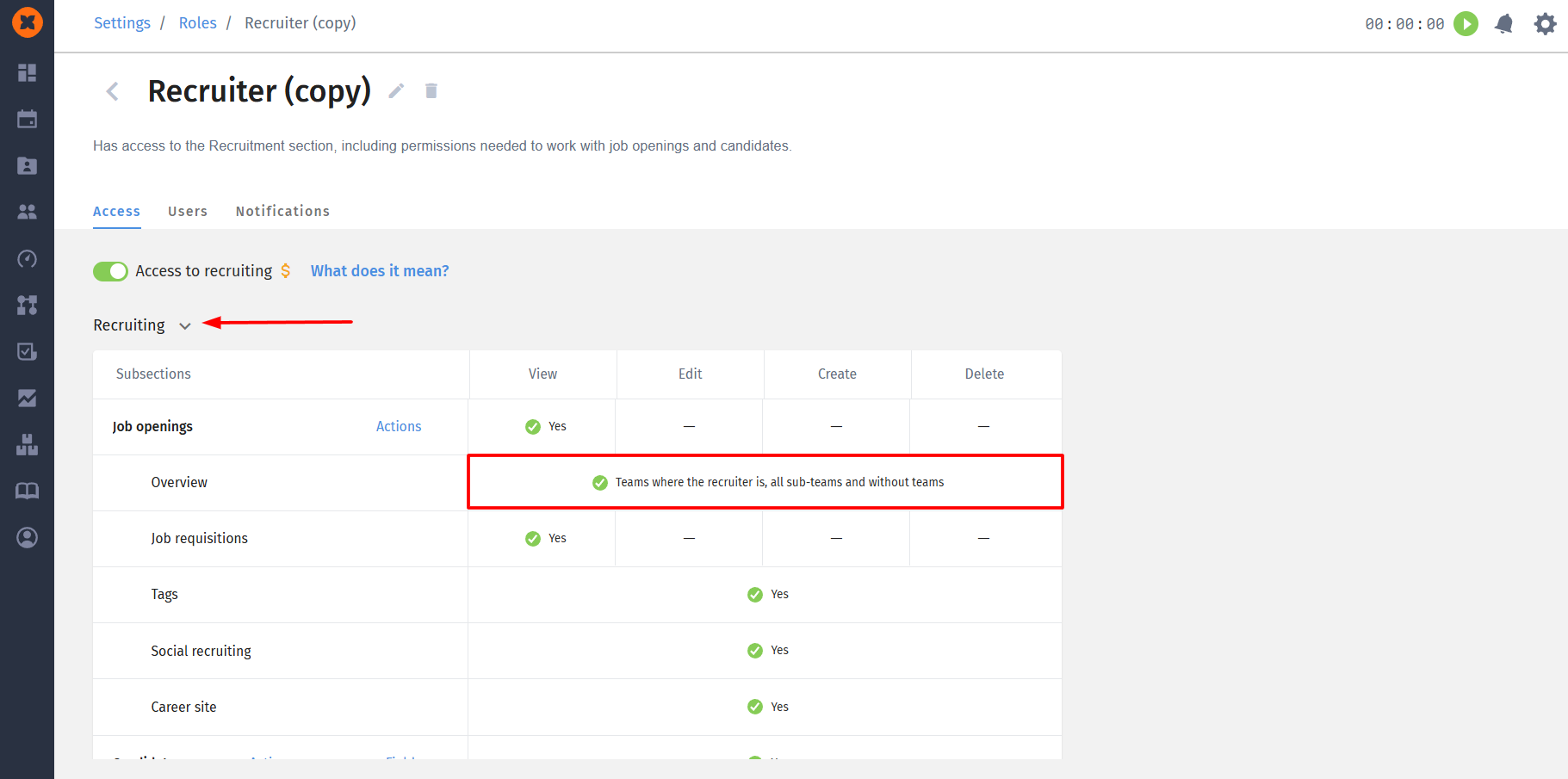
To ensure that a recruiter does not have access to all company vacancies, but only to vacancies of teams where they are assigned as a recruiter and to vacancies that are not added to any team in the structure, you need to edit access settings in the "Roles" section, specifically the "Recruitment" - "Job openings" - "Overview" block.
This will limit vacancy visibility only to those that fall within the responsibility area of a specific recruiter.

To assign a recruiter to a team, you need to:
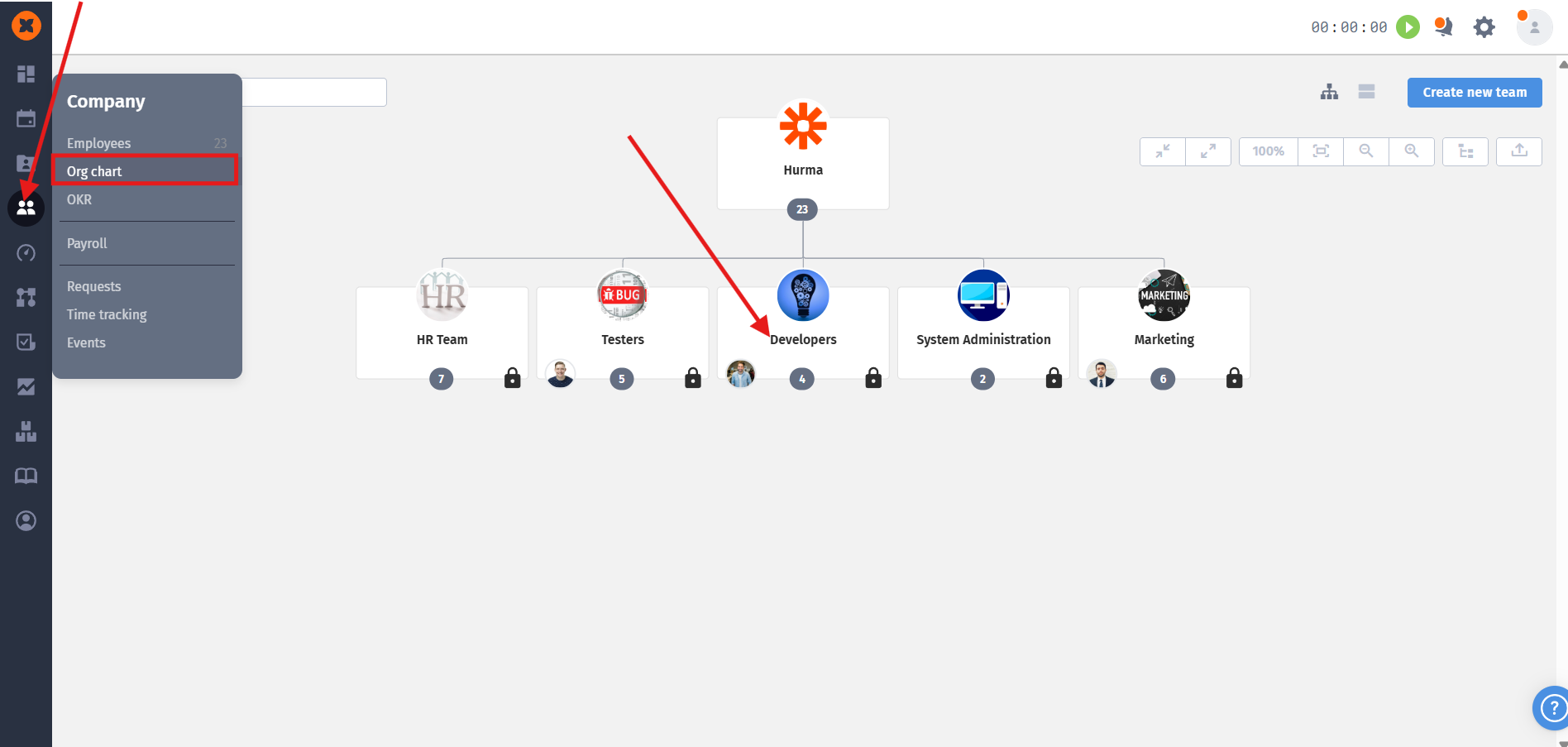
Go to the "Org chart" section and open the required team;
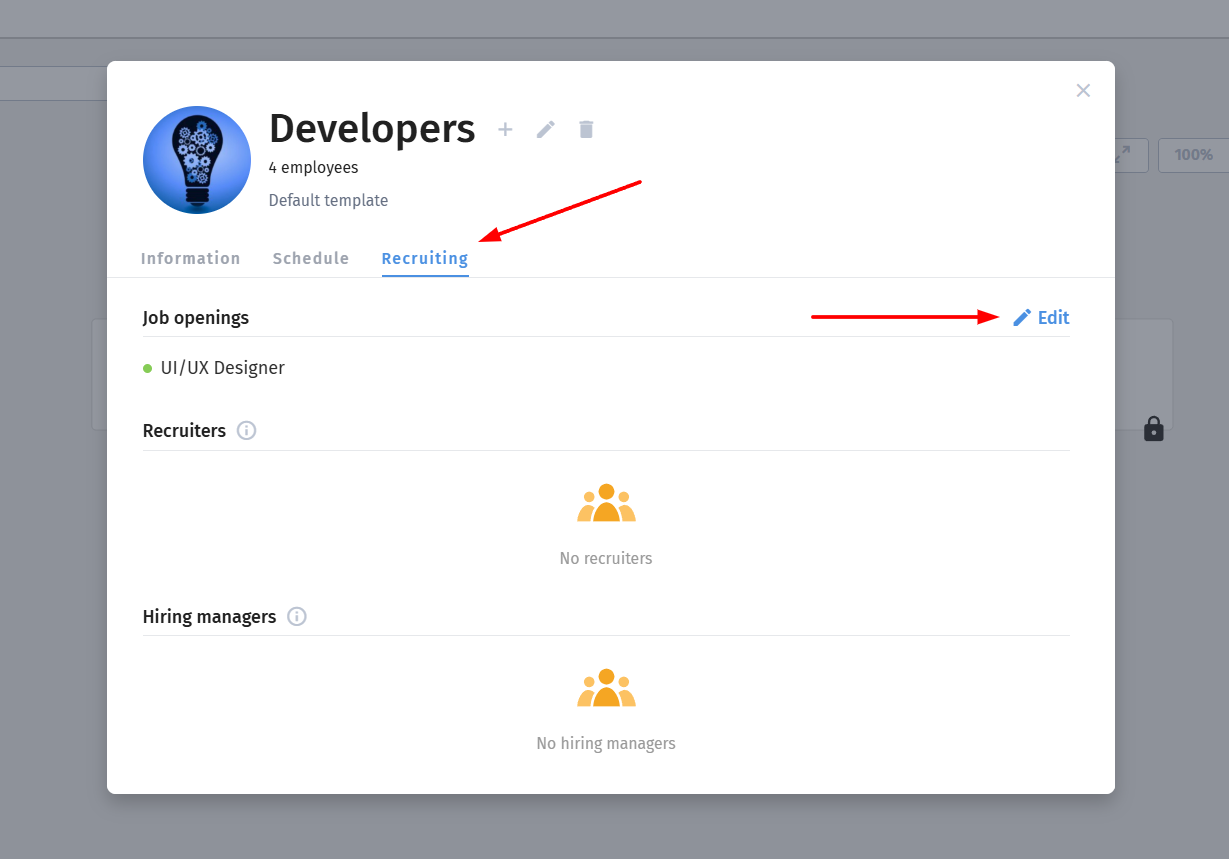
In the "Recruiting" tab, go to edit mode;
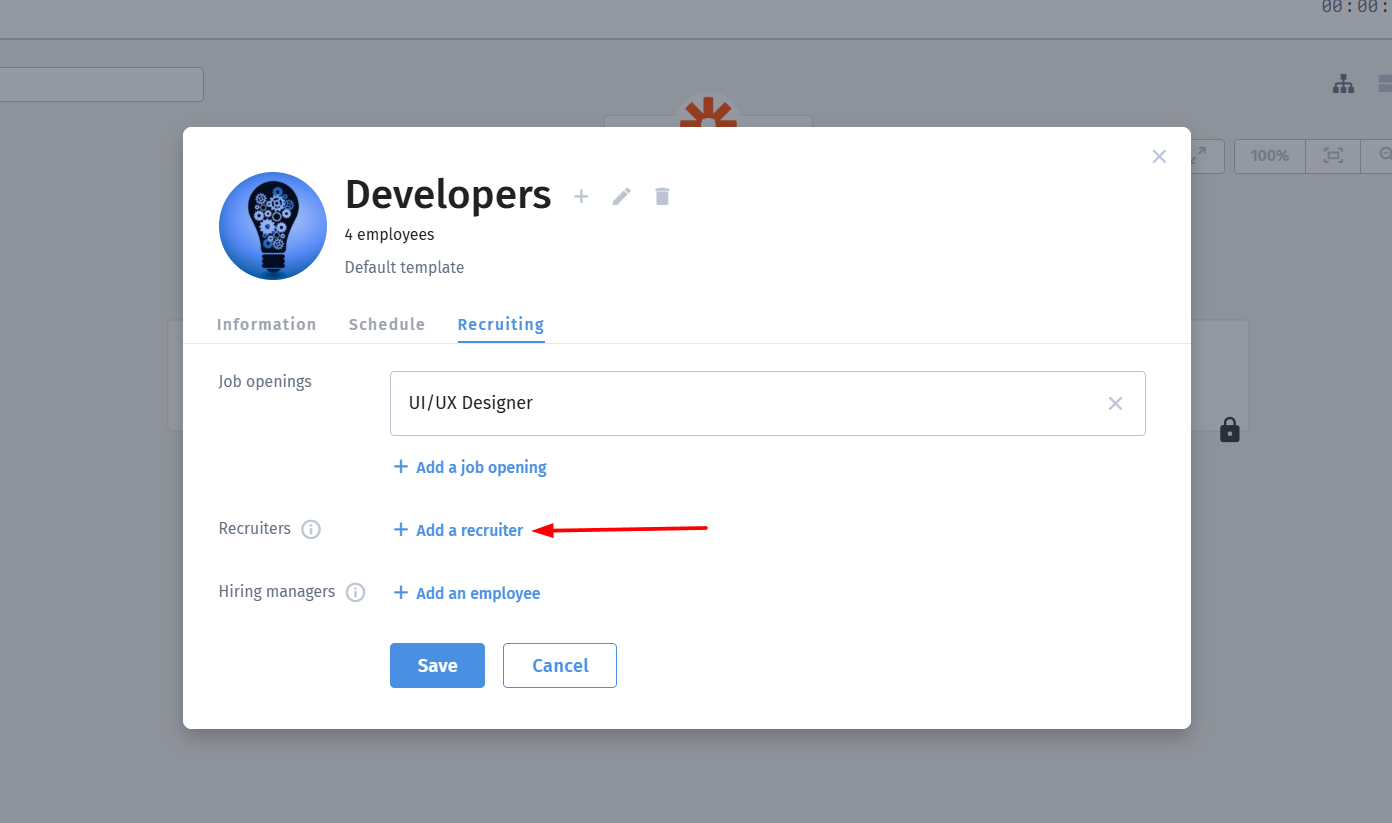
Select and add the necessary recruiters;
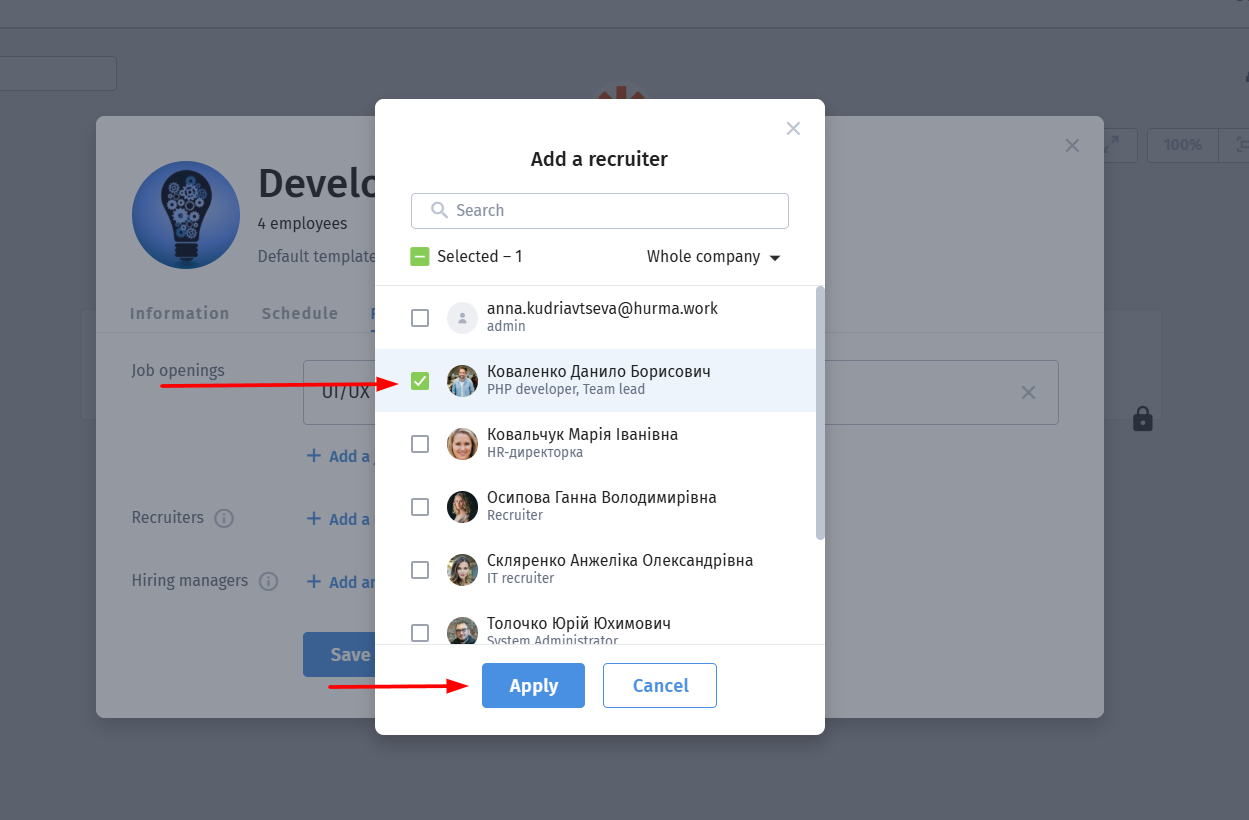
After that, the recruiter will have access to view and manage vacancies added to this team and its child teams.
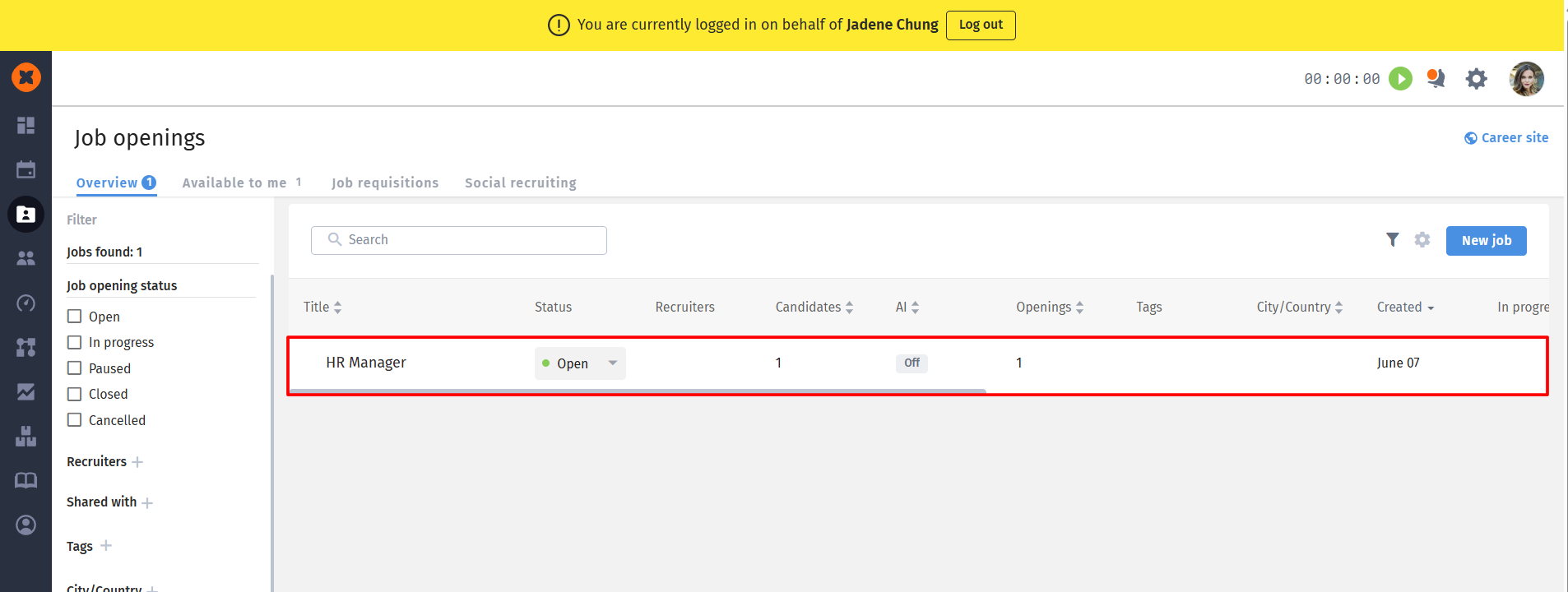
The user can also filter vacancies by teams to which they have been added in the recruiter role. This is done in the "Recruiting" - "Job openings" section, where a filter by teams is available.