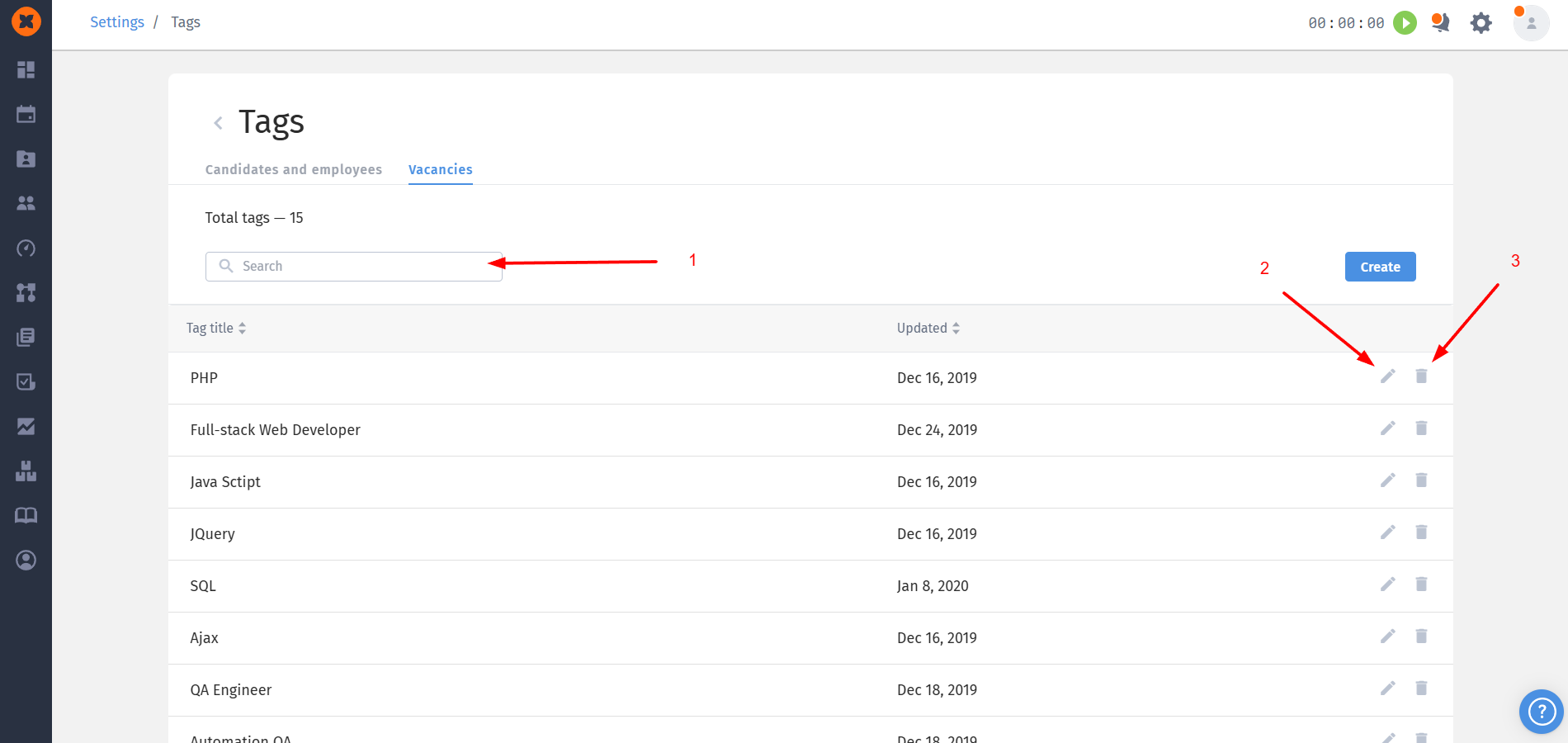
The “Tags” section is used for creating and managing a tag database. Tags are used for categorization, quick search, and segmentation of users based on skills, technologies, or any other criteria.
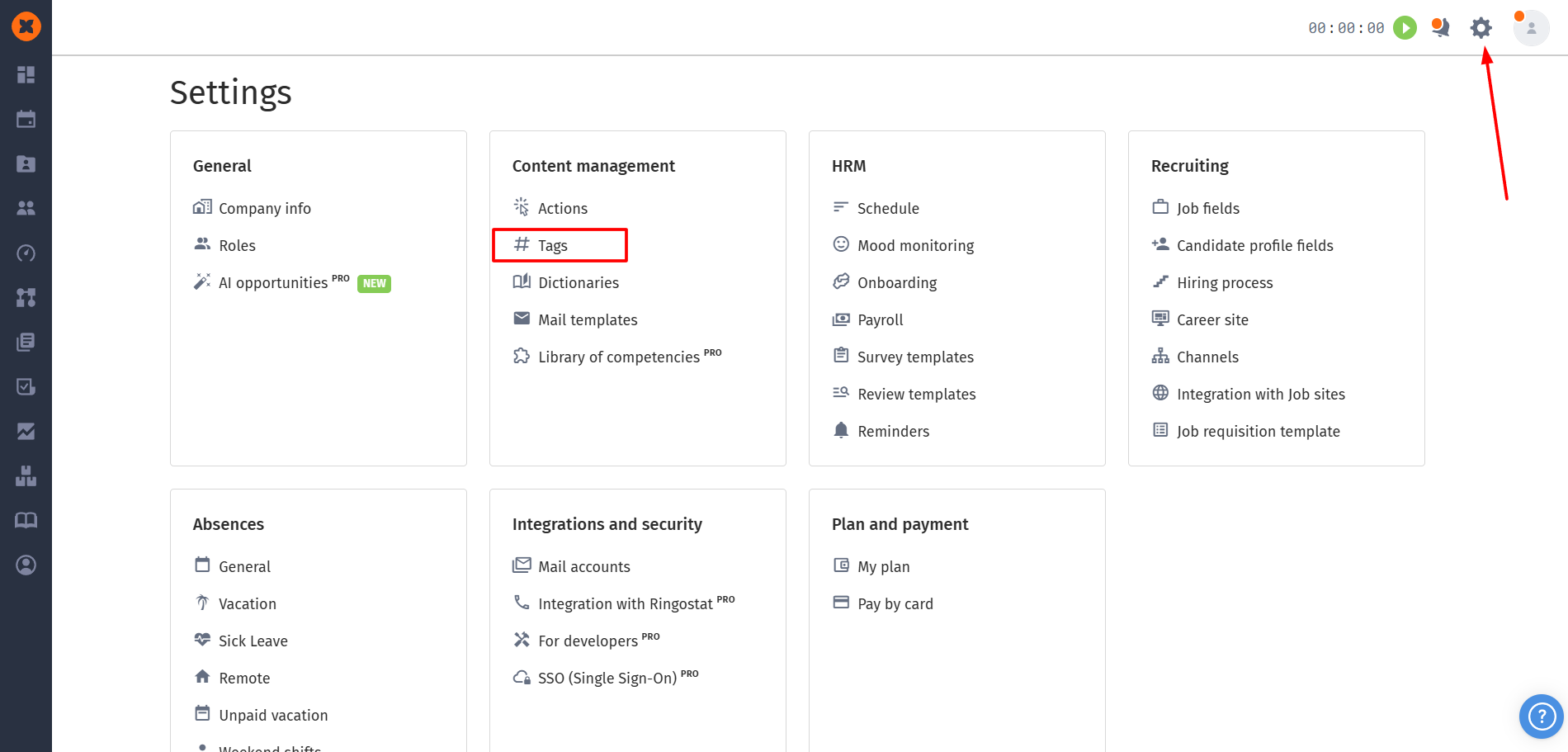
You can find this section by navigating to “⚙” - “Tags”.
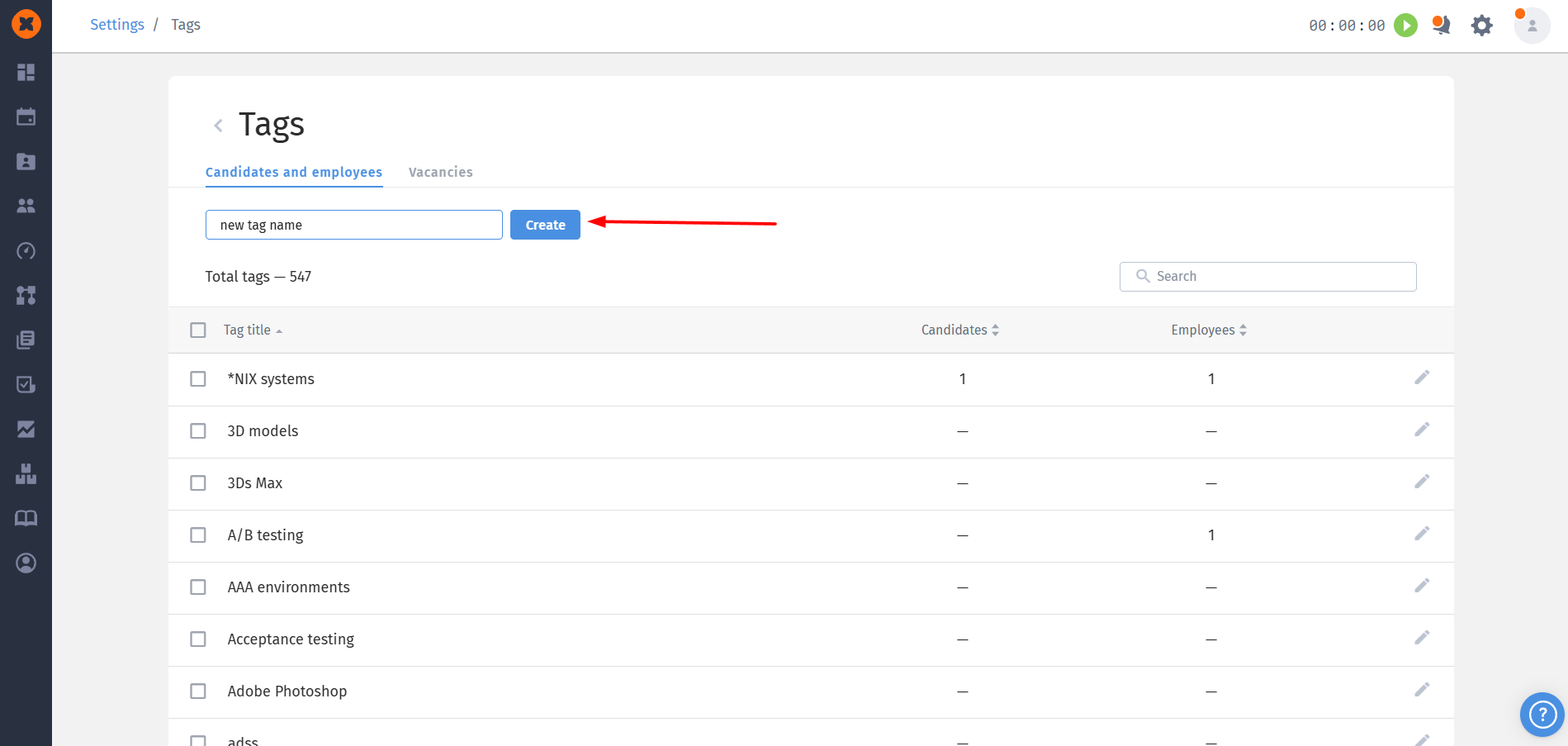
To create a tag, enter the tag name and click the “Create” button.
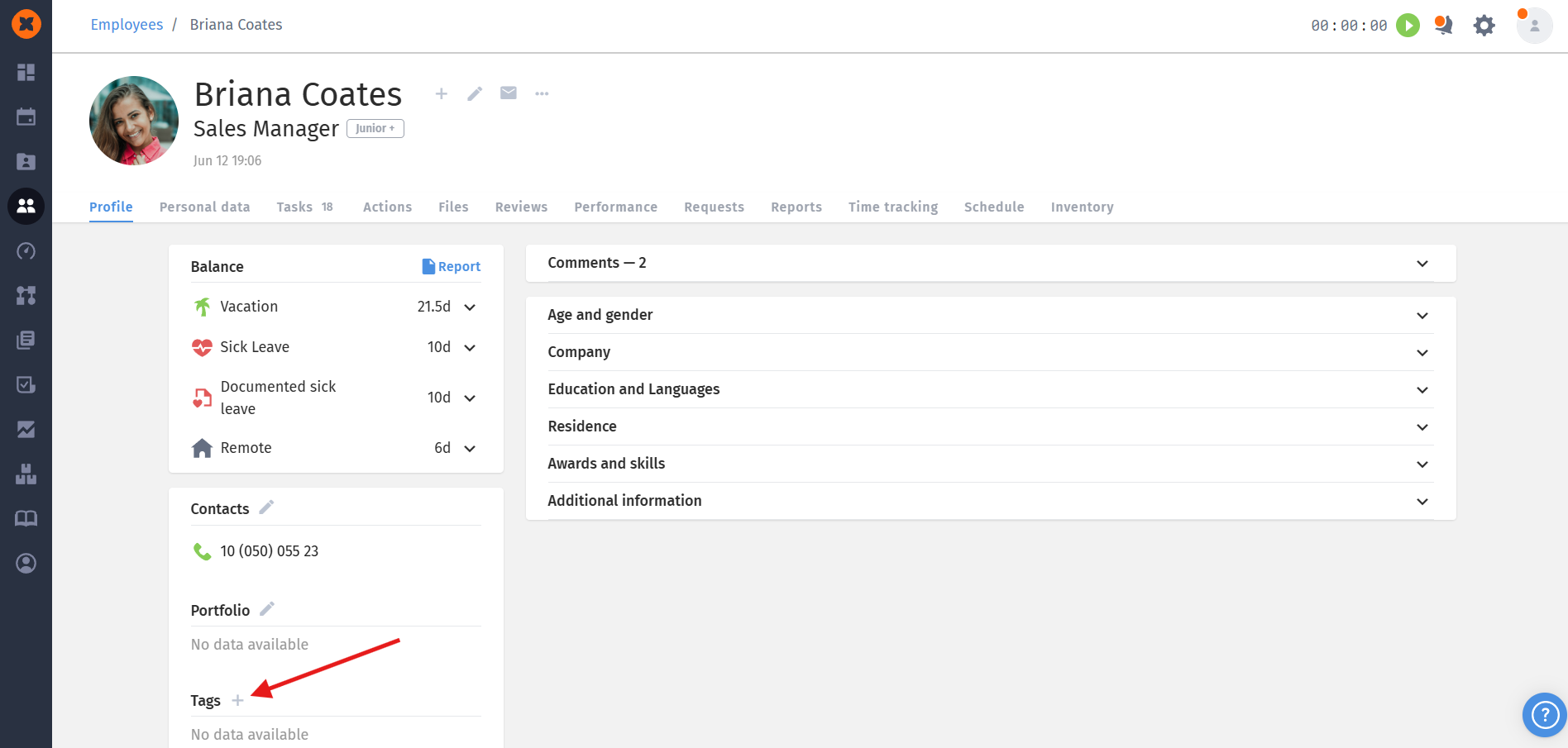
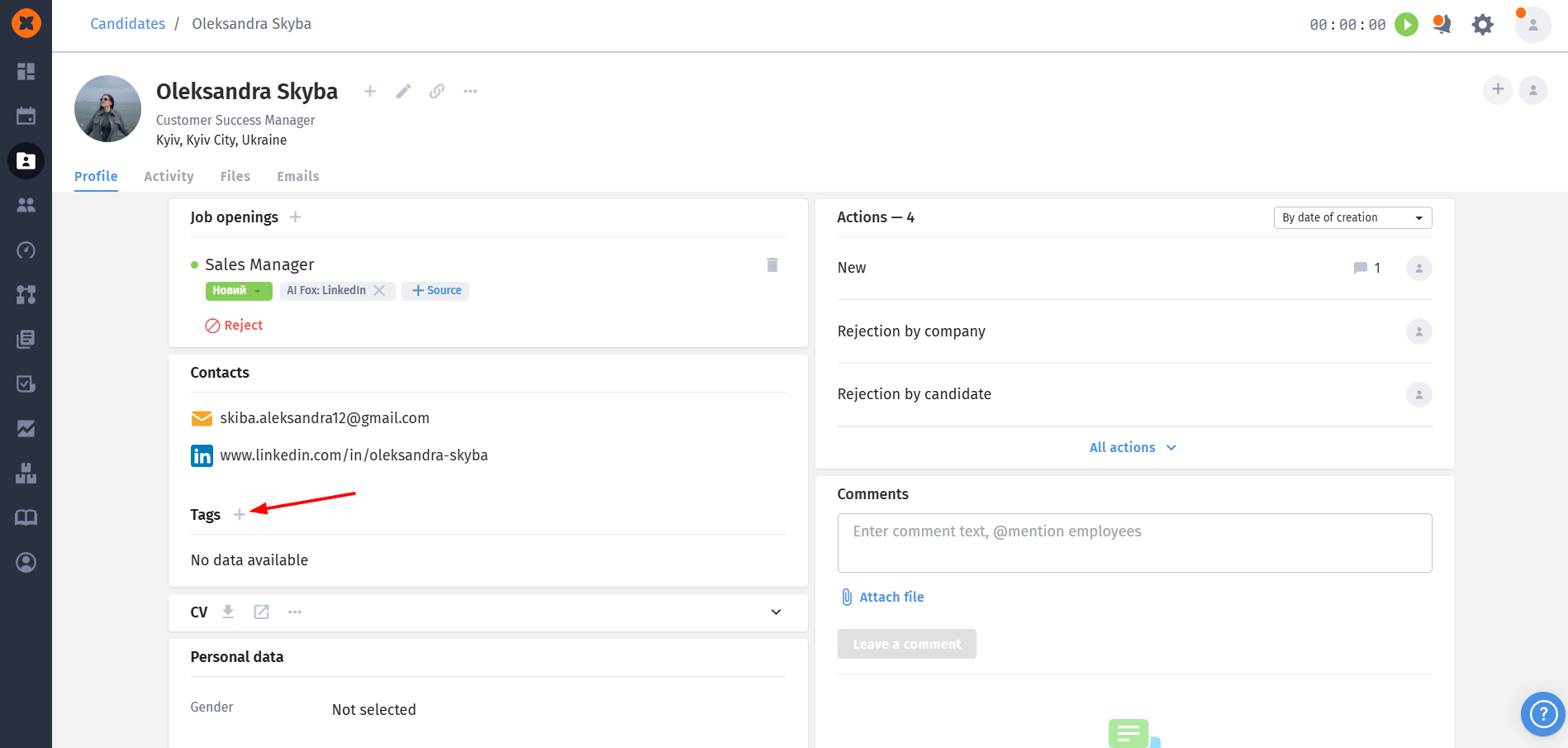
You can also add tags directly in employee and candidate profiles.
You can perform the following actions with tags:
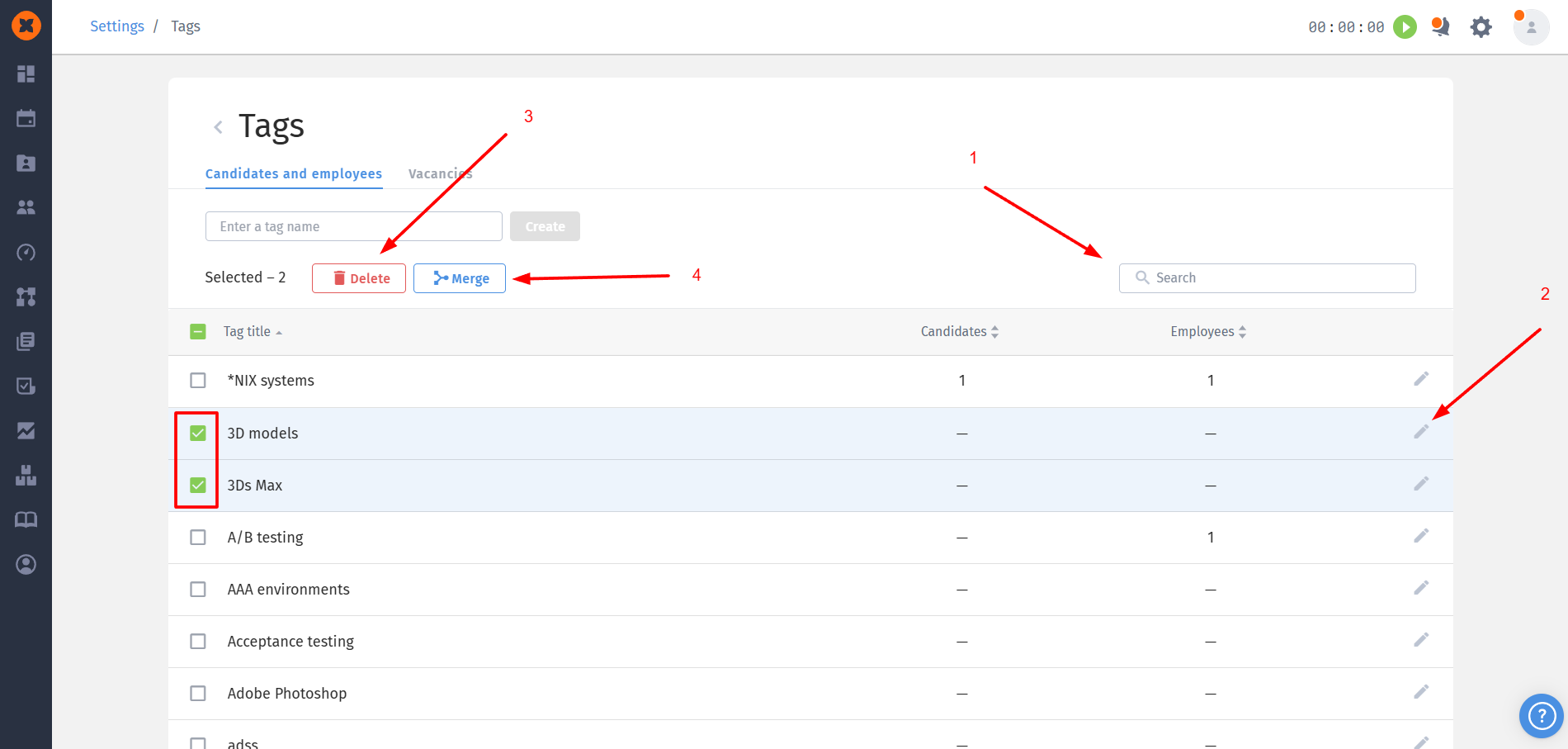
Search: a field for quickly finding specific tags in the general list.
Edit: allows you to modify (rename) an existing tag.
Delete: allows you to delete selected tags from the system.

Merge: allows you to merge selected tags into one.
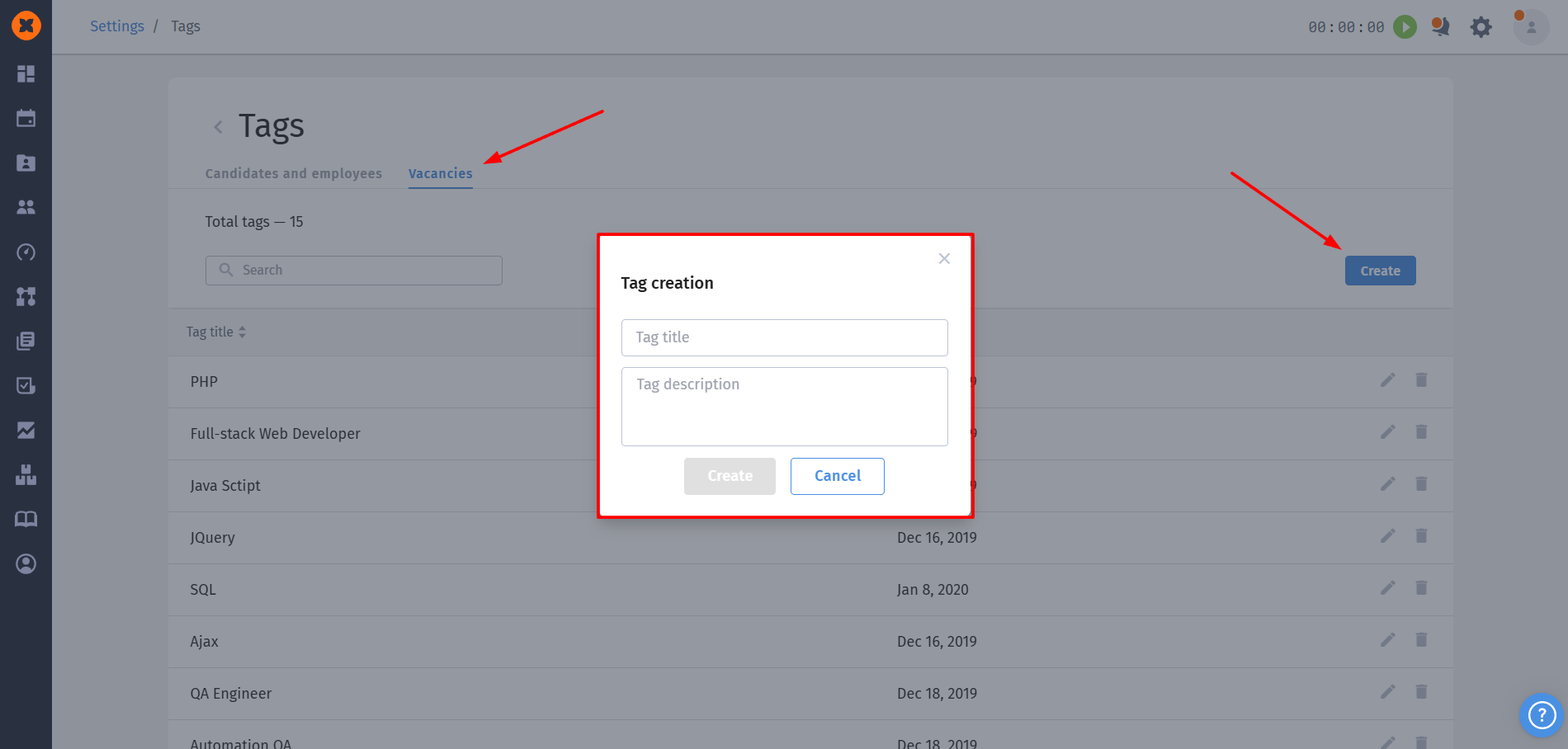
To create vacancy tags, click the “Create” button, enter the tag name and description (description is optional), and click “Save”.
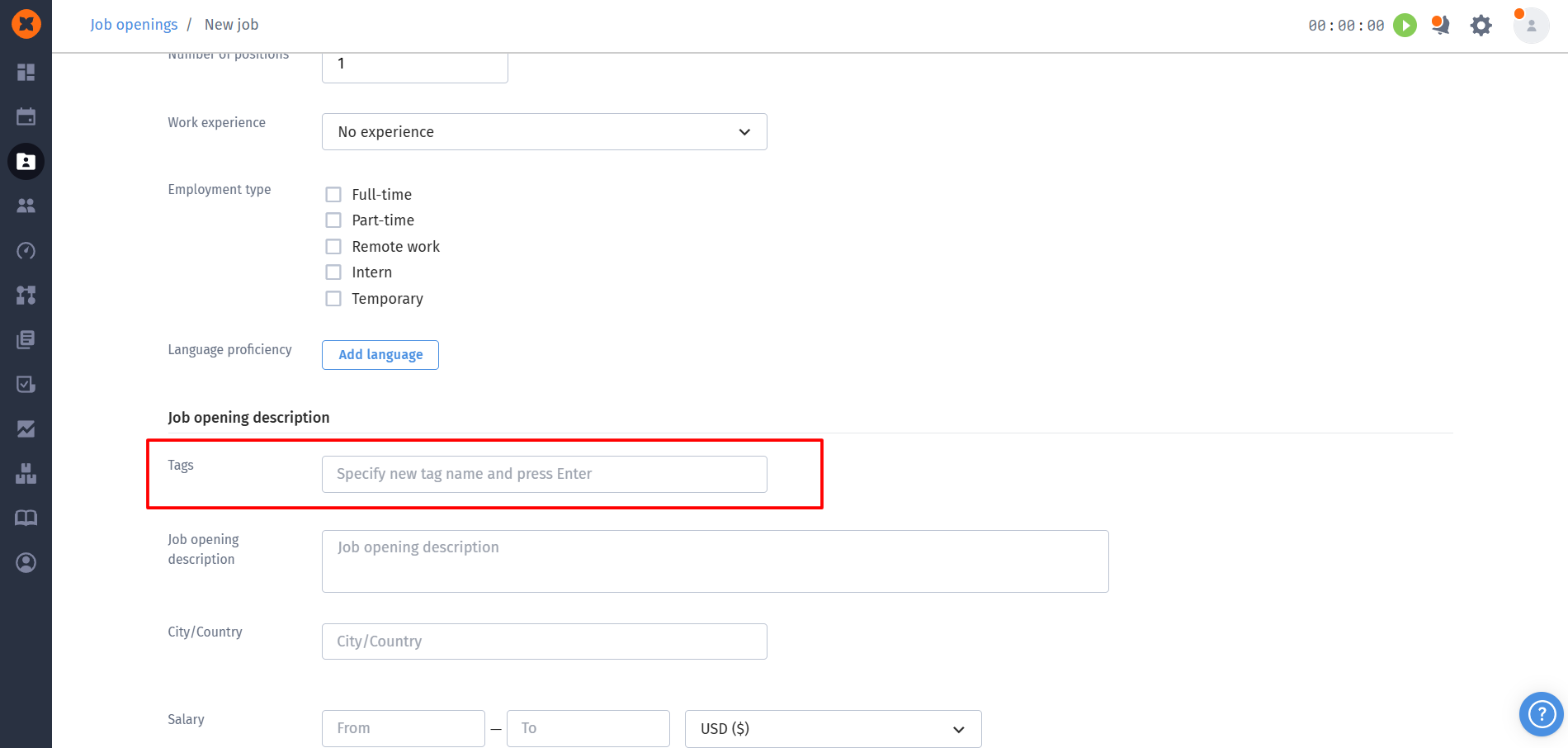
You can also add tags when creating or editing vacancies.
You can perform the following actions with vacancy tags:
Search: a field for quickly finding specific tags in the general list.
Edit: allows you to modify (change the name and description) an existing tag.
Delete: allows you to remove a tag from the system.