Get ready to transform recruitment!
Today, HURMA is introducing a series of major updates that will transform your workflow from a chaotic marathon into a streamlined, high-tech operation.
So, what exactly has changed? We’ve equipped you with tools for total control: from instantly finding the ideal candidate using unique criteria to fully automating calls and clearly assigning responsibilities across the team.
Get ready. Your work is about to become much more efficient (and that’s no exaggeration).
We know how important it is to quickly find the right specialists among hundreds of profiles. Manually reviewing data is not only tedious but also inefficient. That’s why we’ve added an update that will make your search lightning-fast and precise!
What’s new?
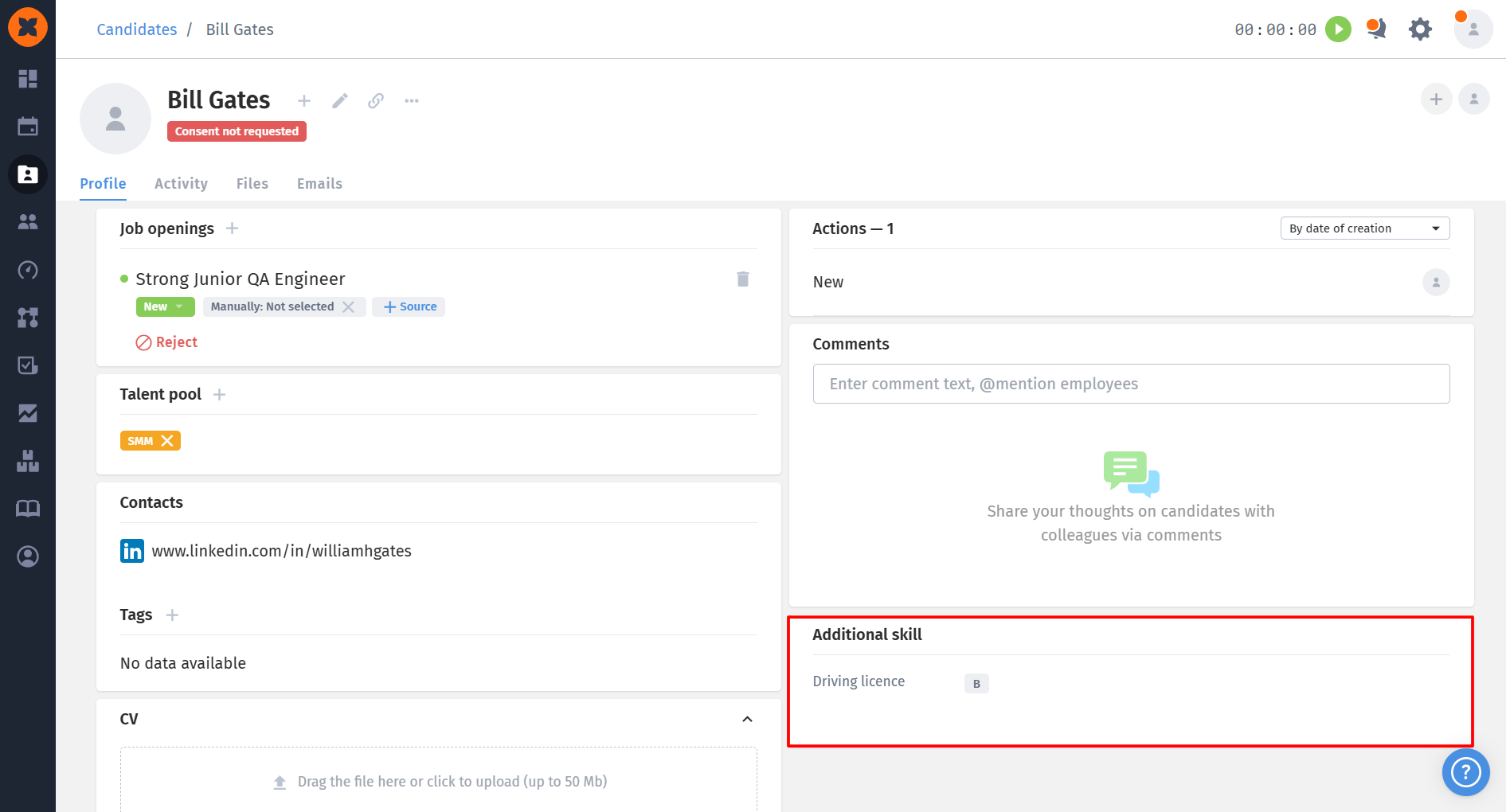
You can now filter by custom fields on the Kanban board that have been added to and filled in on candidate profiles for a specific vacancy.
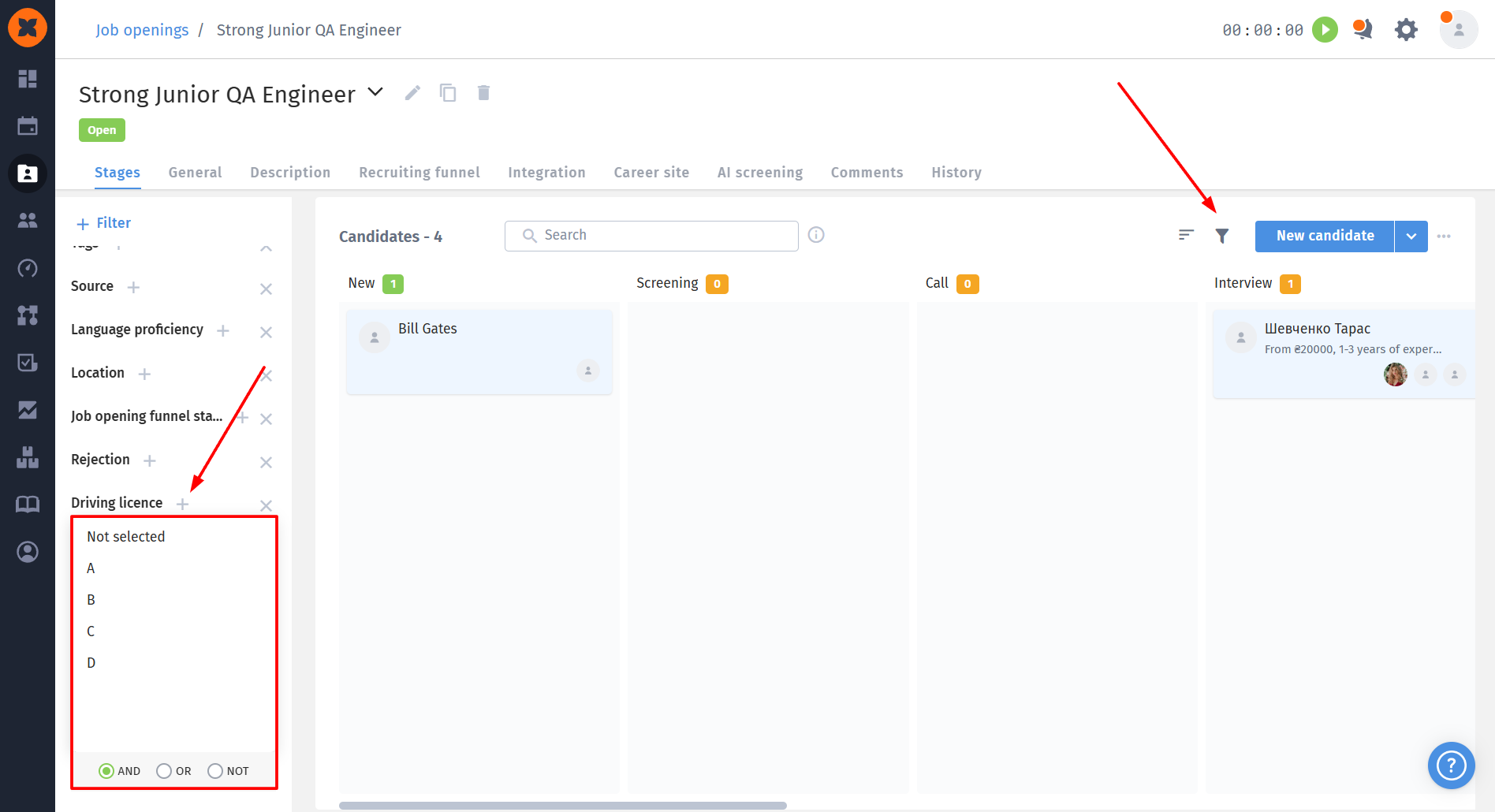
Your advantages:
Save time: forget about scrolling through hundreds of cards.
Maximum accuracy: filter by unique criteria that matter for your vacancy.
Faster decision-making: narrow the funnel down to the most relevant profiles.
Delegate the tedious work to the system - the ideal candidate is already waiting for you to click the right filter!
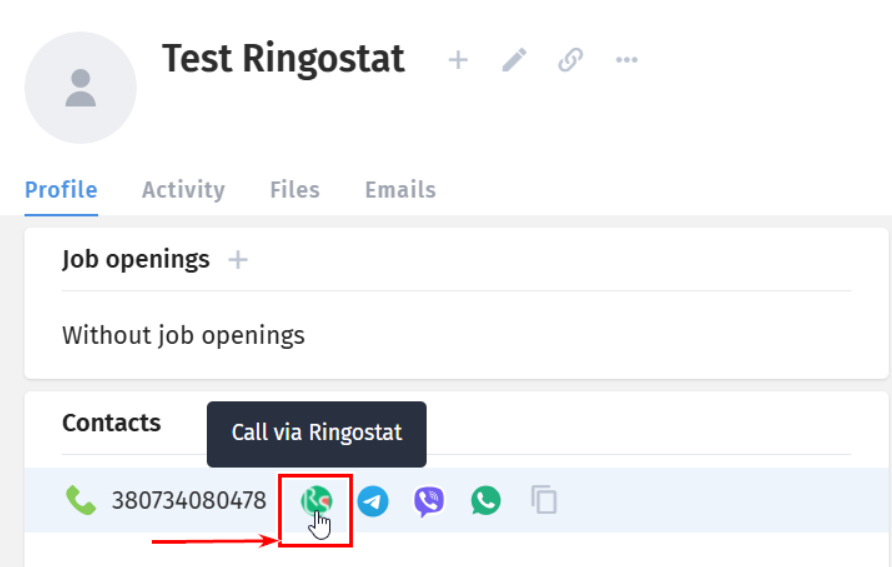
Recruiting is about speed, quality communication, and clear analytics. When some processes take place outside the system, managing them becomes difficult. That’s why we integrated Ringostat, so recruiters can call candidates directly from the system, see the complete communication history, and make data-driven decisions.
In other words, everything that used to require spreadsheets, “called, no answer” labels, or notes on scraps of paper is now conveniently gathered in one place. In HURMA.
Recruiters spend time dialing numbers manually. They may also forget to record the results of conversations. Sometimes the communication history gets lost, and the candidate has already been called twice. Well, we're all human :)
That’s why HURMA and Ringostat have joined forces and combined their superpowers to help you optimize communication with candidates:
all calls are made directly from the candidate’s profile, with no external tabs or copy-pasting;
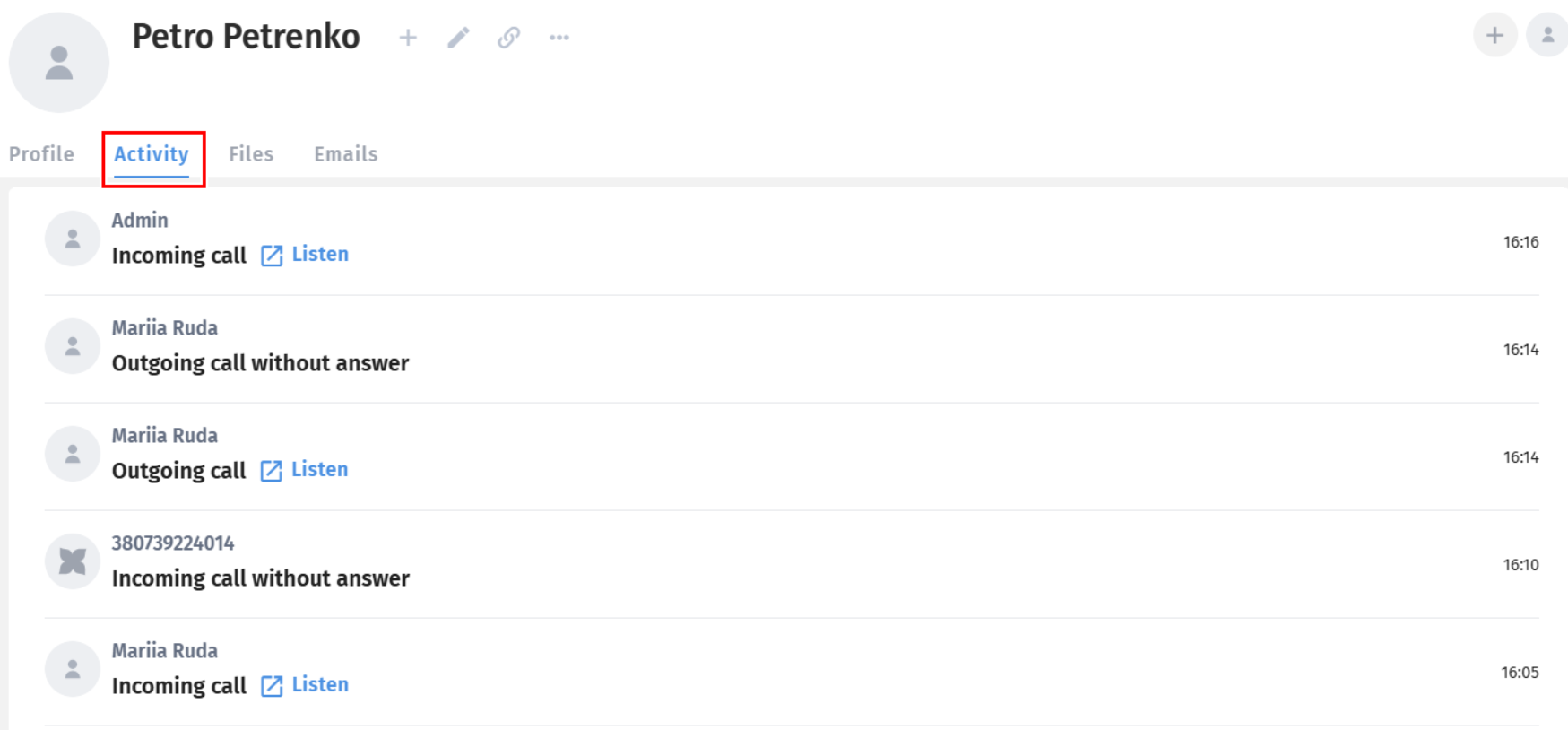
the system automatically saves the date, time, status, and recording of every call;
the manager can always see who contacted the candidate and when, and can listen to the conversation;
there is no need to dial the number manually or remember who last spoke with the candidate;
you can analyze every stage of the funnel, conversion after calls, and quickly respond to weak points.
With Ringostat, every call can be a monitored and productive work tool.
We know that successful recruiting depends on the speed and completeness of information. Previously, our AI Fox plugin did a brilliant job parsing the basic data, but your unique, important details - custom fields - were left out. You had to go back to HURMA and fill them in separately.
Those days are over!
We’ve updated AI Fox! Now, when you parse a resume or candidate profile with the plugin, all custom fields are displayed and available to fill in!
How does it work?
Parsing: you use the AI Fox plugin on a candidate’s page.
Display: in the plugin window, in addition to the standard fields, you’ll see a section with your custom fields (for example, “Driving license”).
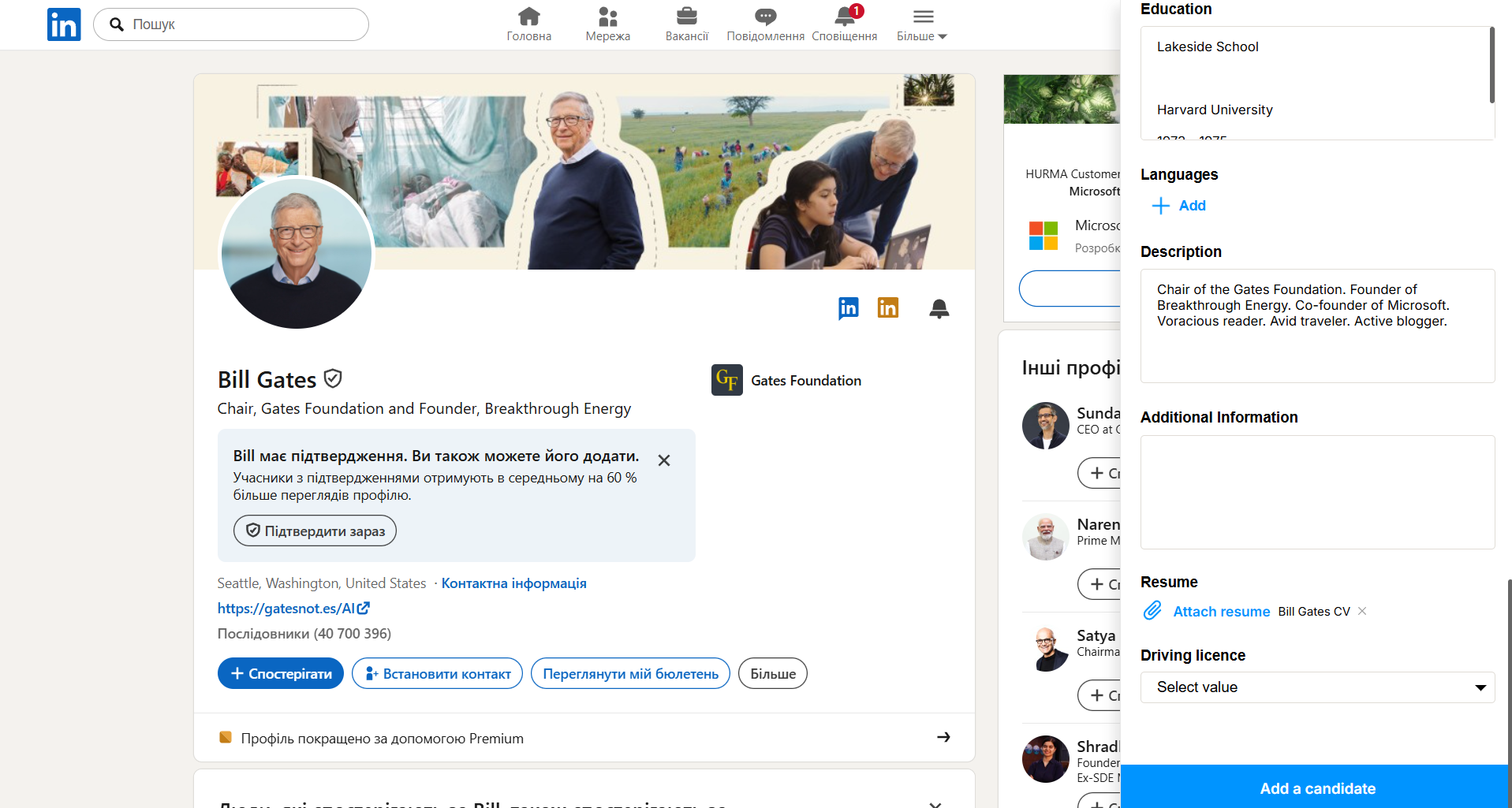
Filling in: you can enter the necessary information in these fields right away, without leaving the candidate’s profile.
The main advantage is synchronization!
Everything in one window: no extra clicks or switching between tabs.
No gaps: you build a complete candidate profile as soon as you add them to the system.
Maximum organization: custom fields filled in right away let you use powerful Kanban filtering (as we mentioned earlier!) without delay.
Add all the important details instantly, and your hiring process will run even more smoothly!
If your company is constantly growing and the number of teams, recruiters, and vacancies is in the dozens, managing the process becomes increasingly difficult. Access chaos and misallocated workloads are enemies of effective hiring.
What’s new?
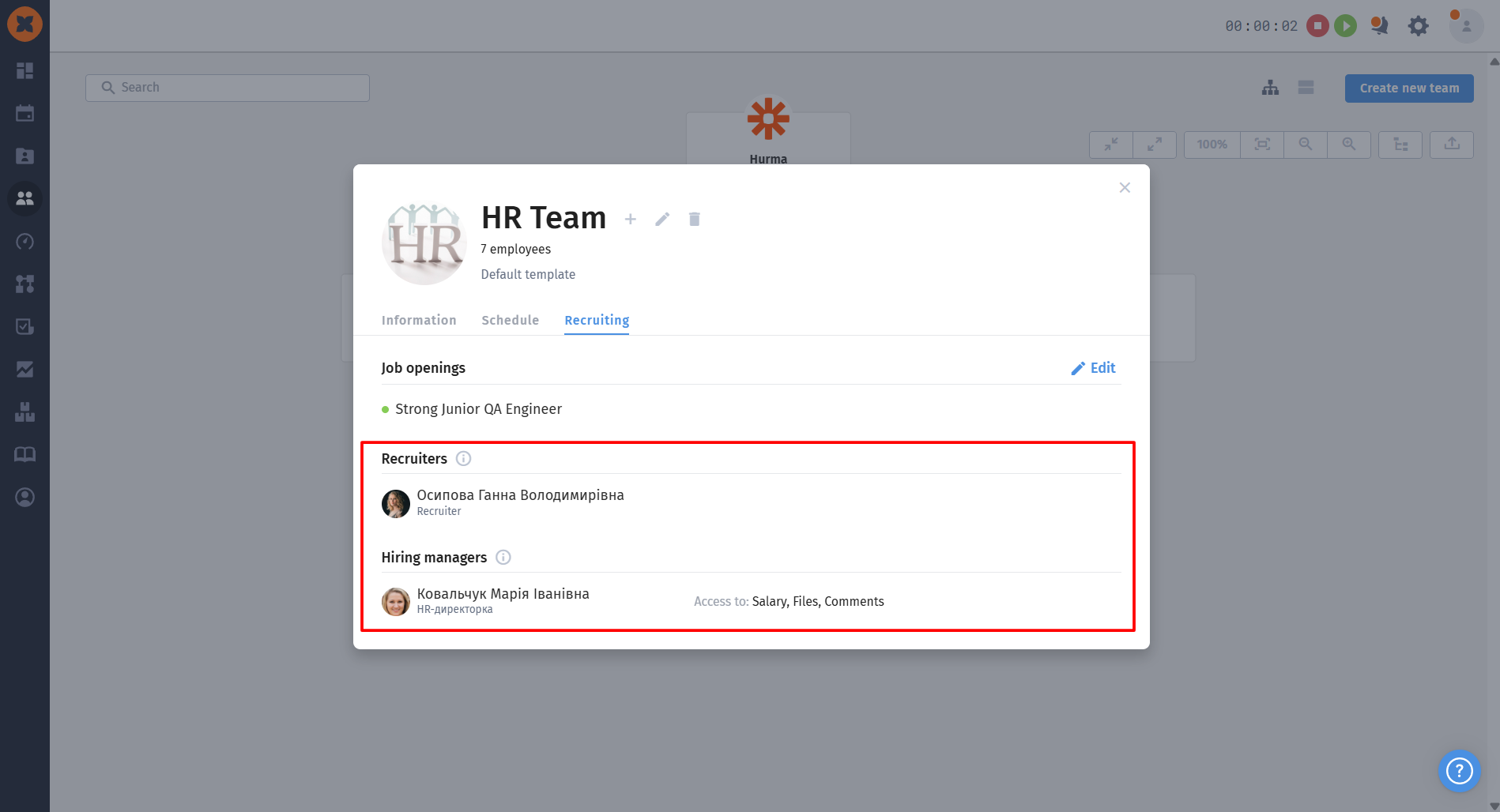
We’ve introduced the ability to assign recruiters and hiring managers to specific teams. This fundamentally changes how work is organized!
How does it work, and why is it useful?
Flexible access restrictions for recruiters:
You can configure the recruiter role so that they only see vacancies for the teams they are assigned to, as well as vacancies that are not assigned to any teams.
Less chaos, more order: recruiters aren't distracted by vacancies that aren't relevant to them.
Automatic access for everyone responsible:
Simply assign a recruiter or hiring manager to a specific team in the "Org chart" section.
They automatically get access to vacancies for that team and all its subteams.
Expanded capabilities for hiring managers:
When a vacancy is available to a hiring manager, they can see it in the "Available to me" tab.
You can flexibly configure which confidential information is visible to a hiring manager in a candidate's profile: salary, files, general comments, action history, and comments on actions.
The manager can leave a comment on the vacancy and candidate, tag the recruiter, and the responsible recruiter will receive a notification instantly.
The cherries on top:
Clear oversight: no confusion - everyone is responsible for their own area.
Work optimization: filter vacancies by the teams you are assigned to.
Data security: protect sensitive information from prying eyes.
