Meet the big update: even more possibilities for your recruiting and HR processes!
We keep improving the system so your daily work gets easier and your analytics more accurate. This time we focused on expanding search tools, deeper integration with job portals, and making it more convenient to work with data within your team.
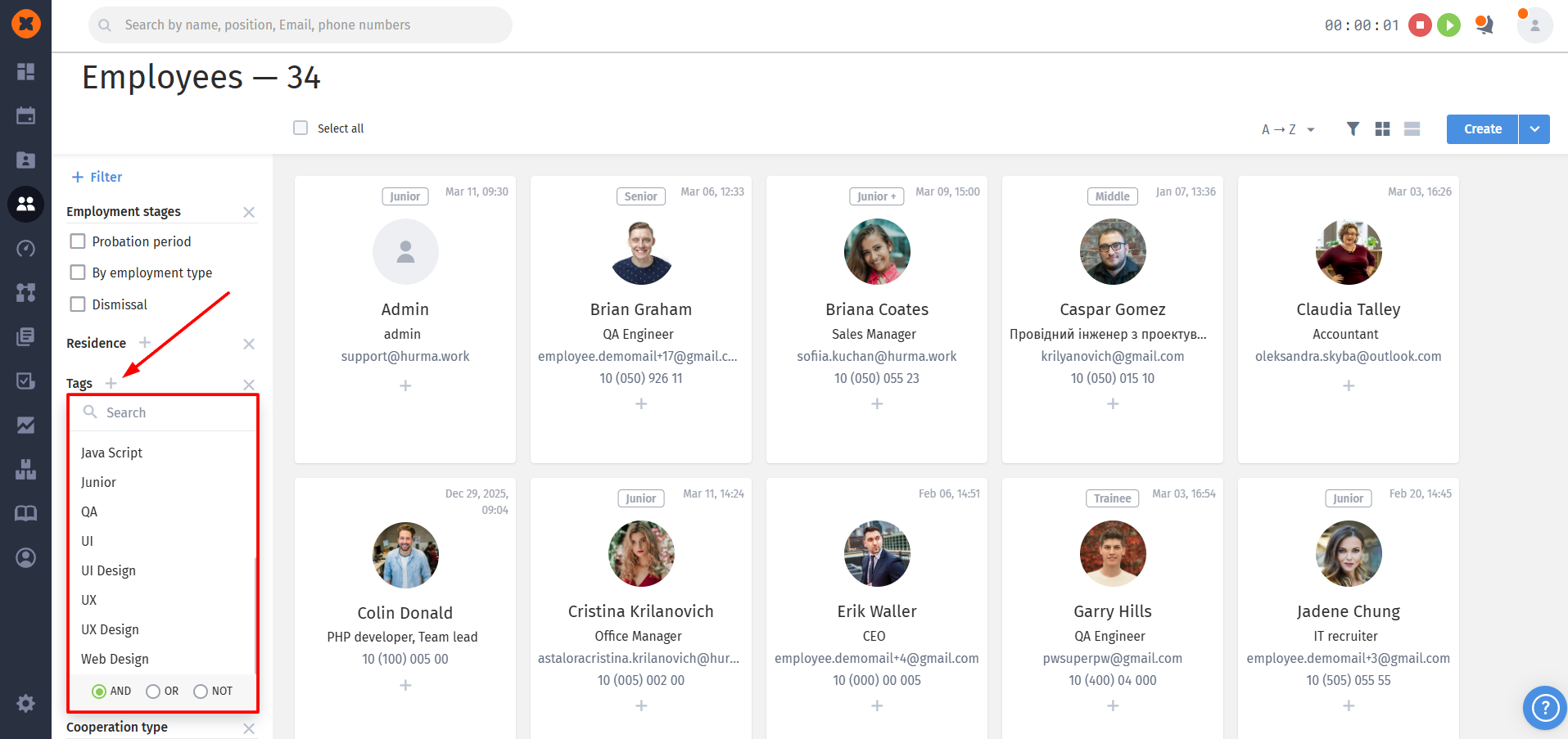
We’ve made search in the system even more flexible! From now on you can use logical operators to combine tags, which lets you create complex queries and filter your candidate or employee database as precisely as possible.
In the filter sidebar, under the list of selected tags, you’ll now see an option to choose one of three search modes:
AND: the system will show only those employees who have all selected tags at the same time. This is perfect for searching for narrow-profile specialists with a specific set of skills.
OR: the results will include everyone who has at least one of the selected tags. This mode broadens the selection and is useful when you’re looking for specialists in related fields.
NOT: lets you exclude from the search employees who have certain tags. Use this operator to filter out irrelevant categories and focus on what matters most.
Accuracy: no more manually going through long lists – the system will handle complex filtering for you.
Speed: setting up the search logic takes just one click in the filters panel.
Versatility: the feature works both for searching by technical skills and by any other custom tags in your system.
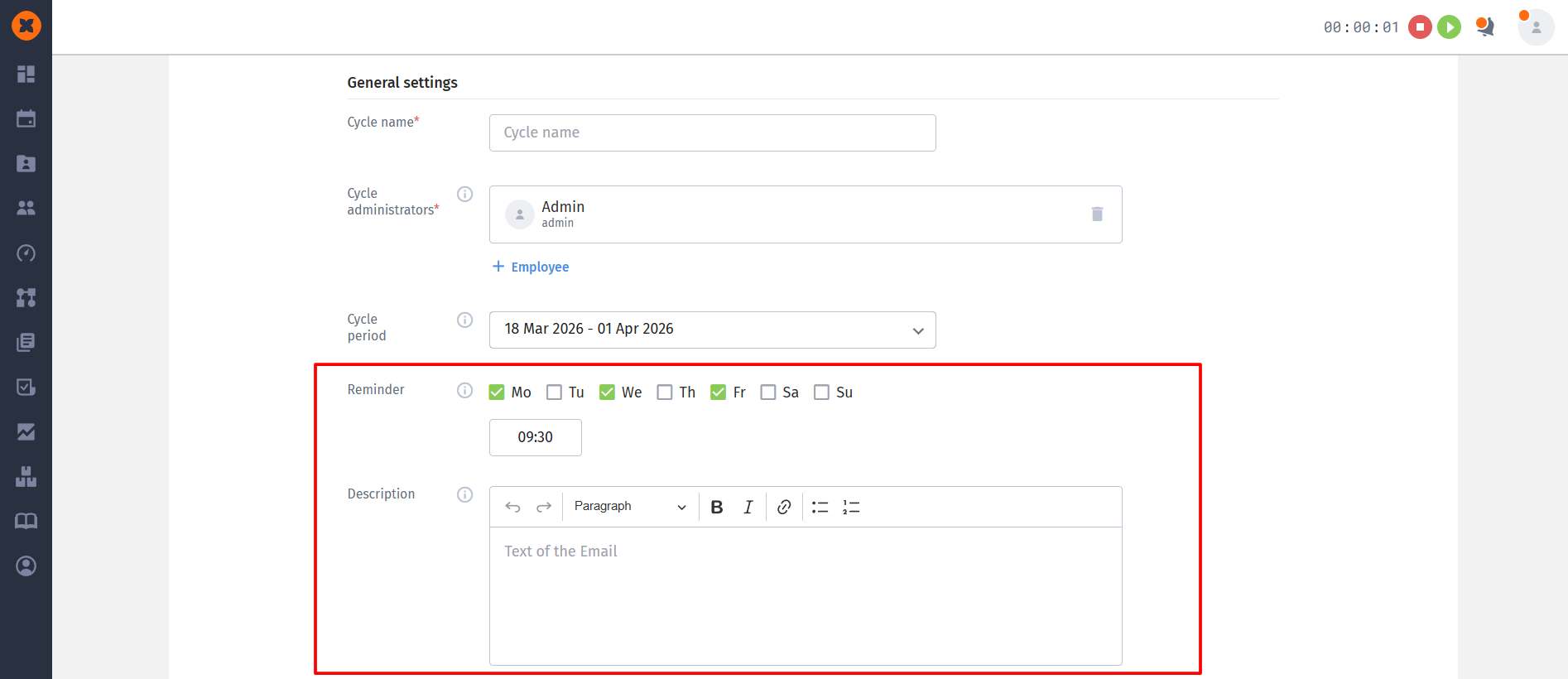
We’ve improved the feedback functionality to make the evaluation process more transparent for recruiters and more convenient for employees.
From now on you have full control over communication within a survey:
reminder planning: you can choose the days of the week and the exact time when the system will send employees reminders about the need to complete their review;
personalized introduction: you can now add an introduction directly in the settings. You can format the text (bold, italics, lists) and add links to give participants clear instructions or context for the survey.
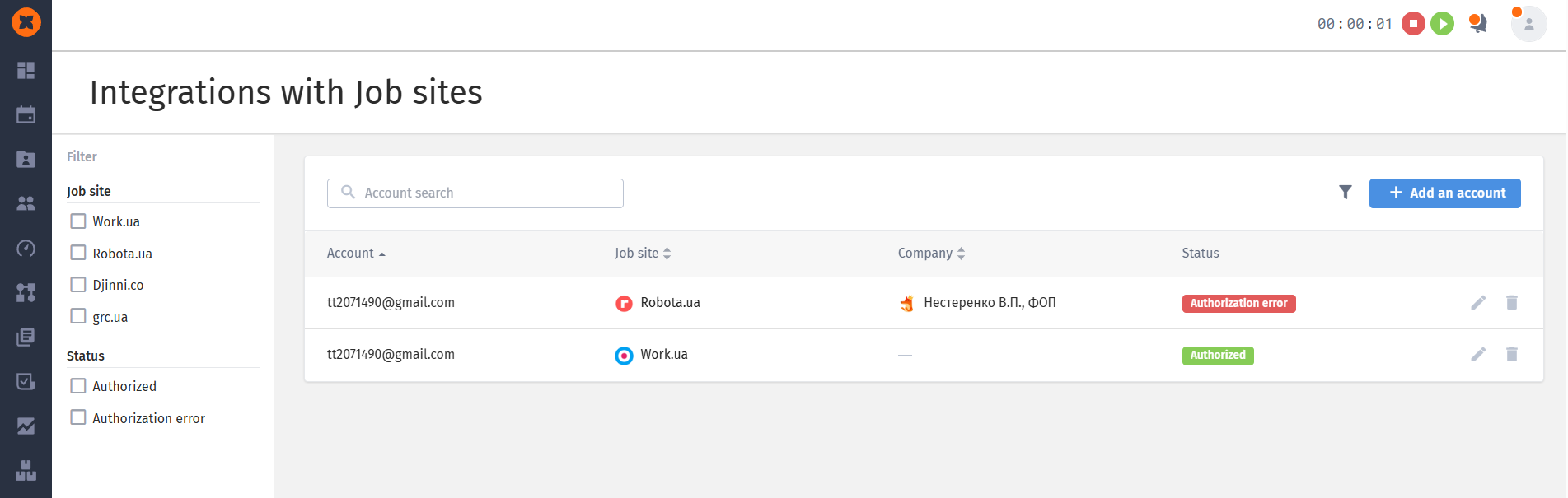
We’ve rethought how we work with external resources, making access management more secure and connections with vacancies more flexible. Now the integrations section has become part of the «Recruiting» subsection in the settings.
Personalization and teamwork: the page shows the connected accounts of the current user. At the same time, several employees can be authorized under one corporate account simultaneously.
Informative: in the accounts table, you can now clearly see the email name, portal logo, and the company name the account is linked to (if the portal supports this).
Scaling connections: now one vacancy in the system can be linked to several postings on job portals, and vice versa.
Smart status sync:
Active: the vacancy is published and collecting responses.
Paused: this status is activated automatically if you manually put the integration on pause or if the posting on the portal hasn’t been updated for more than 180 days.
Automation on closing: if you change the vacancy status in the system to “Closed” or “Cancelled”, all external connections automatically become “Paused”. When you put the vacancy back to work, the statuses become active again.
Nightly update: any changes to the title or status of the posting made directly on the portal are synced with the system once a day during the night update.
“Authorization error” status: now the system will let you know if the connection was broken because the password on the portal was changed or due to technical errors on the server side.
Integration recovery: when you return to work, you can choose from which moment to resume data collection — “from today” or from the suspension date.

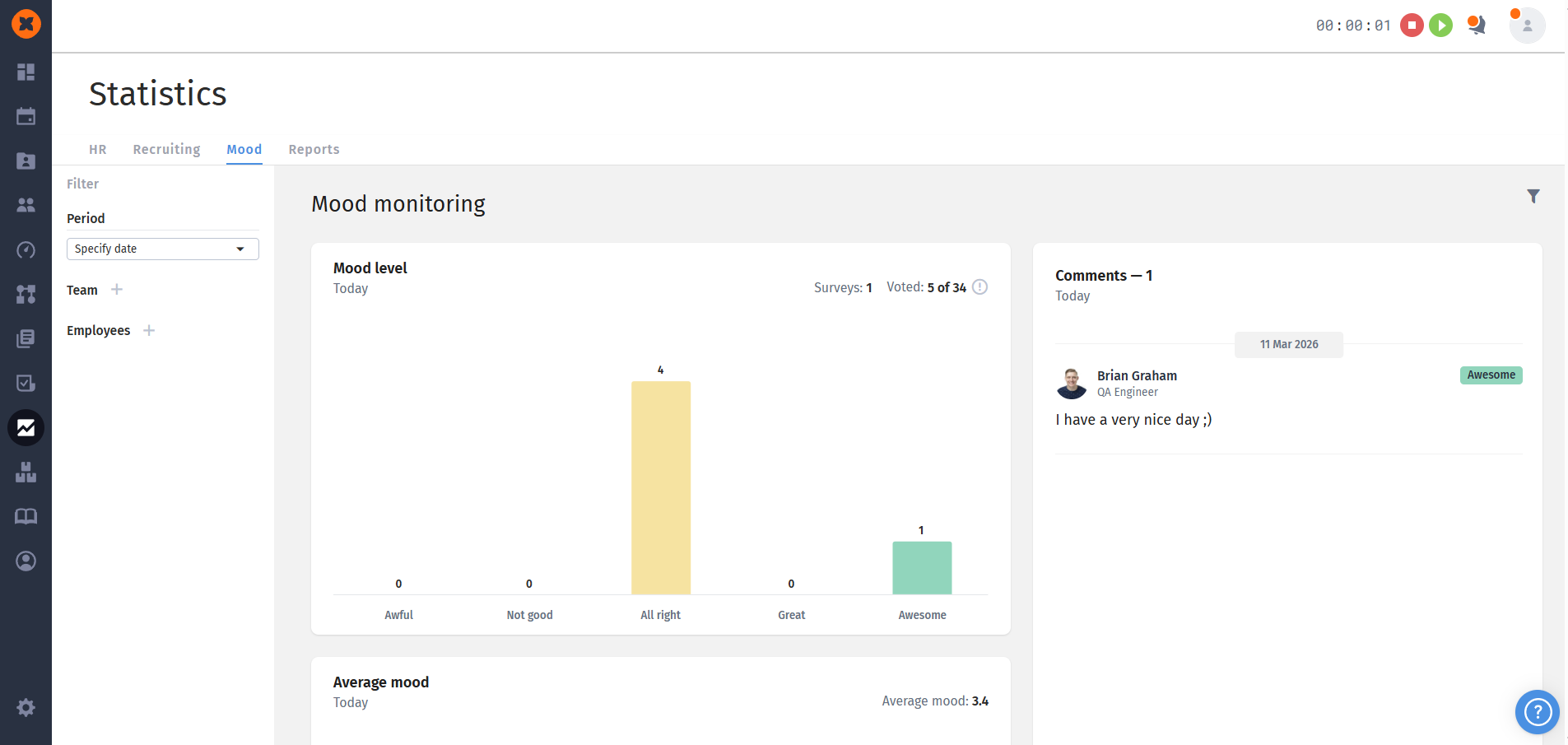
The updated statistics section lets HR managers and team leads dig deeper into the emotional climate in the team with the help of visual charts and detailed reports.
Mood level: a histogram that shows the distribution of employee ratings by categories: “Bad”, “Not great”, “Okay”, “Good” and “Excellent”. The block also shows the total number of surveys and the number of people who voted.
Average mood: a line chart that shows how the company’s or team’s average mood score changes over time.
Comments: a separate block for viewing text notes that employees leave together with their rating.
Monthly timeline: a detailed activity table where, for each day, you can see whether each employee has completed the survey. This helps track engagement and how regularly feedback is provided.
To get accurate data, you can filter the report by the following parameters:
Period: selecting specific dates or time ranges;
Team: analyzing the mood of a specific department or unit;
Employees: viewing statistics for a specific person.