Meet the spring update: even more possibilities for your recruiting and HR processes! We keep improving the system so your daily work becomes easier.
This time we focused on improving hiring stage settings, introducing feedback from subordinates, and expanding financial data export.
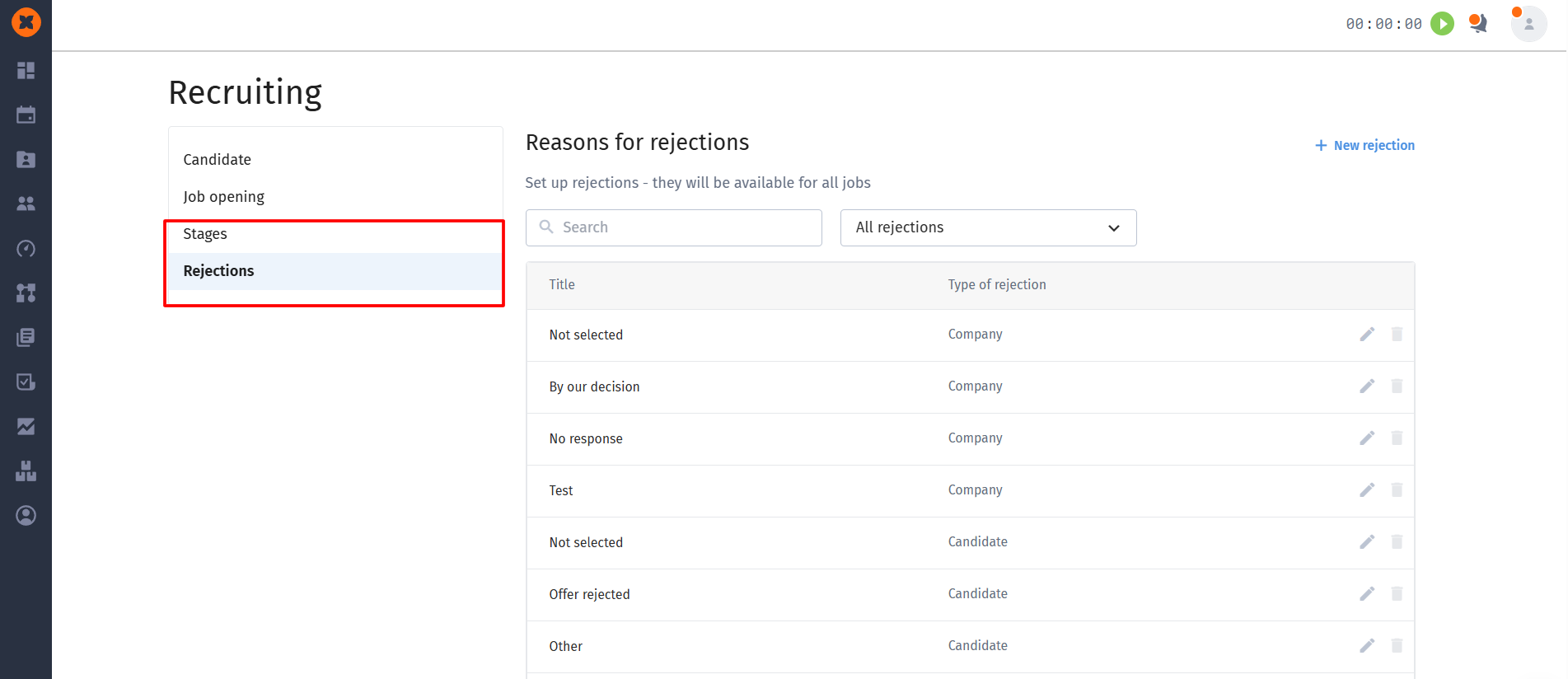
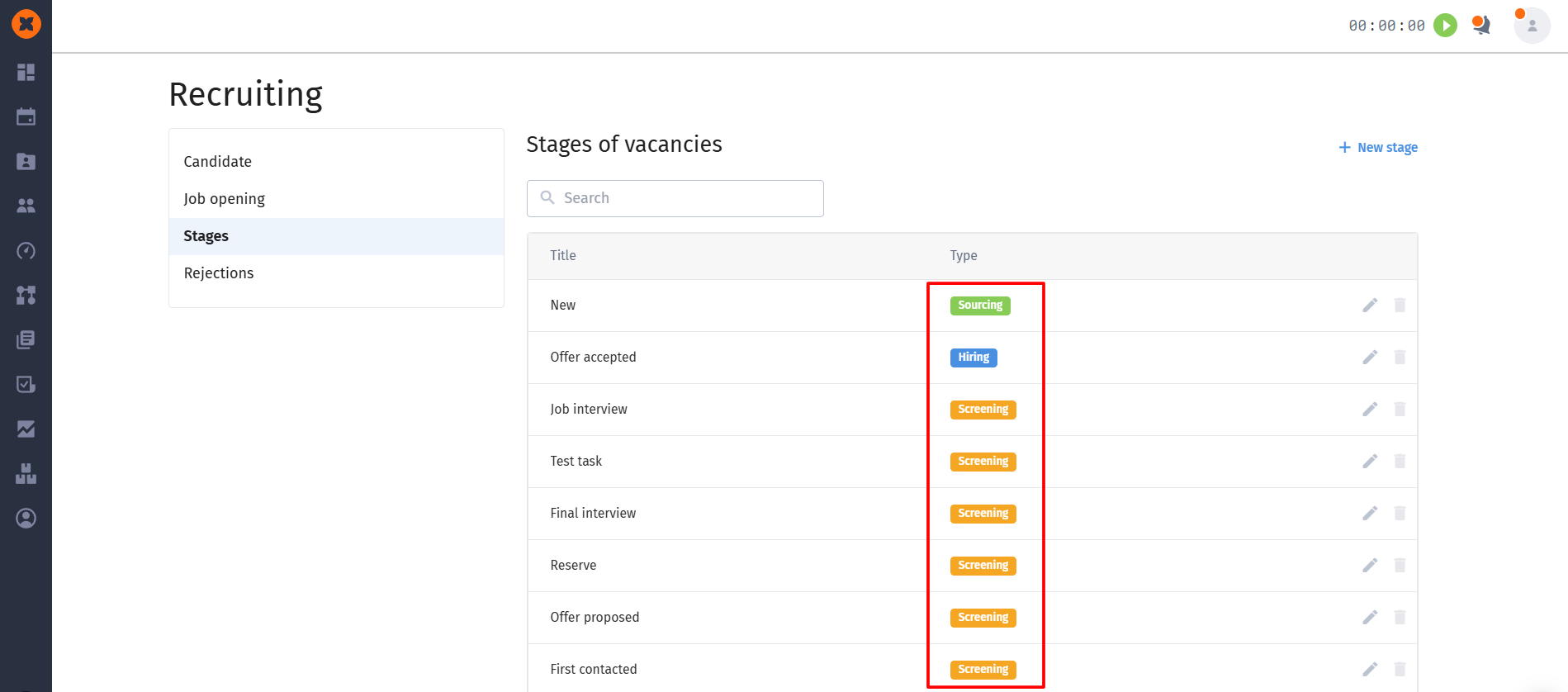
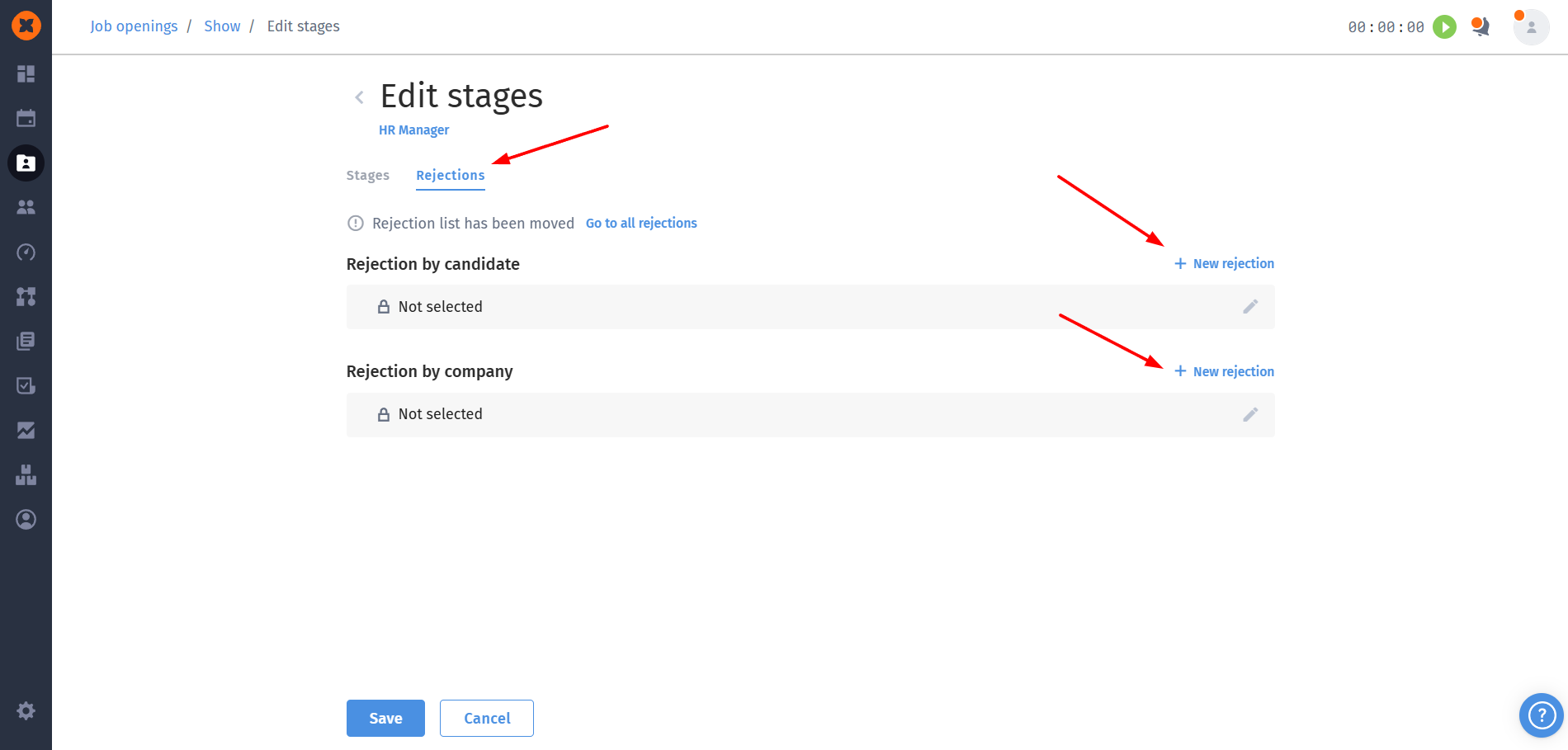
We’ve rethought how vacancy stages and rejection reasons work. These tabs are now moved directly to the recruiting settings section (“Stages” and “Rejections”).
All stages in the system are now automatically divided into types: “Sourcing” (for example, for new applications), “Screening” (for all custom stages), and “Hiring” (for the offer acceptance stage).
Rejections are also clearly divided into “Candidate rejection” and “Company rejection”
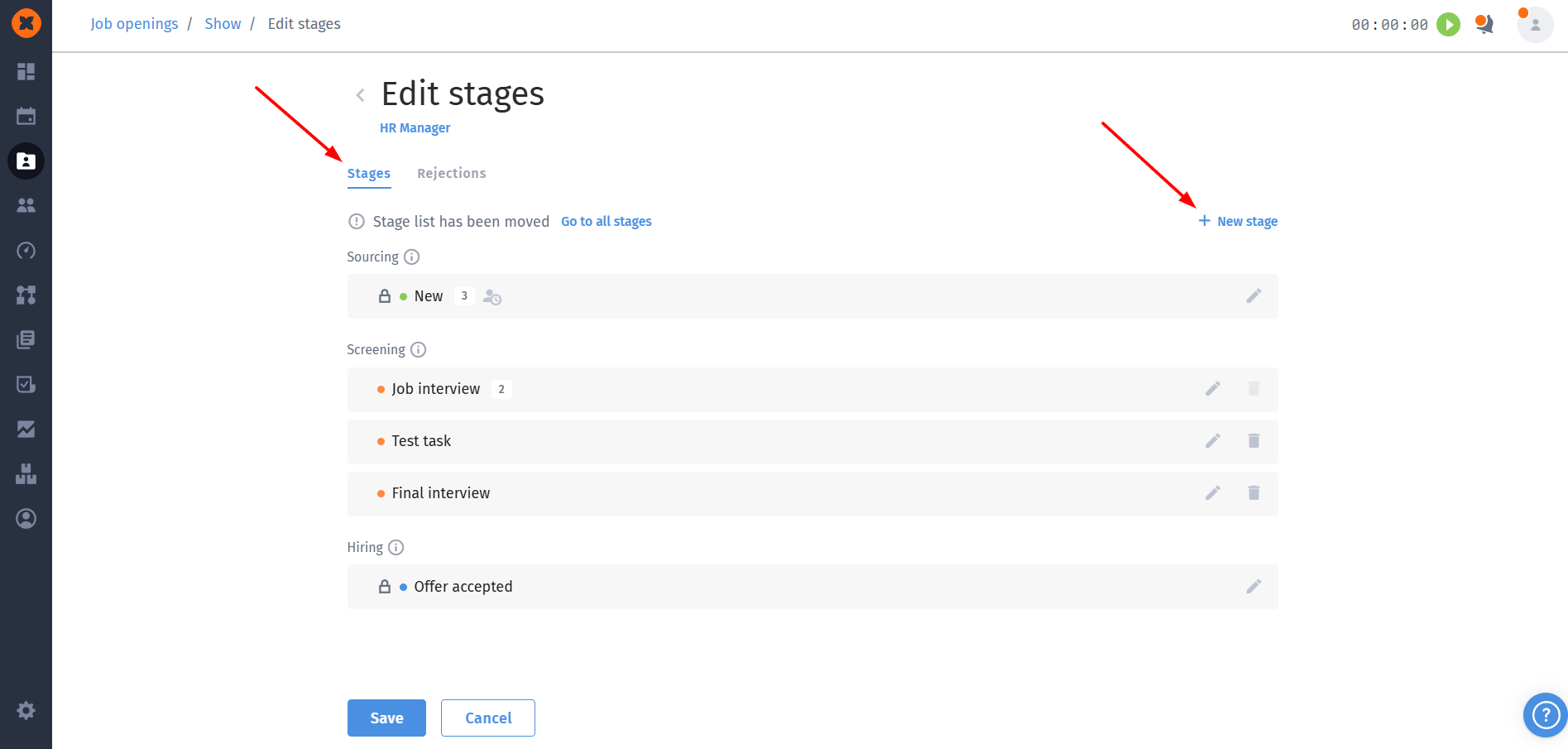
From now on, right in the “Recruiting” section you can create and store absolutely all stages and rejections that exist in the company as a whole. And then, directly in the settings of the stages and rejections of a specific vacancy, you can select and add only those that are needed exactly for it.
We’ve added a big and long-awaited feature – the ability to create cycles with the type “Upward feedback”, which lets you collect high‑quality feedback for team leaders.
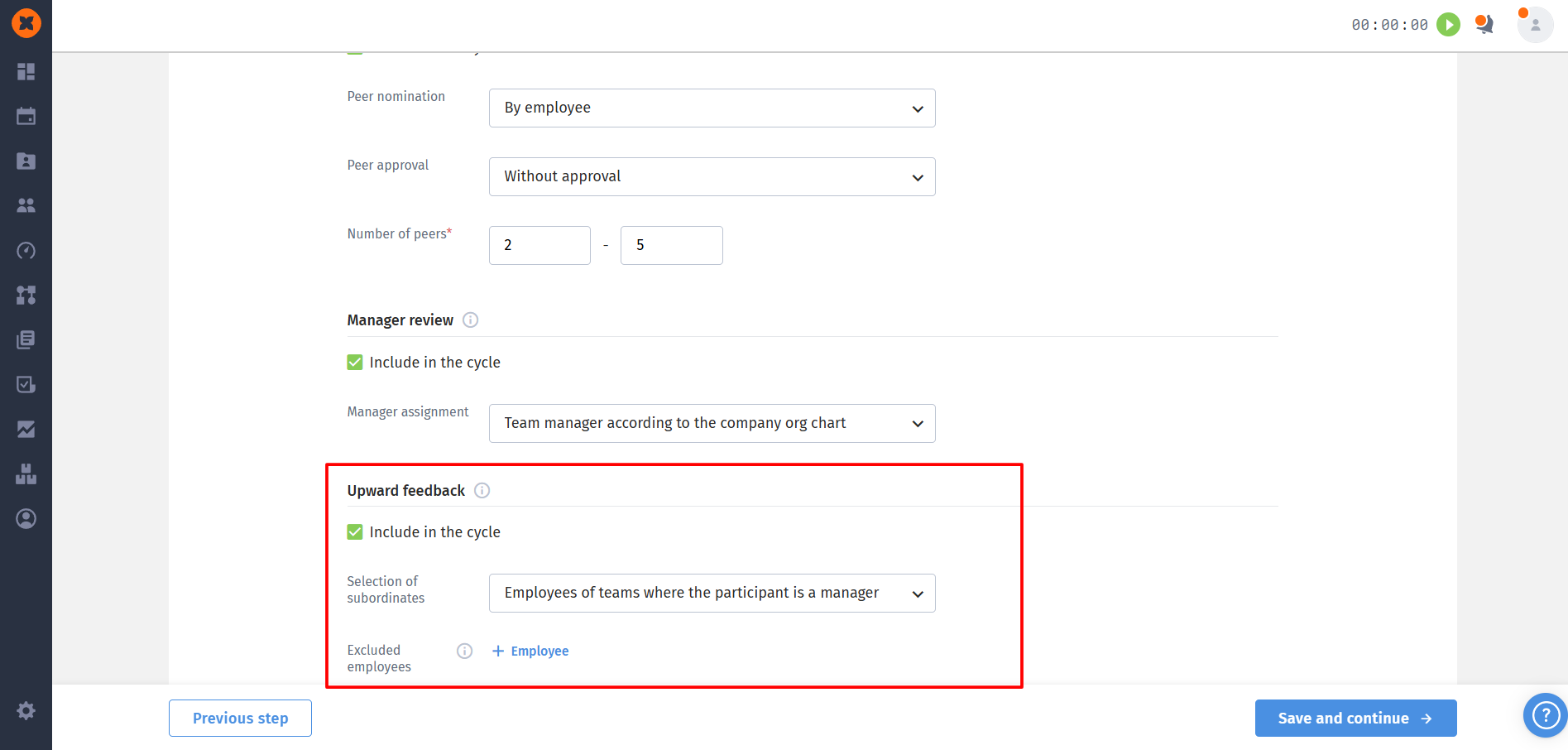
Main capabilities of the new review:
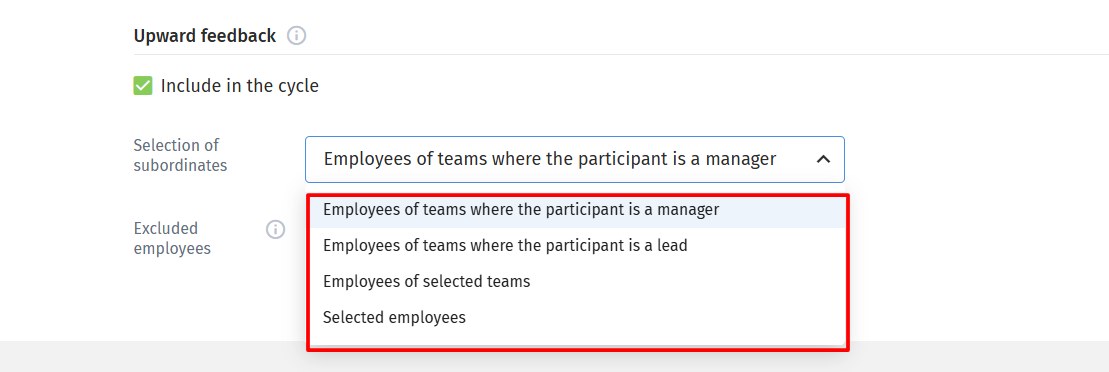
Flexible choice of respondents: you can set up the review so that feedback is provided by employees of the team where the person being reviewed as the team manager or team lead. In addition, you can manually select specific teams or individual employees as respondents.
Excluding participants: a handy “Excluded employees” field has been added. It lets you forcibly exclude certain people from the survey so they don’t act as subordinate evaluators, even if they meet all other criteria.
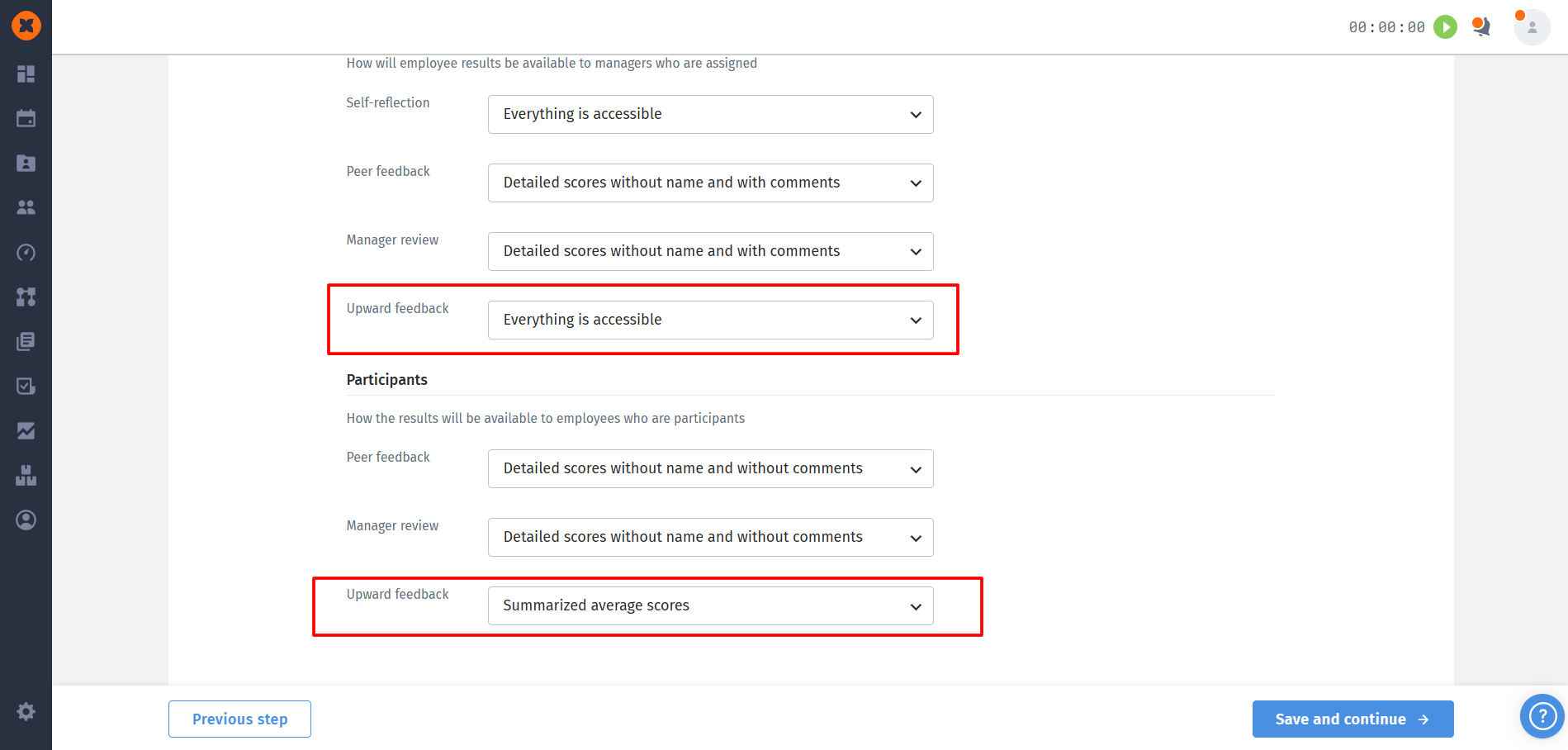
Result visibility control: the settings let you flexibly manage how the evaluated managers will see results from their teams. Admins can allow viewing everything, hide respondents’ names, hide their comments, or leave only the final average scores.
Detailed analytics and export: the “Upward feedback” metric is now fully integrated into the system’s overall and detailed reports and is also taken into account in the “Progress” column of the cycle completion. All relevant rows and columns are automatically added when exporting results in PDF and CSV formats.
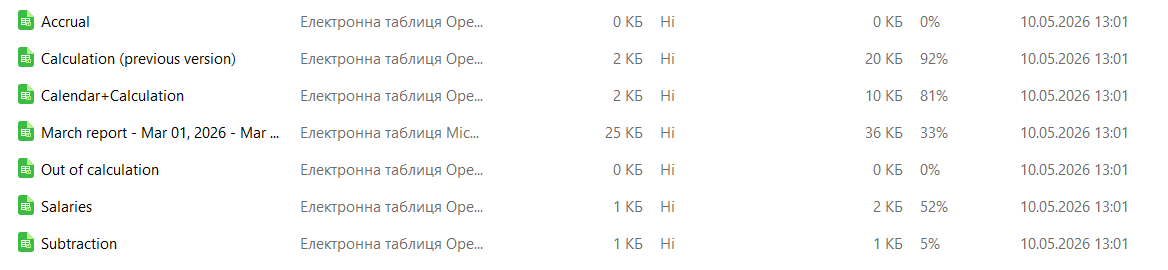
Extended multi-component export file: instead of a single tab, the new reports will contain 5 tabs in Excel (5 separate CSV files):
Calendar+Calculation - combined with the calendar.
Salaries - for logging changes in salary rates for the selected date.
Accrual - all records for the “Addition” columns.
Subtraction- all records for the “Subtraction” columns.
Out of calculation - all records for neutral columns.