We are excited to present another major package of HURMA system updates for August 2026. This release focuses on enhancing security, optimizing workflows, and providing greater flexibility in configuring internal processes.
We have significantly simplified and improved the process of working with vacancy descriptions. Instead of several separate fields (“Requirements”, “Responsibilities”, “Would be a plus”, and “Working terms”), the vacancy card now features one universal field - “Job opening description”. With the built-in WYSIWYG editor, you can flexibly format text to make your job postings look attractive and professional to candidates.
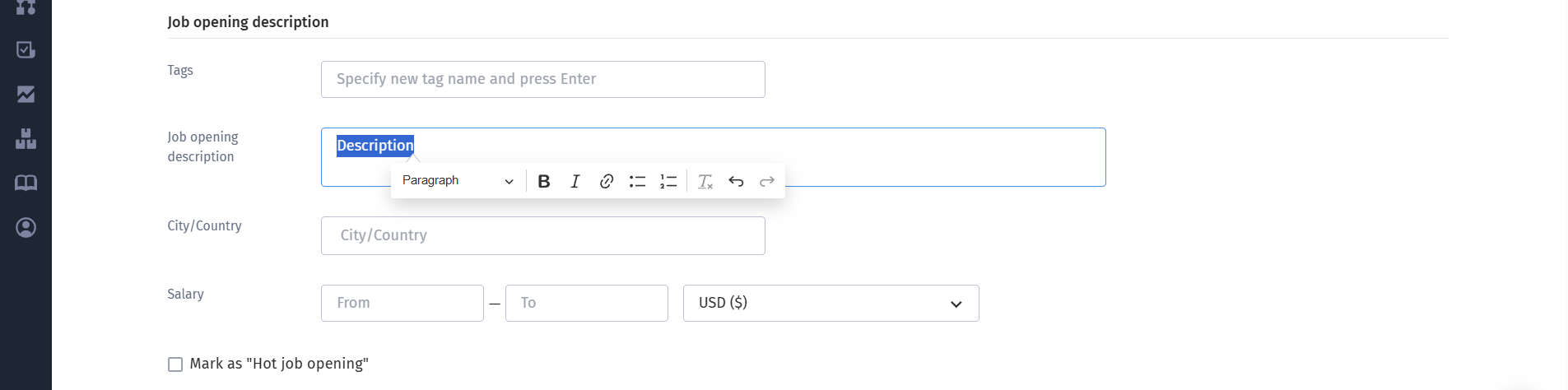
Multifunctional toolbar: when you select text or click the description field, a convenient toolbar appears. It includes regular text styles and three heading levels (Heading 1, 2, and 3), which can be easily switched between;
Flexible formatting: you can highlight text in bold or italic, as well as combine these styles;
Bulleted and numbered lists: help structure requirements and other information for candidates;
Working with links: you can quickly add URLs, edit them, or remove them completely;
Additional features: support for adding emojis directly to the job description, one-click formatting removal, and an undo function (Ctrl + Z);
Character limit: the job description field supports up to 20,000 characters. If the limit is exceeded, the system will display a warning and prevent the vacancy from being saved.
Creating a vacancy from an approved request: the vacancy requisitions templates and creation process still use a convenient structure with five separate fields. However, when a vacancy is approved and created from a completed requisition, the system automatically combines all the text into a single “Job opening description” field, organized into separate blocks in the correct order (“Description”, “Requirements”, “Responsibilities”, “Would be a plus”, “Working terms”);
Automatic migration of archived vacancies: all previously created vacancies, regardless of their status - active, paused, closed, or canceled - have been automatically migrated to the new format. The separate fields were combined into a single description, plain text was converted into paragraphs, and existing lists were converted into properly formatted bulleted lists without losing any content;
Display on the career site: all formatted job description content is automatically displayed on your career site and updated instantly whenever changes are made.
To provide greater flexibility and data security, we have updated the access control model in HURMA. Previously, the vacancy section had a single shared “View” permission. It has now been divided into four separate, independent permissions that apply both to the vacancy list and to the vacancy card itself.
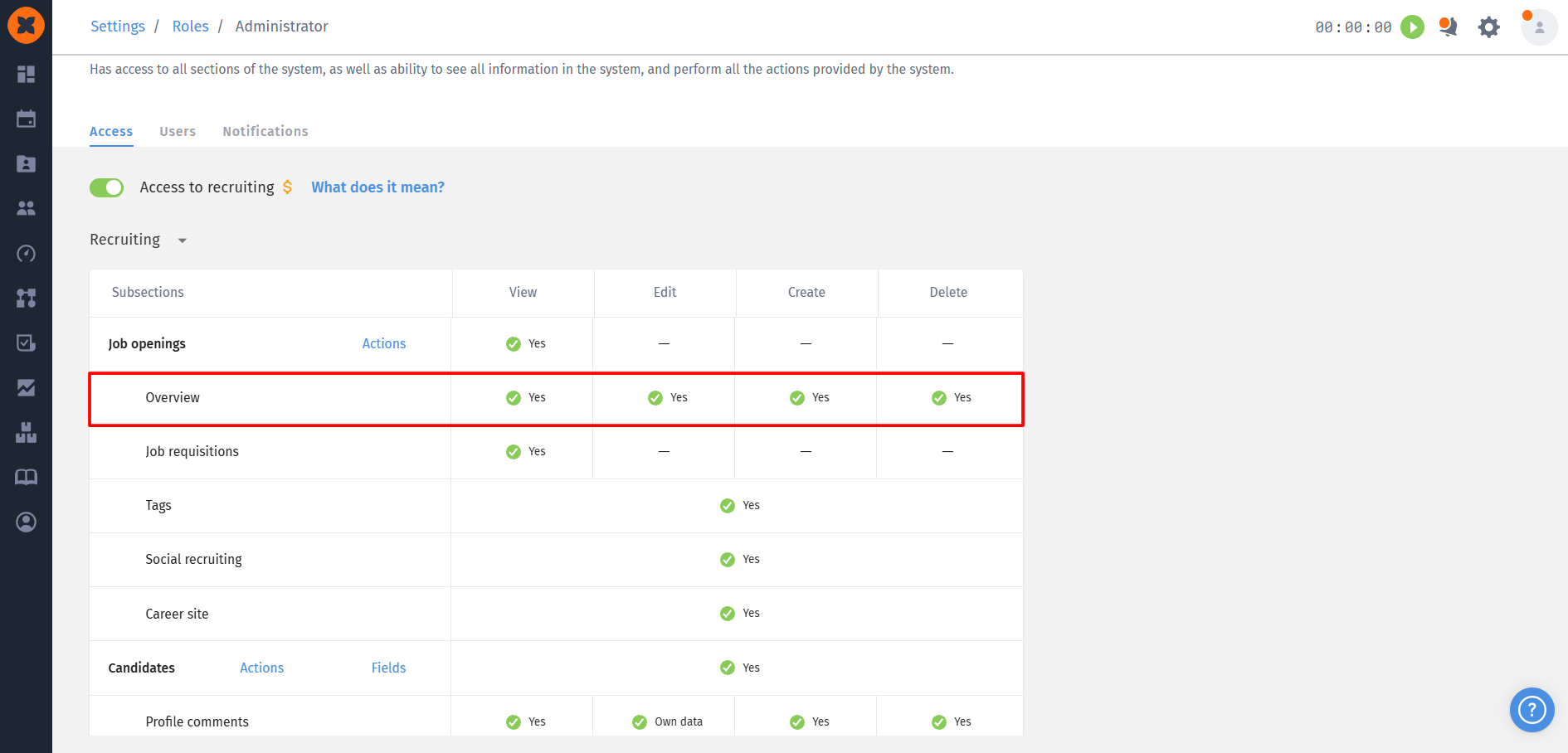
View: allows users to view the vacancy list and vacancy details;
Create: controls the ability to create new vacancies, duplicate existing ones, or create vacancies from approved requests;
Edit: allows users to change vacancy statuses, edit information, configure hiring stages and integrations, add new candidates, configure email templates, and manage AI screening rules;
Delete: grants permission to delete vacancies from the system.
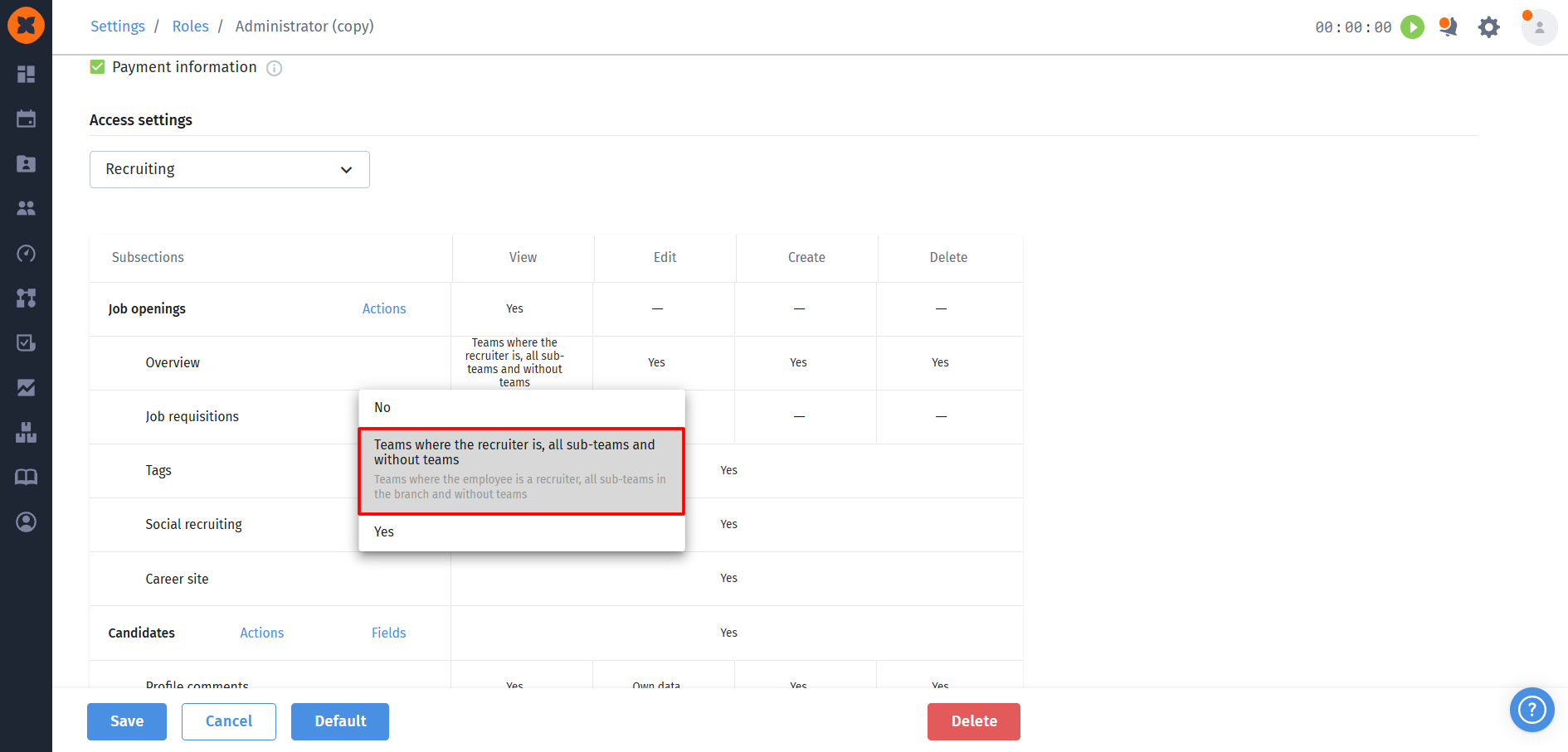
Team-based restrictions: the “Team where the recruiter is, all sub-teams, and without teams” access level is now available for the View, Edit, and Delete permissions. This allows you to hide other teams’ vacancies or limit a user’s actions to vacancies managed by their team.
Interface adapted to user permissions: the system dynamically hides or disables the relevant action buttons:
With view-only access: the buttons for creating candidates, moving candidates through the kanban board, editing hiring stages, configuring integrations, and accessing the email template settings page will be disabled. On the “Career site” tab, users will not be able to change settings (they can only copy the link). Comments and activity history remain available for viewing and adding;
With vacancy creation restrictions: the “New job” button, the duplication option in the list and on the vacancy page, and the option to create a vacancy from an approved request will be hidden.
We have significantly improved the process of administering and sending access invitations to employees. Previously, bulk invitations with newly generated passwords could only be sent to the entire company at once or to individual employees, which was inconvenient when onboarding new departments or several individual specialists.
Now, in “Settings” - “Reminders”, under “Email notifications to employees”, clicking “Send invitations” opens an updated window where you can choose one of three recipient options:
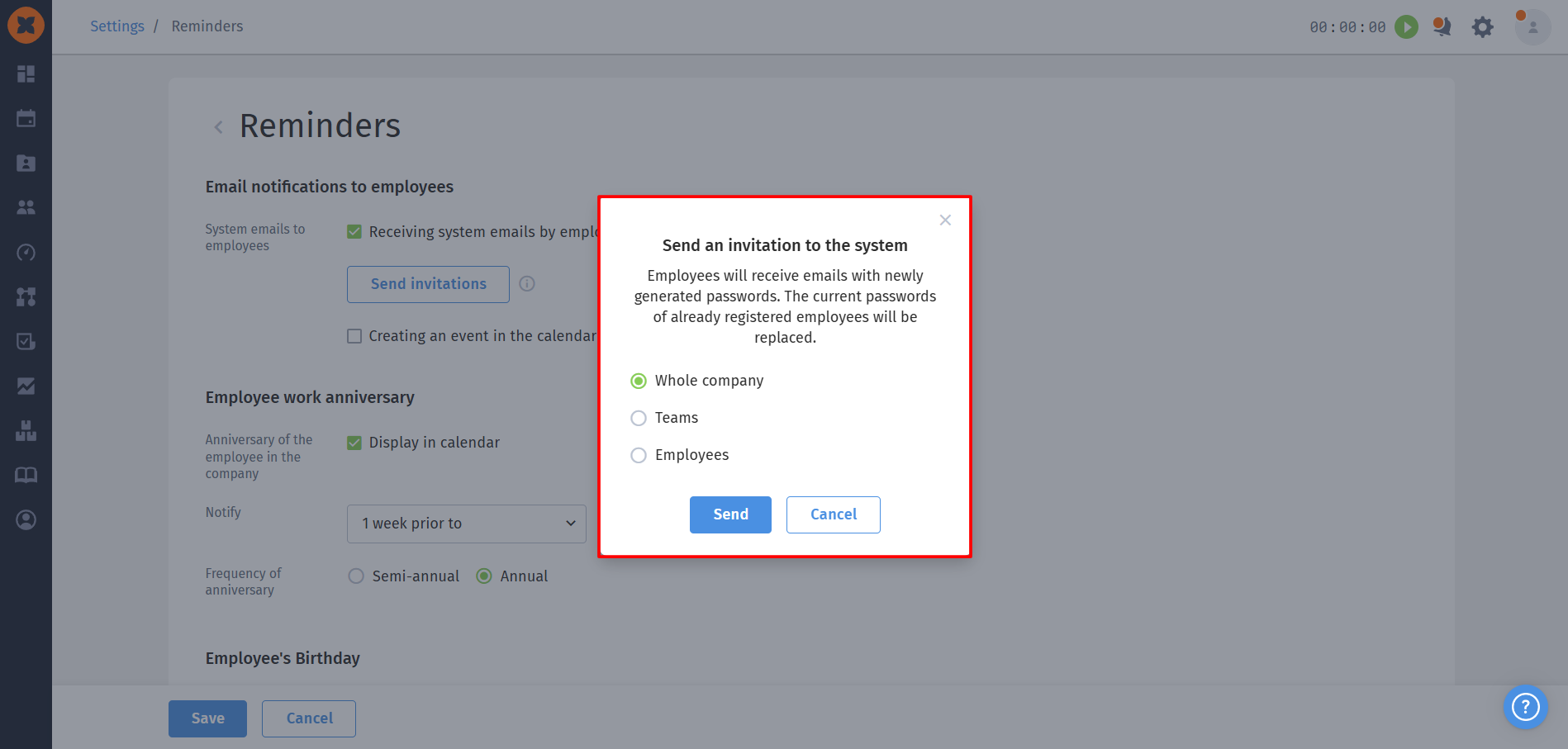
Whole company: the classic option for launching HURMA across the organization or performing a planned security update;
Teams: allows you to select one or more specific teams (departments) for targeted invitation sending;
Employees: allows you to select specific colleagues from the list to provide access individually.
When access invitations are sent, the selected employees will receive emails containing newly automatically generated passwords.

