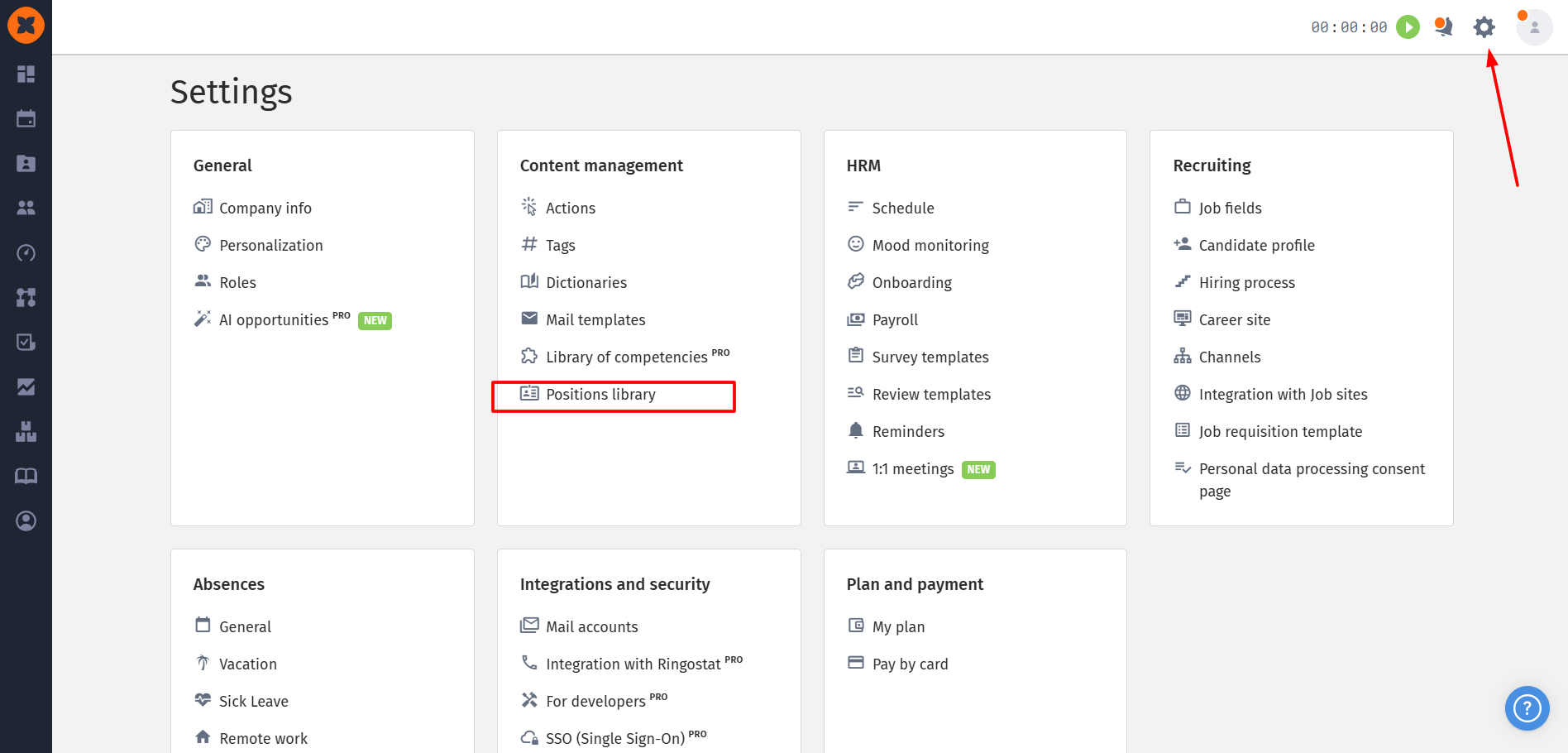
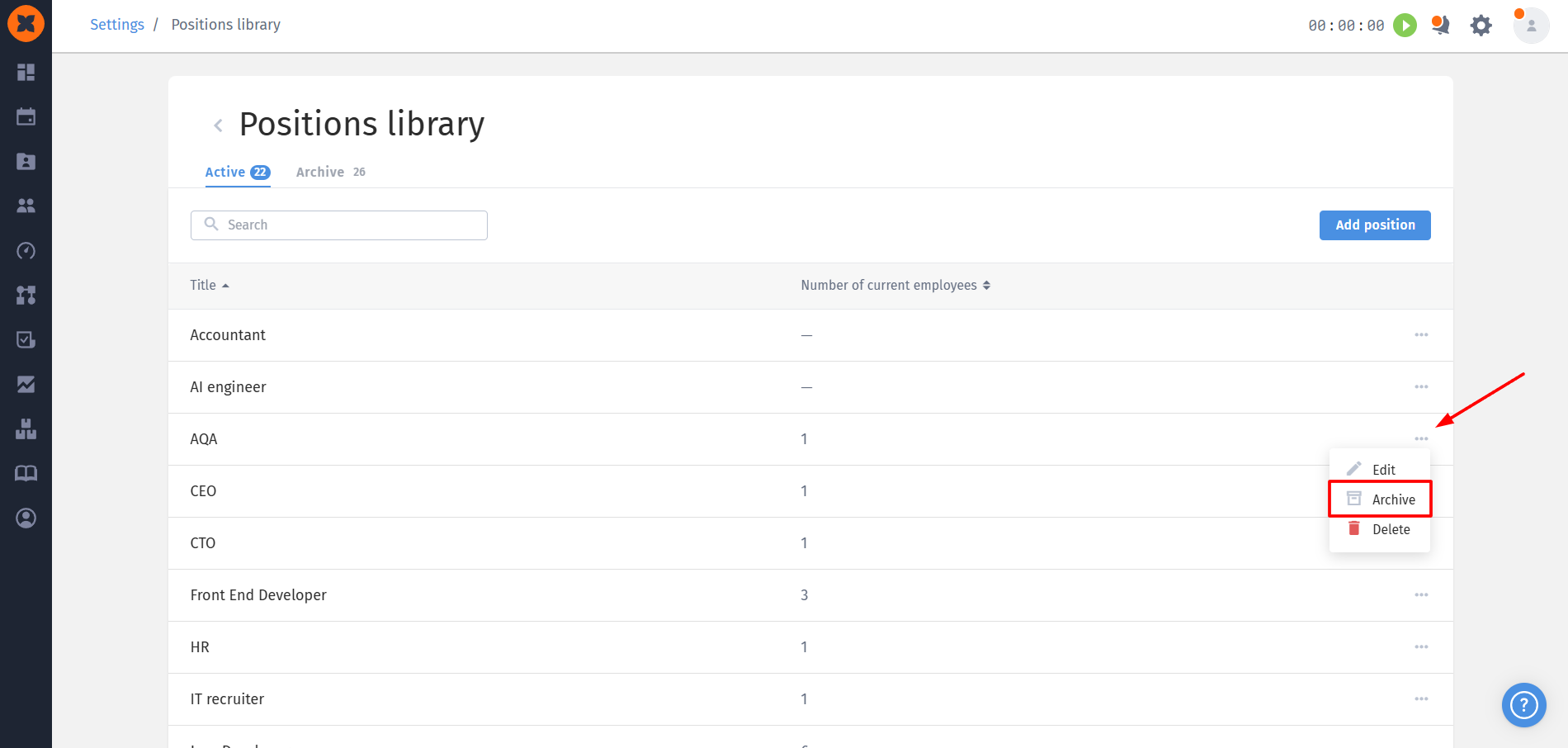
The updated version of HURMA introduces a new centralized directory the Positions library. You can find this section by going to “Settings” - “Positions library”.
Previously, an employee’s position was a simple text field in their profile and the “Career” section. Without a single database, duplicates, errors, and inconsistencies in position spelling arose, and any corrections had to be made manually and individually in each profile.
The system now uses a single position directory. Editing a position in one place automatically updates it throughout the system, keeping data up to date and significantly simplifying administration.
When the system is updated, existing text values for positions from employee profiles, the career section, and workflows are automatically migrated to the new “Positions library”. The migration checks the data for duplicates and organizes it according to the following rules:
Active: this includes positions assigned to current (active) employees or used in configured automation scenarios. If a position appears both in the profiles of former employees and in active scenarios or the careers of current employees, it is migrated as active.
Archive: the archive includes positions that appear exclusively in the profiles of former employees, or only in the “Career” section (for both current and former employees).

Access levels for the section include:
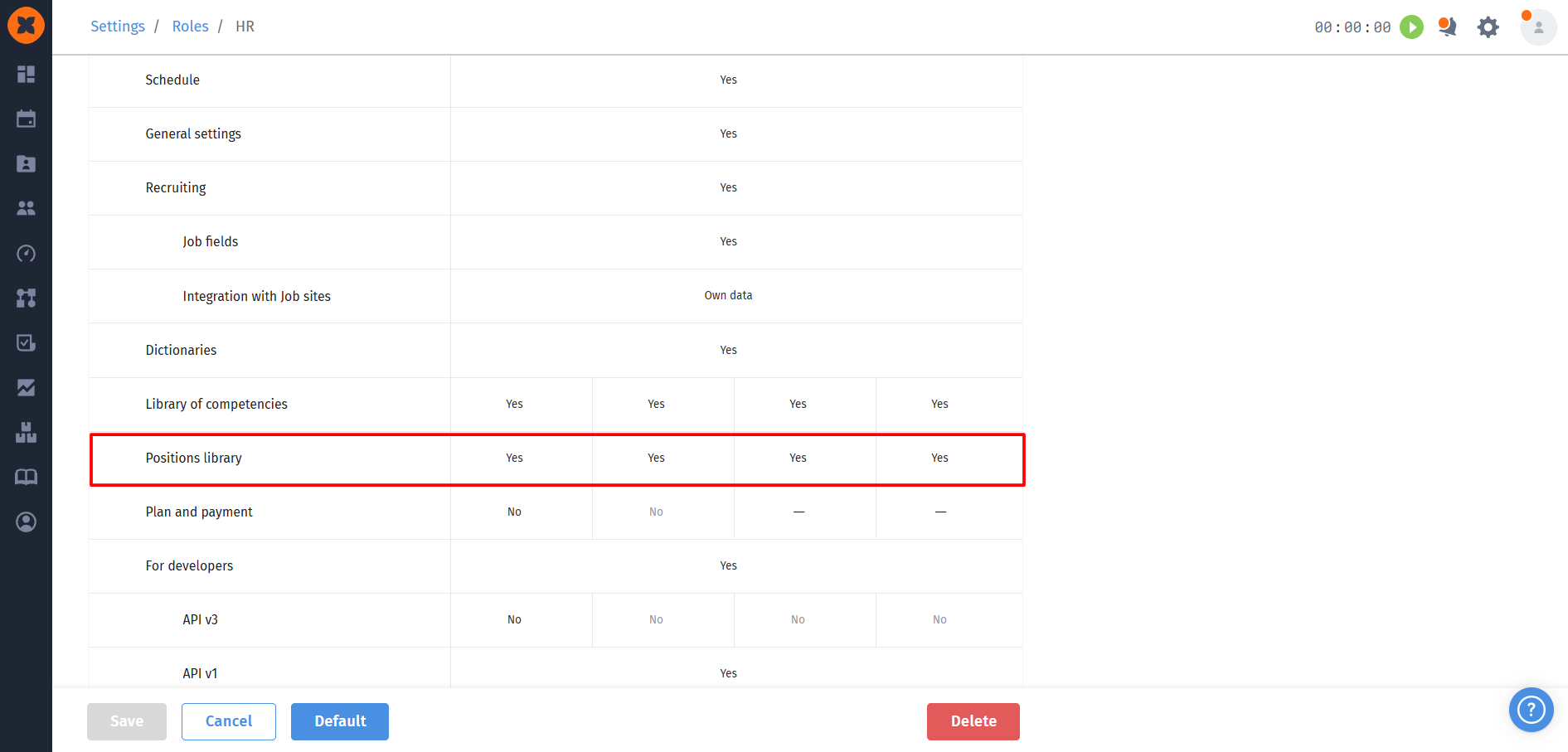
View - allows you to view the list of positions only, without the ability to make changes;
Editing - grants permission to edit position titles and move them between active and archived;
Creation - allows you to add new positions directly in the section;
Deletion - allows you to delete positions from the database.
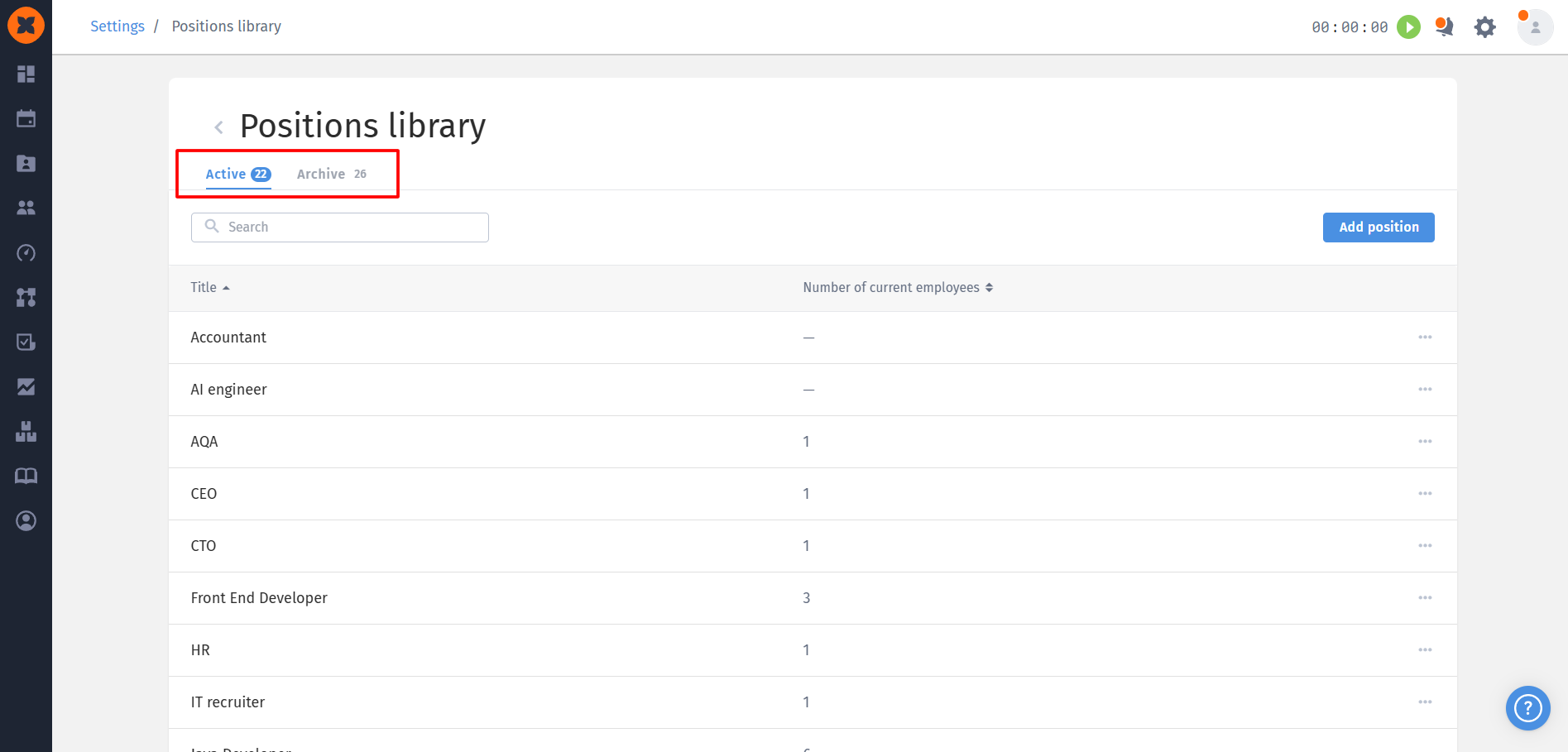
In the general settings, the “Positions library” page contains:
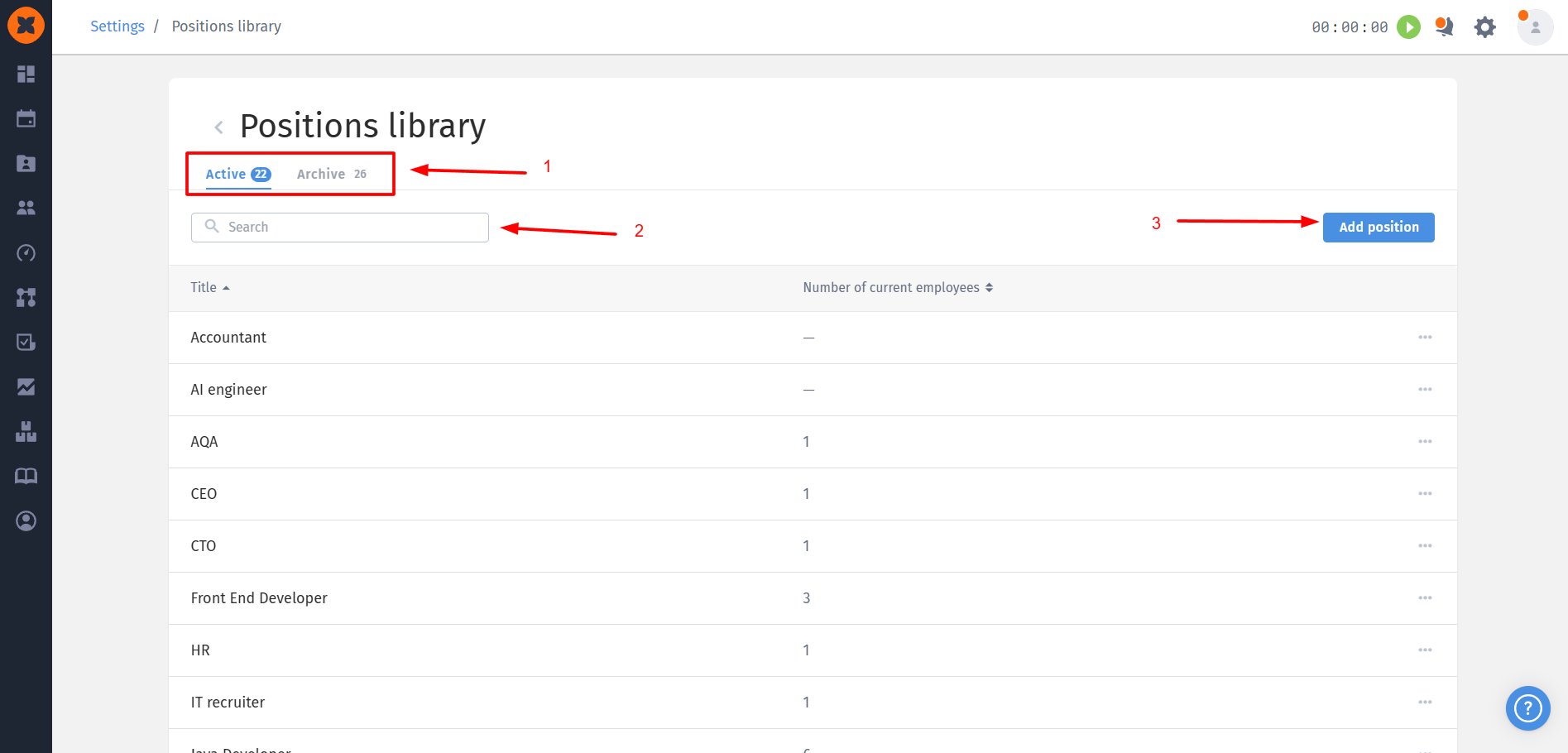
two tabs: “Active” and “Archive”;
a search field by name;
the “Add position” button.
The “Active” tab displays positions assigned to employees, as well as positions created for the future. It contains a “Current employees” column with a counter.

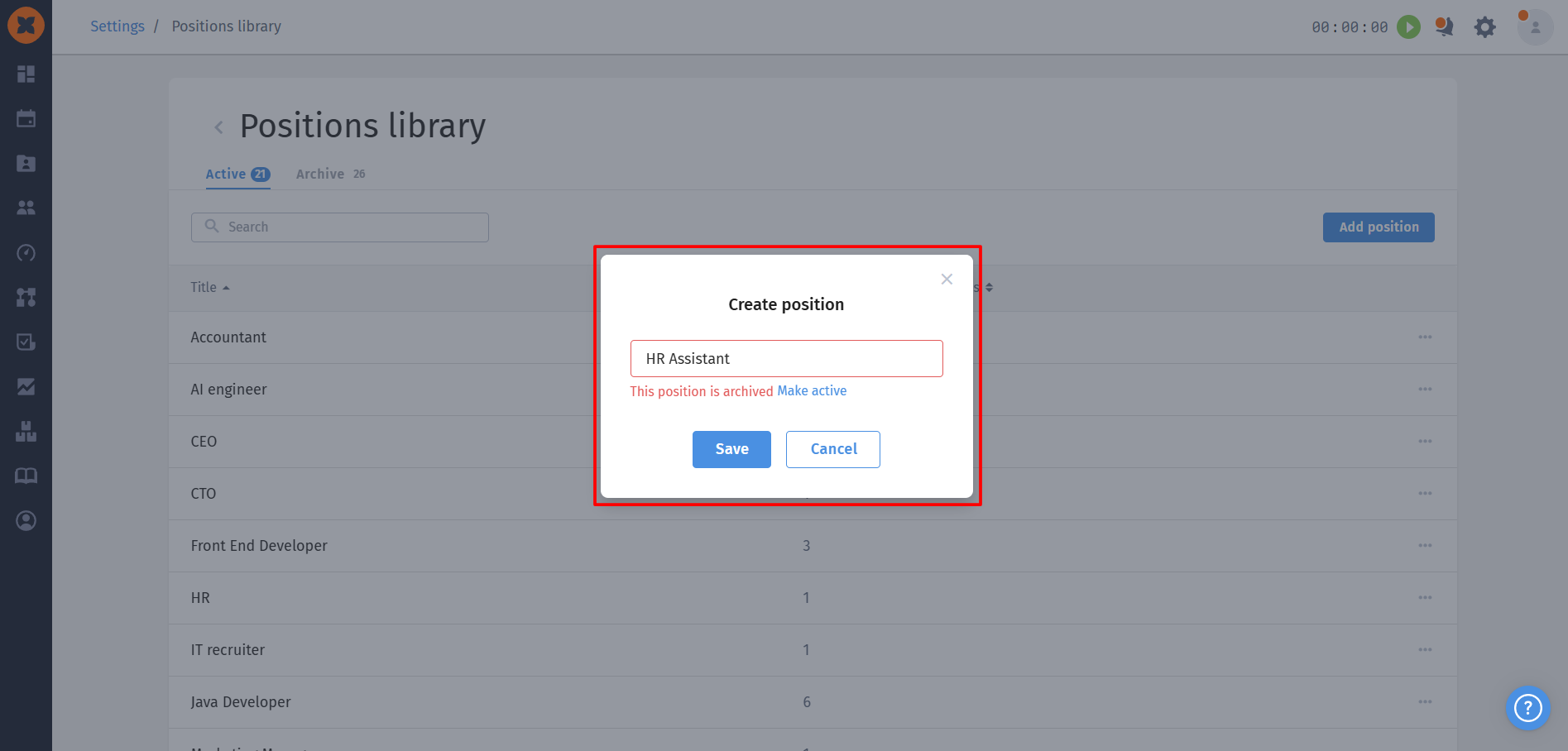
Adding a new position: the name must not exceed 255 characters. The system automatically checks for duplicates. If the position already exists in the archive, HURMA will not allow you to create a new one and will suggest activating the archived position;
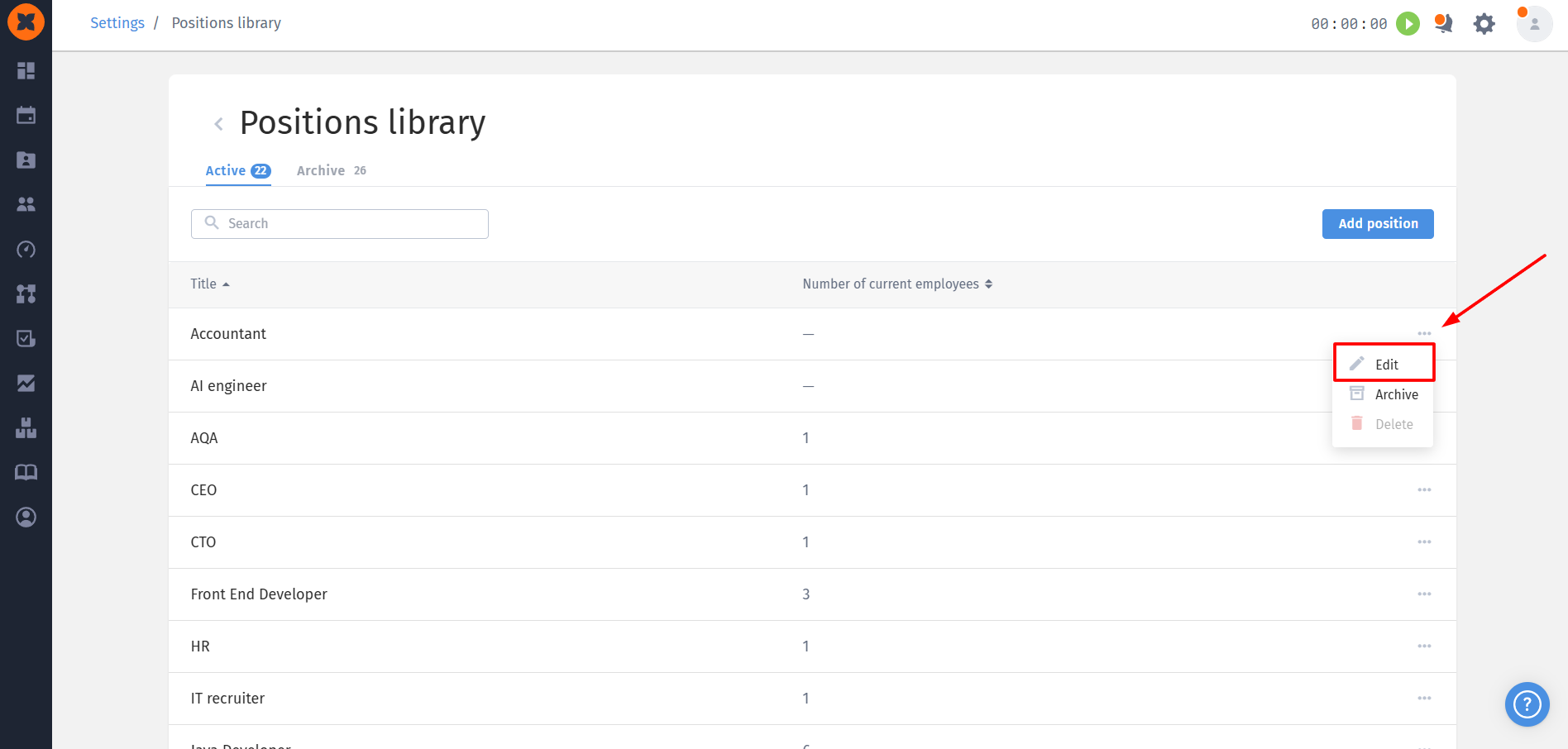
Editing: when you edit a position name in the Positions Library, the changes are applied automatically and propagated throughout the system wherever that position appears;
Archiving: any position can be moved to the archive and restored from it. An archived position remains visible in the profiles of those to whom it was already assigned, but is unavailable for new selections. If you change an archived position to another one in a profile and save the changes, the old archived position will no longer be available in the list;
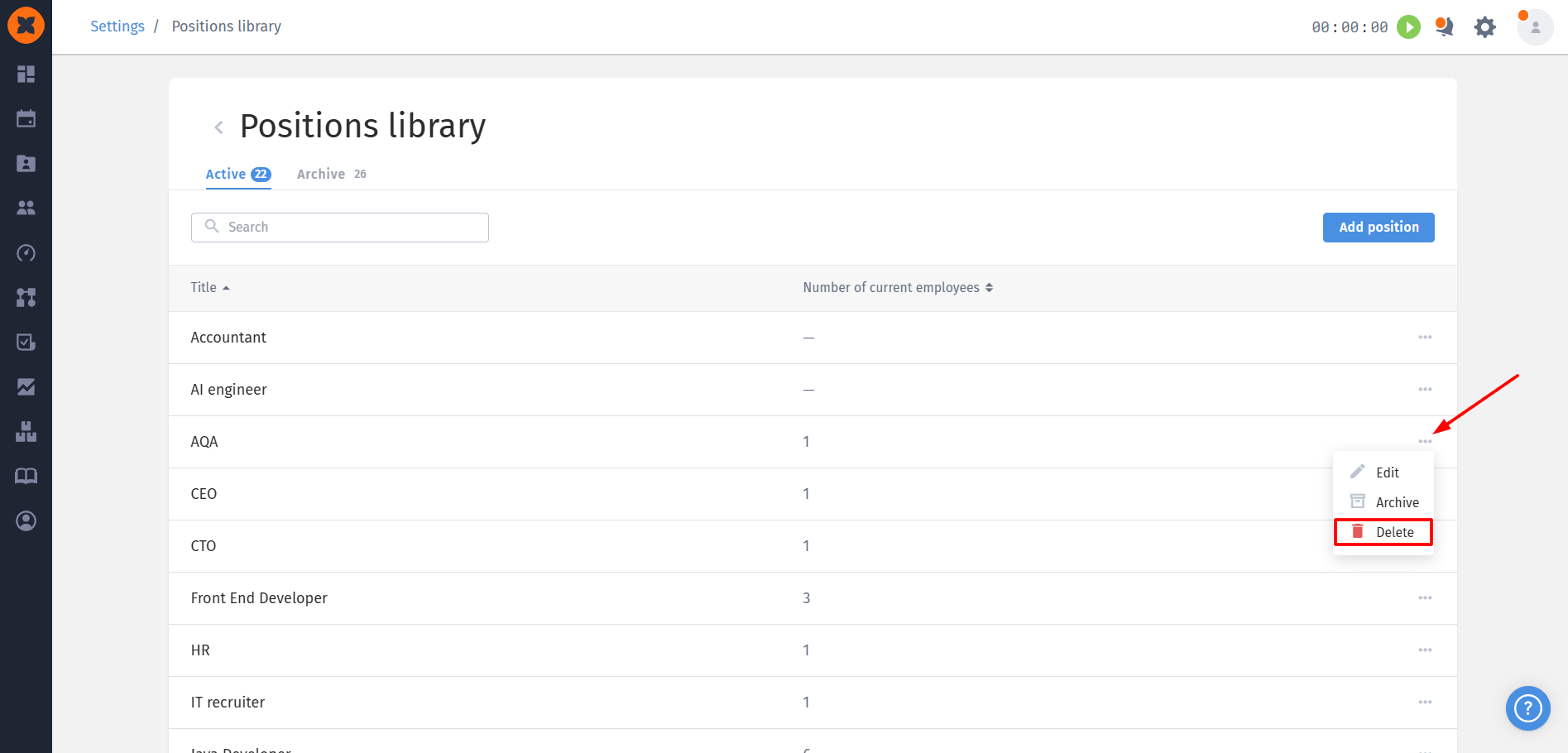
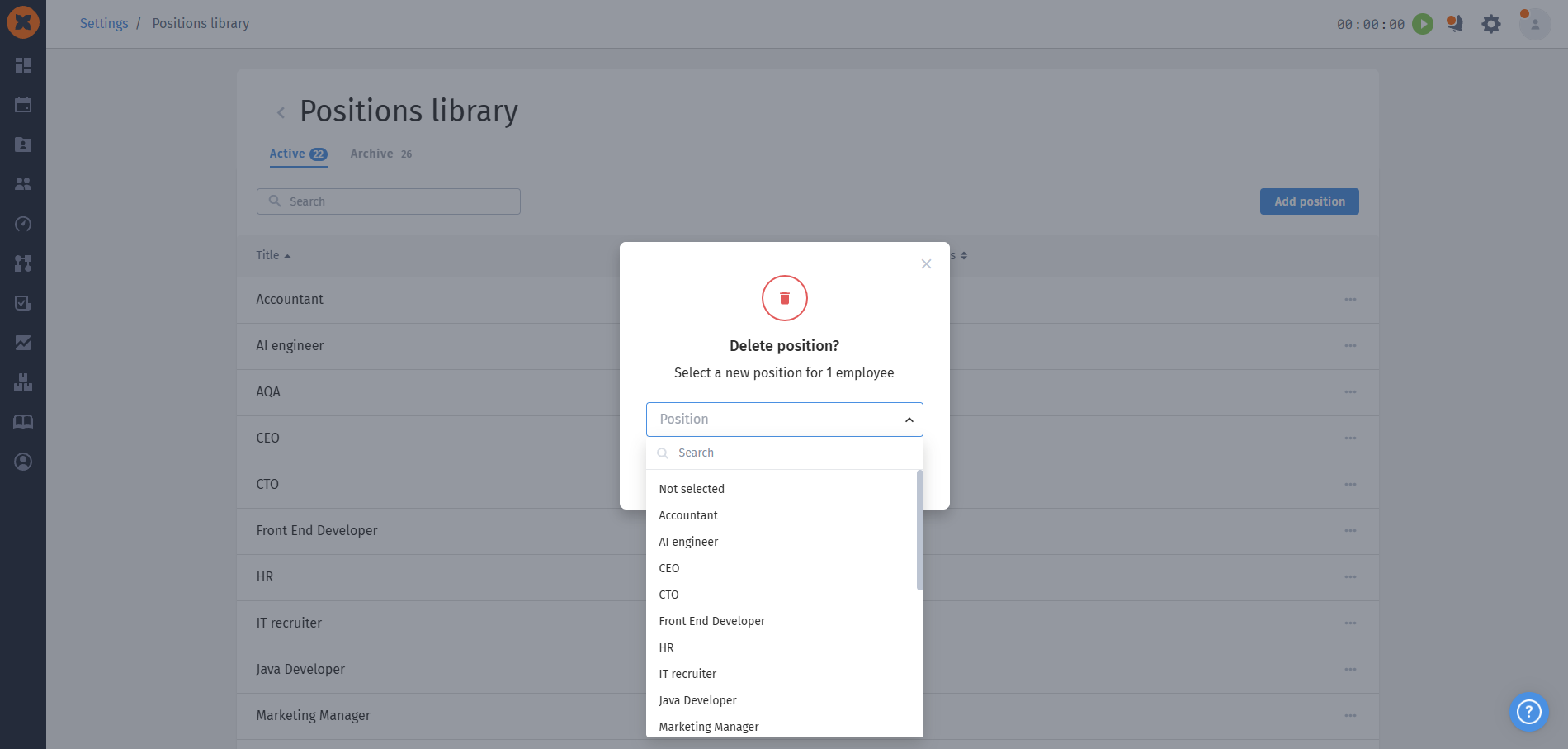
Deletion: a position can only be deleted if it is not used in employees’ historical career records. A standard deletion confirmation window opens for positions that are inactive in the system. If a position is assigned to employees, however, when you try to delete it, the system will offer to replace it with another active position or set the option to “Not selected”.