Candidates can use various resume formats, from standard templates to creatively designed documents or plain text. HURMA's standard CV parser automatically recognizes and transfers key information to the candidate profile: contact details, education, and work experience. However, additional information, such as skills in using specific software, foreign language proficiency, or preferences regarding work schedules, may require manual processing by a recruiter.
HURMA offers an AI CV parser (beta). It enhances the standard parser with the ability to “read intelligently”: artificial intelligence interprets text just like a person. As a result, the system can easily find the required information even in documents with non-standard formatting, and can fill in additional fields you create based on simple text prompts.


The number of credits now depends on the connected modules and their tier (PRO or standard):
For each standard module you receive 20 credits/month;
For each PRO module you receive 100 credits/month.
If a company has several modules connected, the credits are added together:
Your connected modules and plans | Monthly number of free credits |
|---|---|
ATS | 20 credits / month |
ATS PRO | 100 credits / month |
ATS + HRM | 40 credits / month (20 + 20) |
ATS PRO + HRM | 120 credits / month (100 + 20) |
ATS + HRM PRO | 120 credits / month (20 + 100) |
ATS PRO + HRM PRO | 200 credits / month (100 + 100) |
A system user with access rights to the “Settings” section can enable the new module.
Follow these four simple steps to activate it:
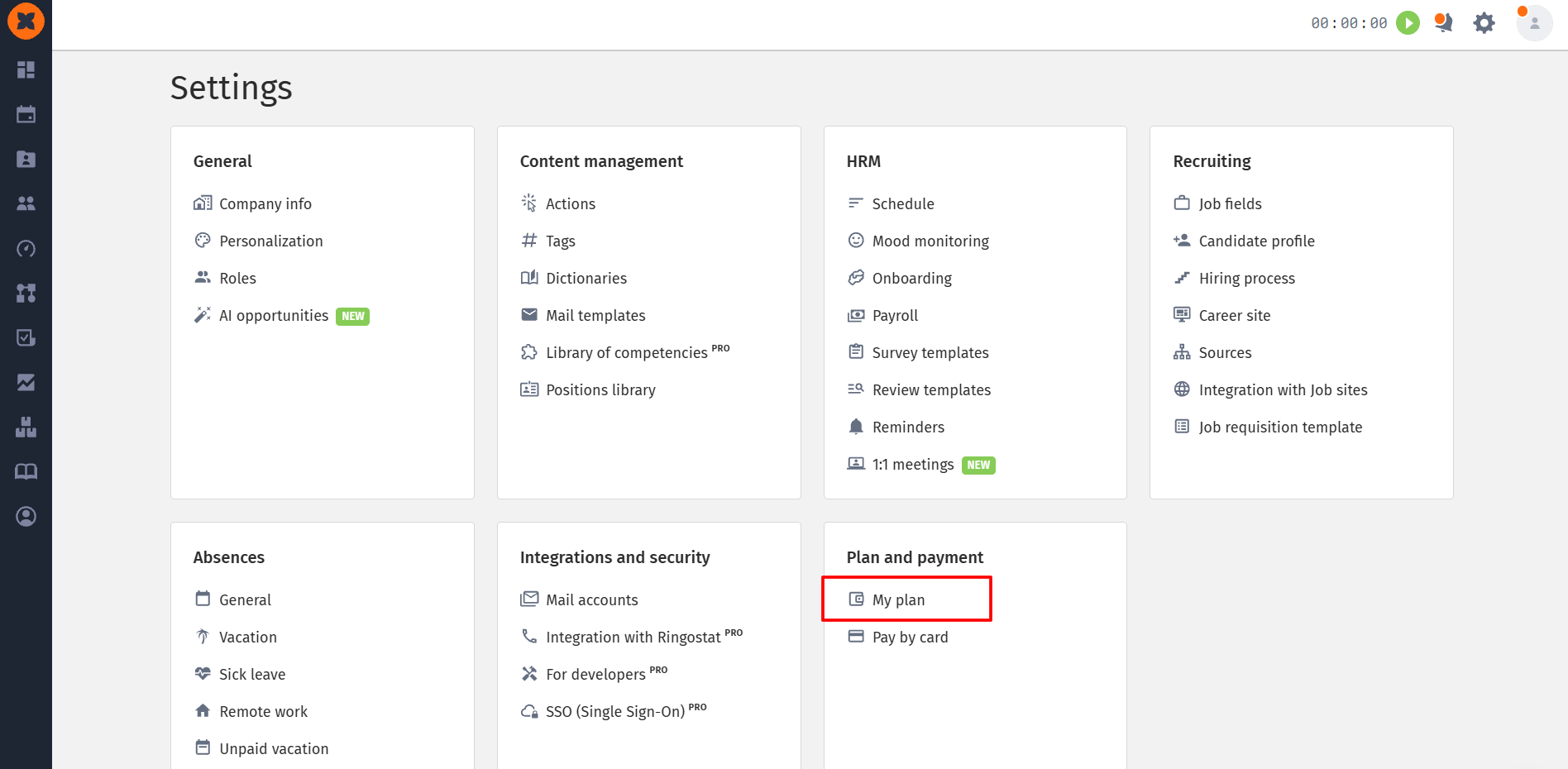
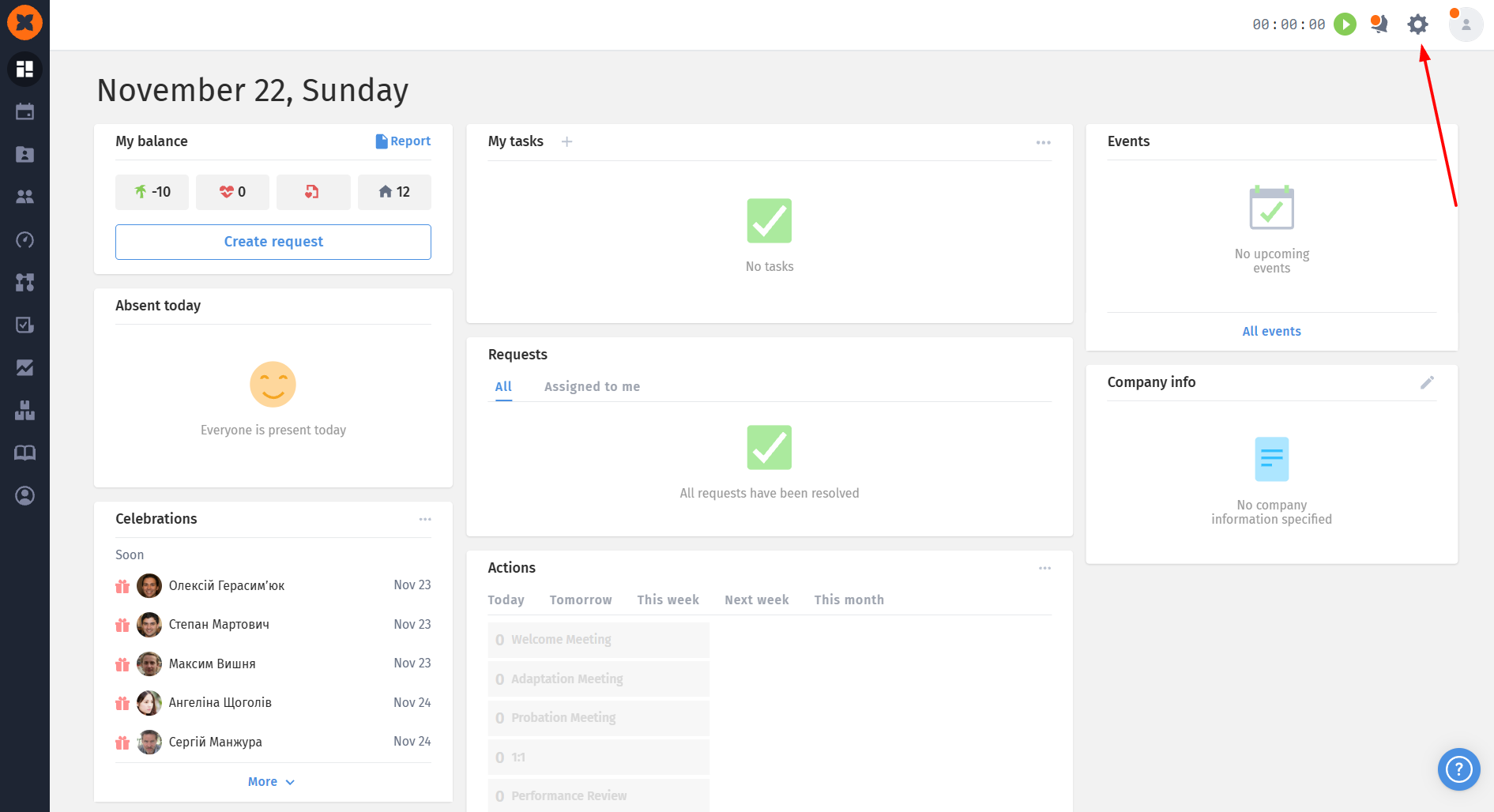
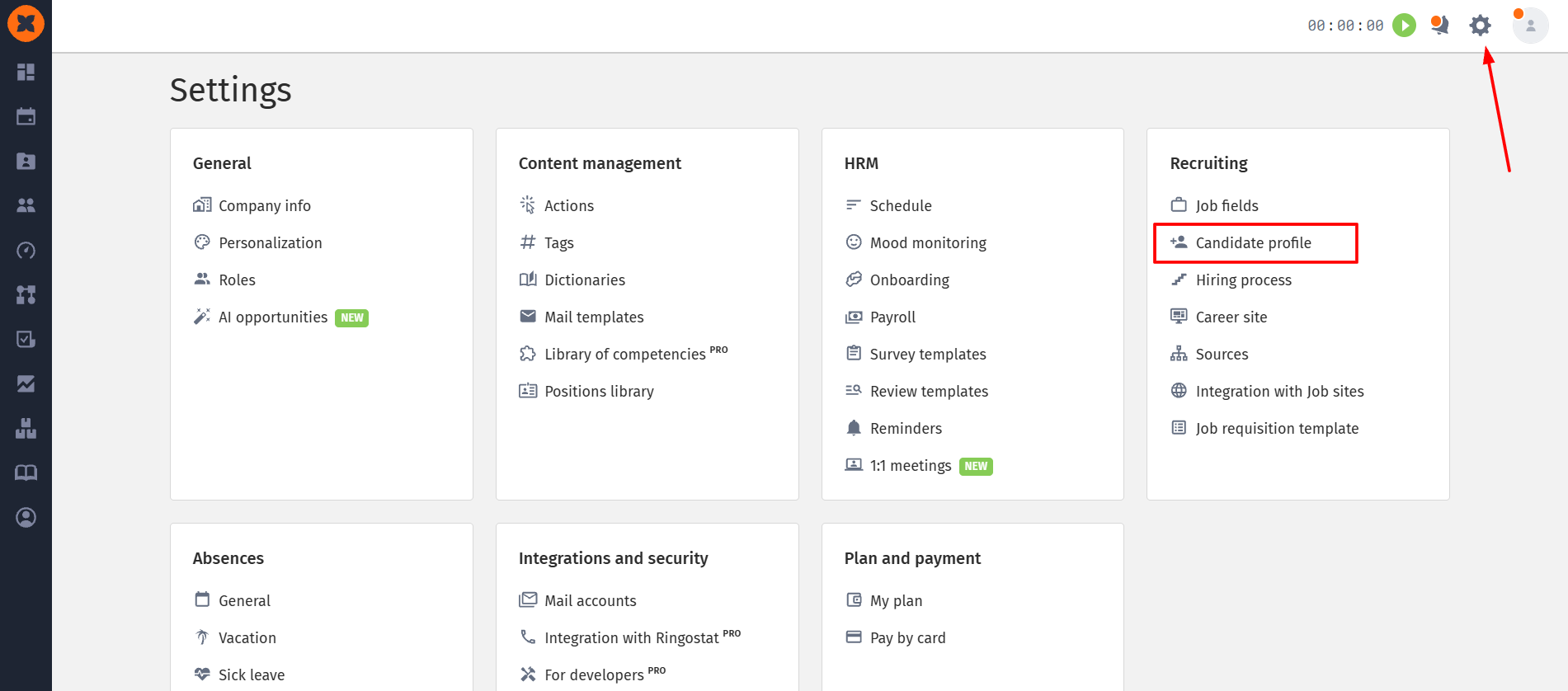
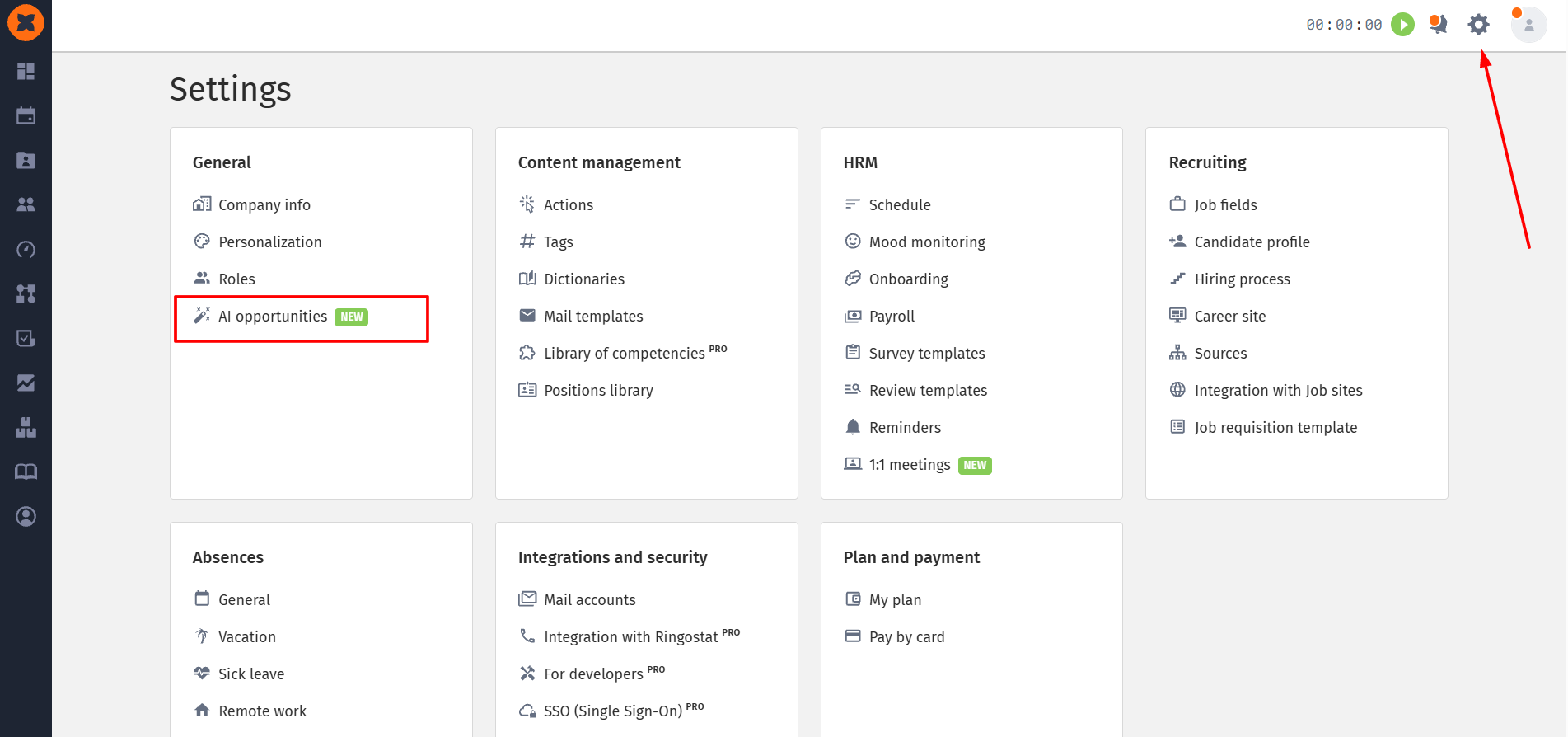
Go to the “Settings” section;
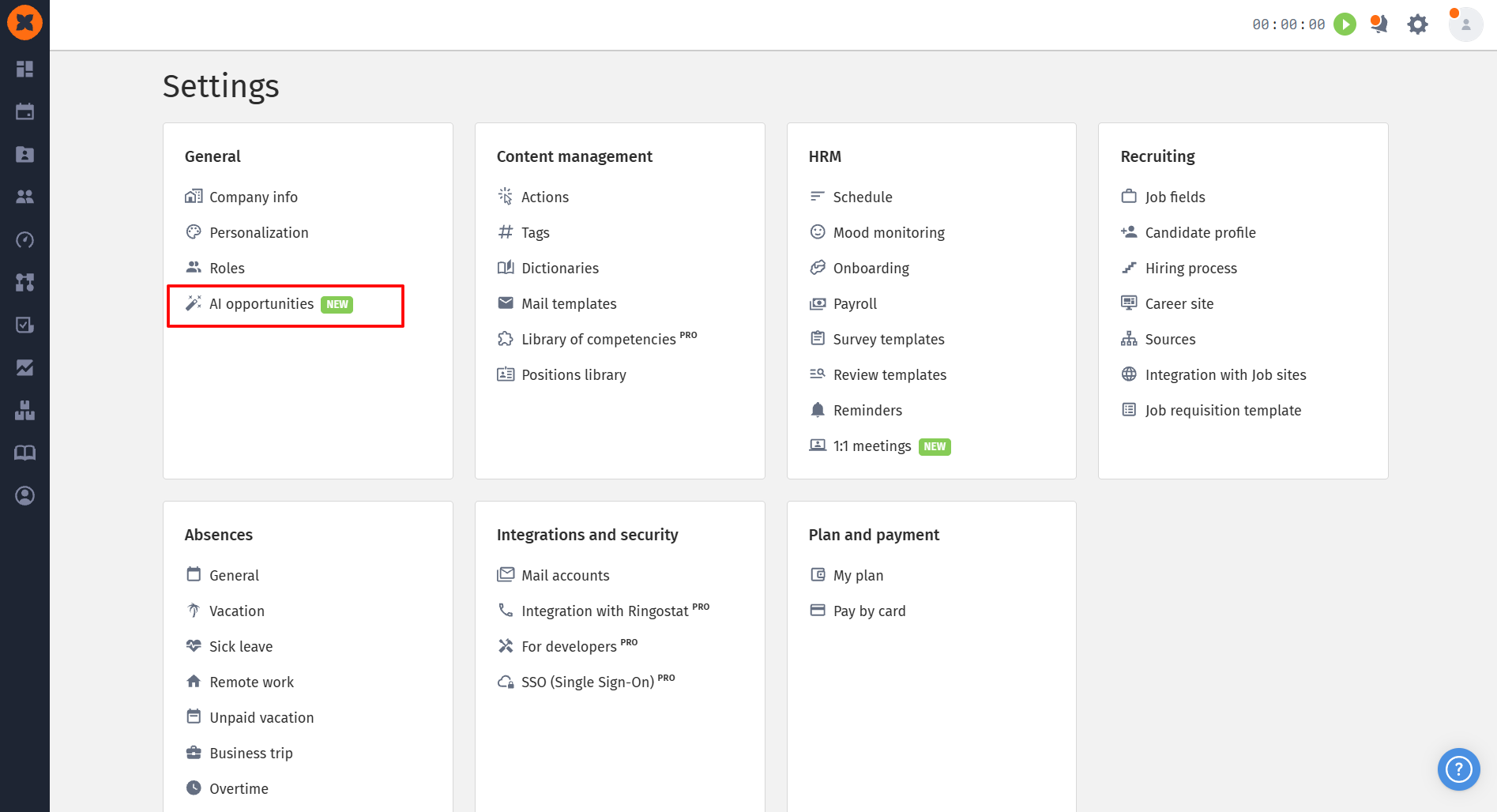
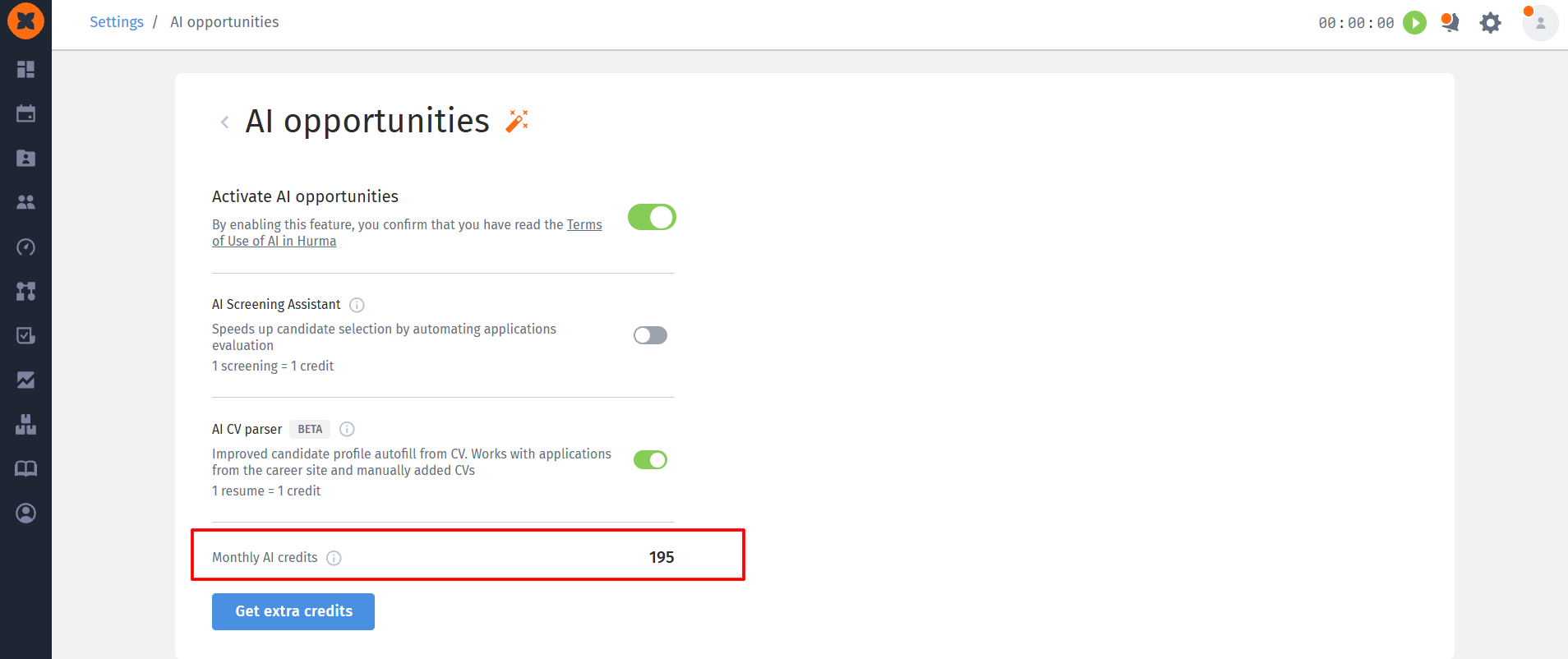
Go to the “AI opportunities” tab;
Turn on the master toggle to enable access to the platform’s AI tools;
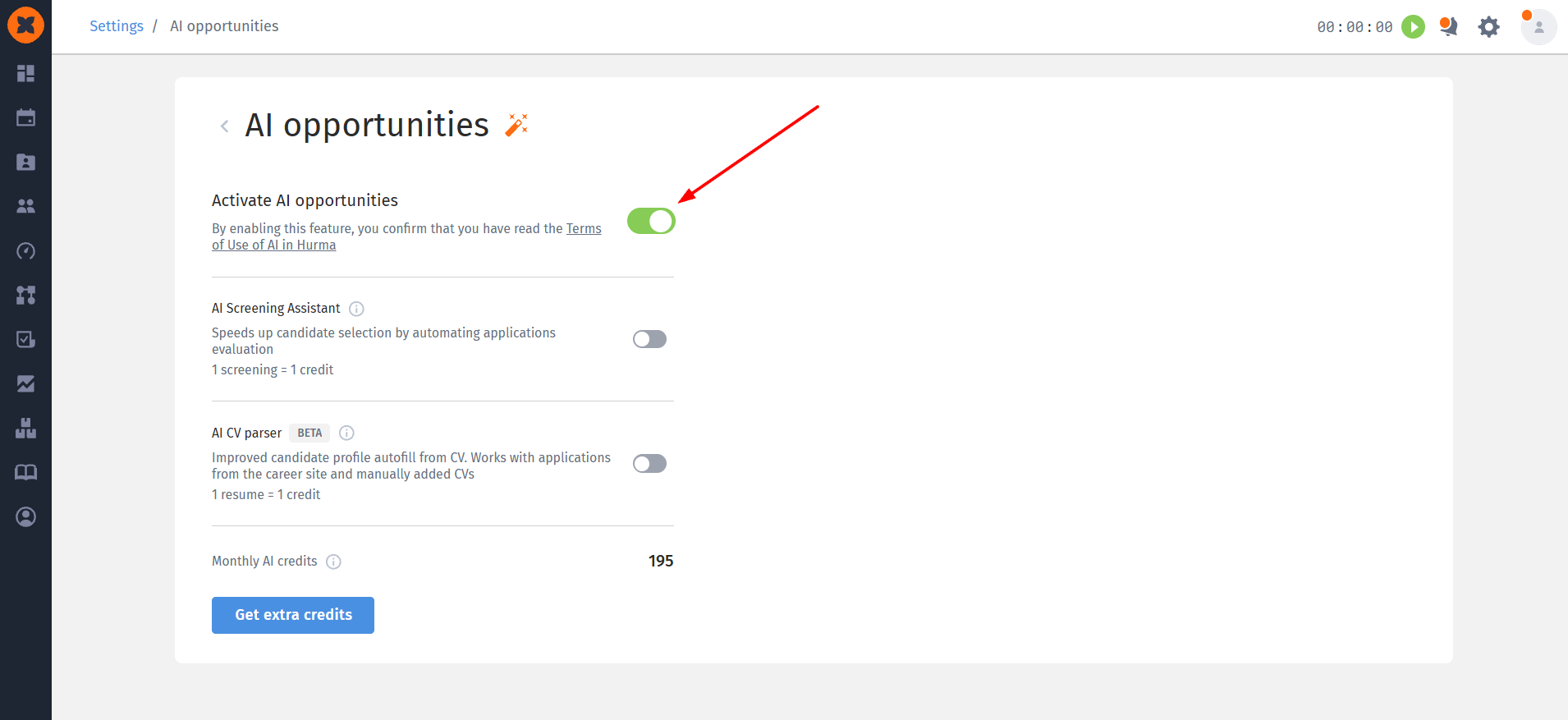
Turn on the “AI CV parser” toggle.
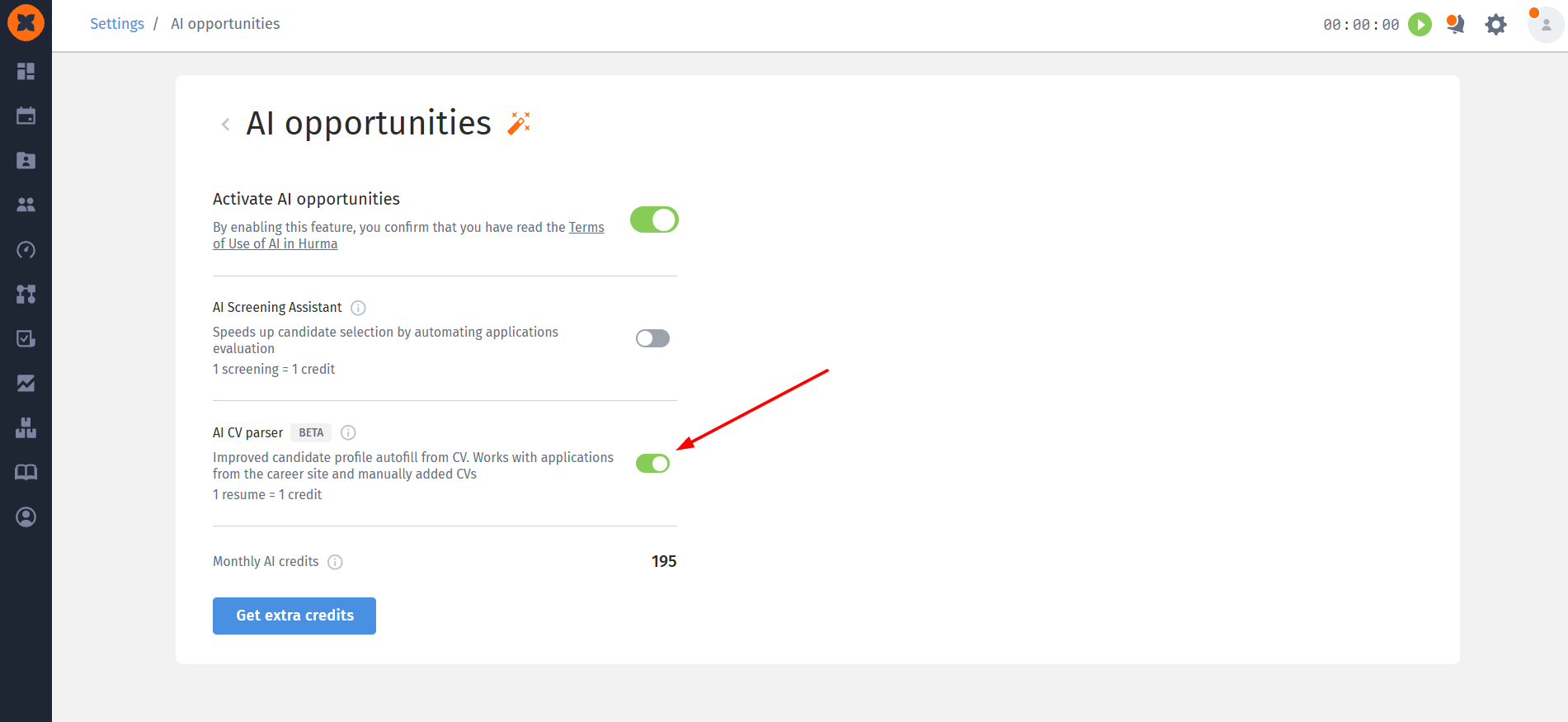
There is no need to click a separate save button: the settings take effect immediately after you toggle them. If these toggles are off, the system continues to use the standard parser, and your AI credits are not used.
The main advantage of the AI CV parser is its ability to find exactly the information in a resume that matters to your company and automatically enter it into the appropriate candidate profile fields.
To set up this auto-fill:
Open “Settings” - “Candidate profile”;
Create a new custom field or edit an existing one;
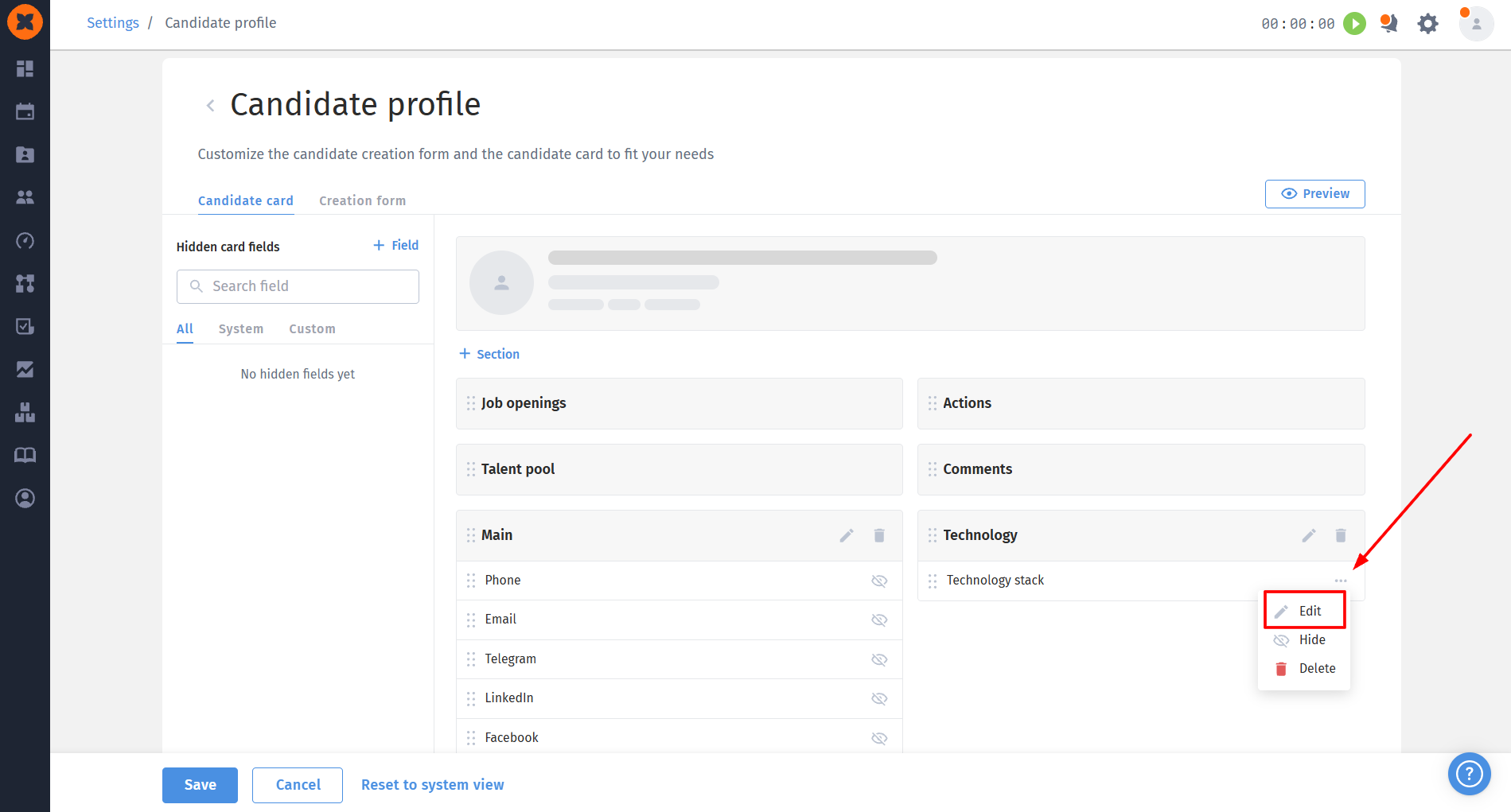
Enable the feature «Fill with AI»;
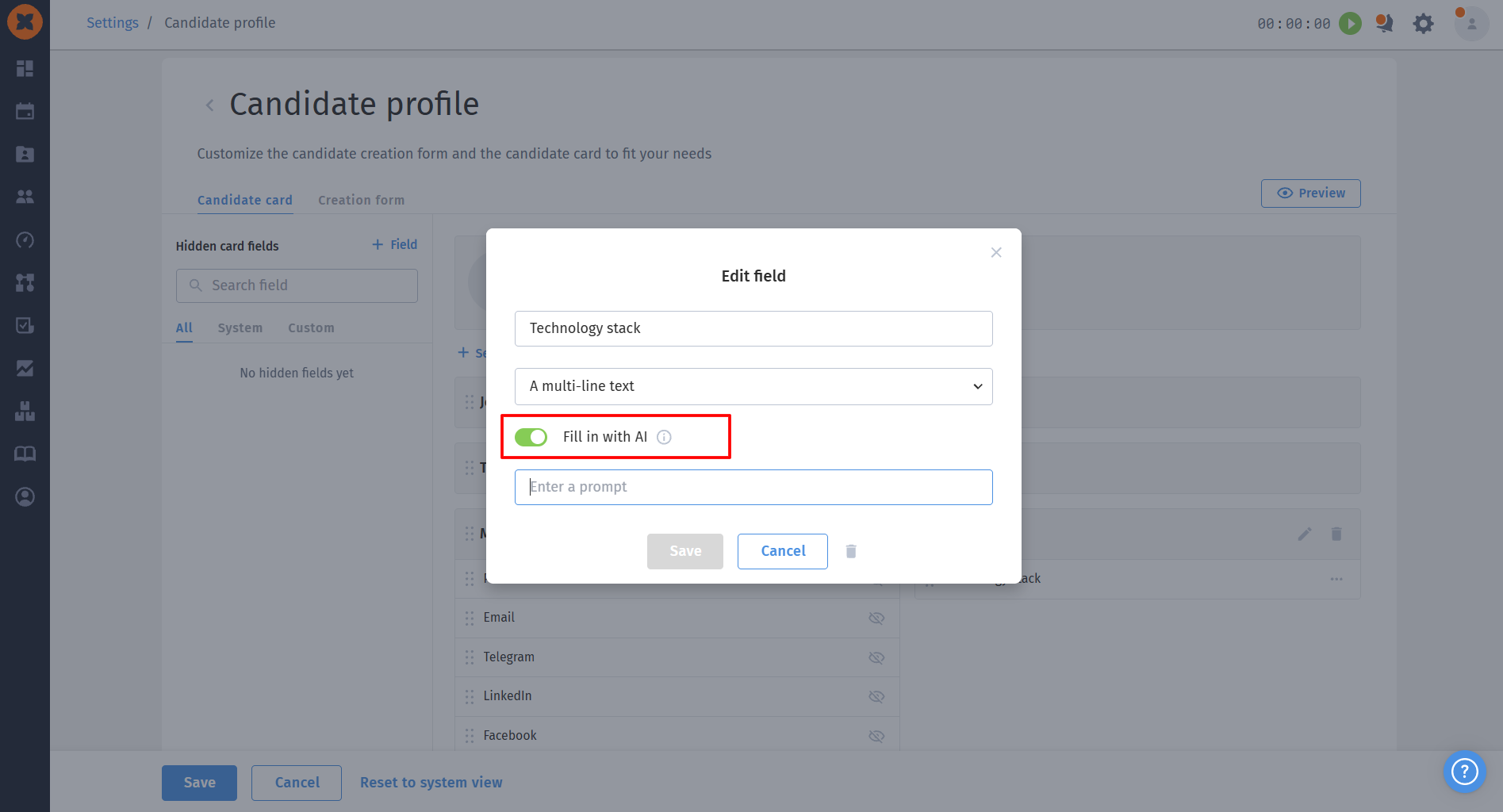
In the prompt field, write a question for the system in plain language;
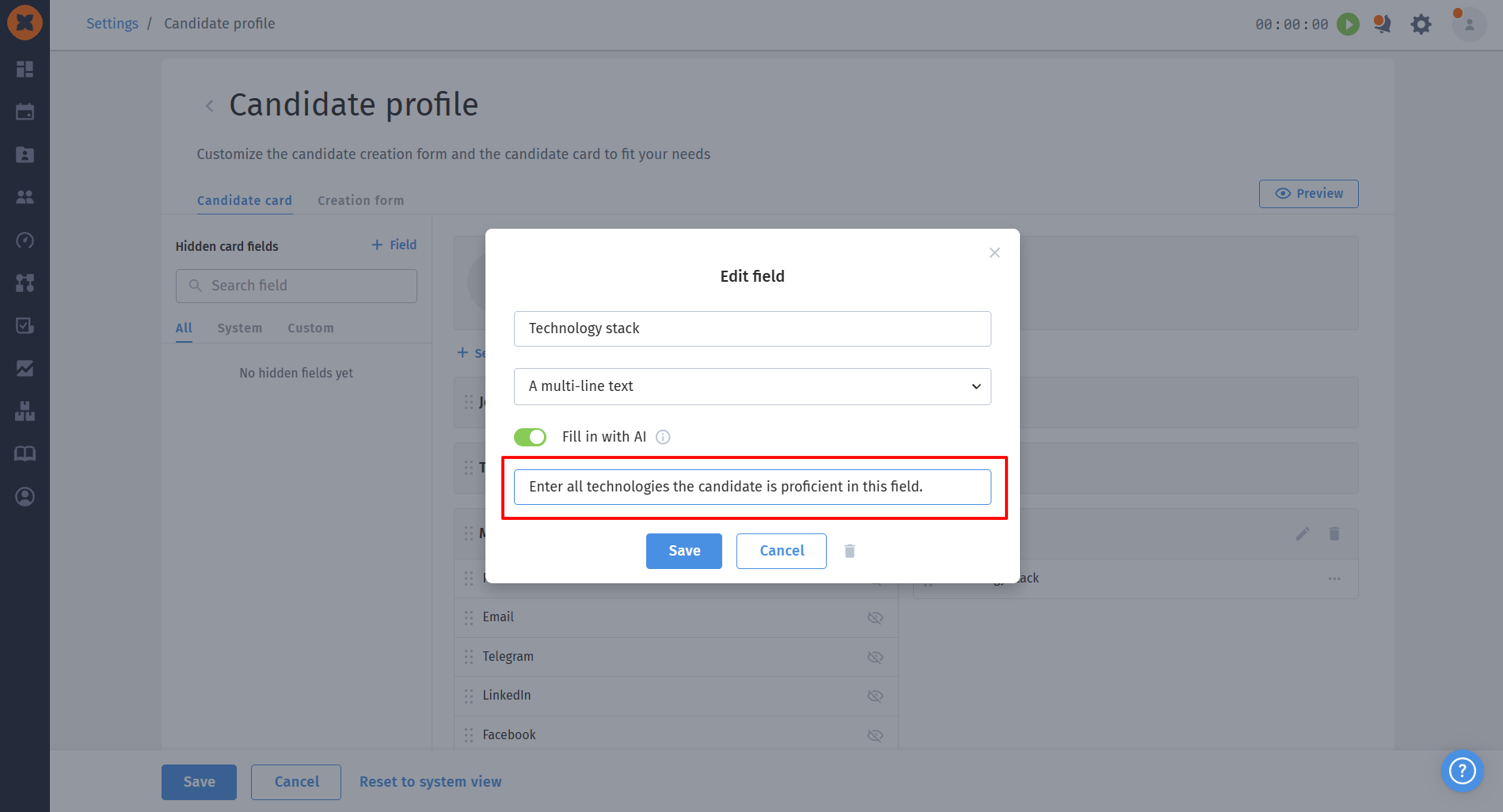
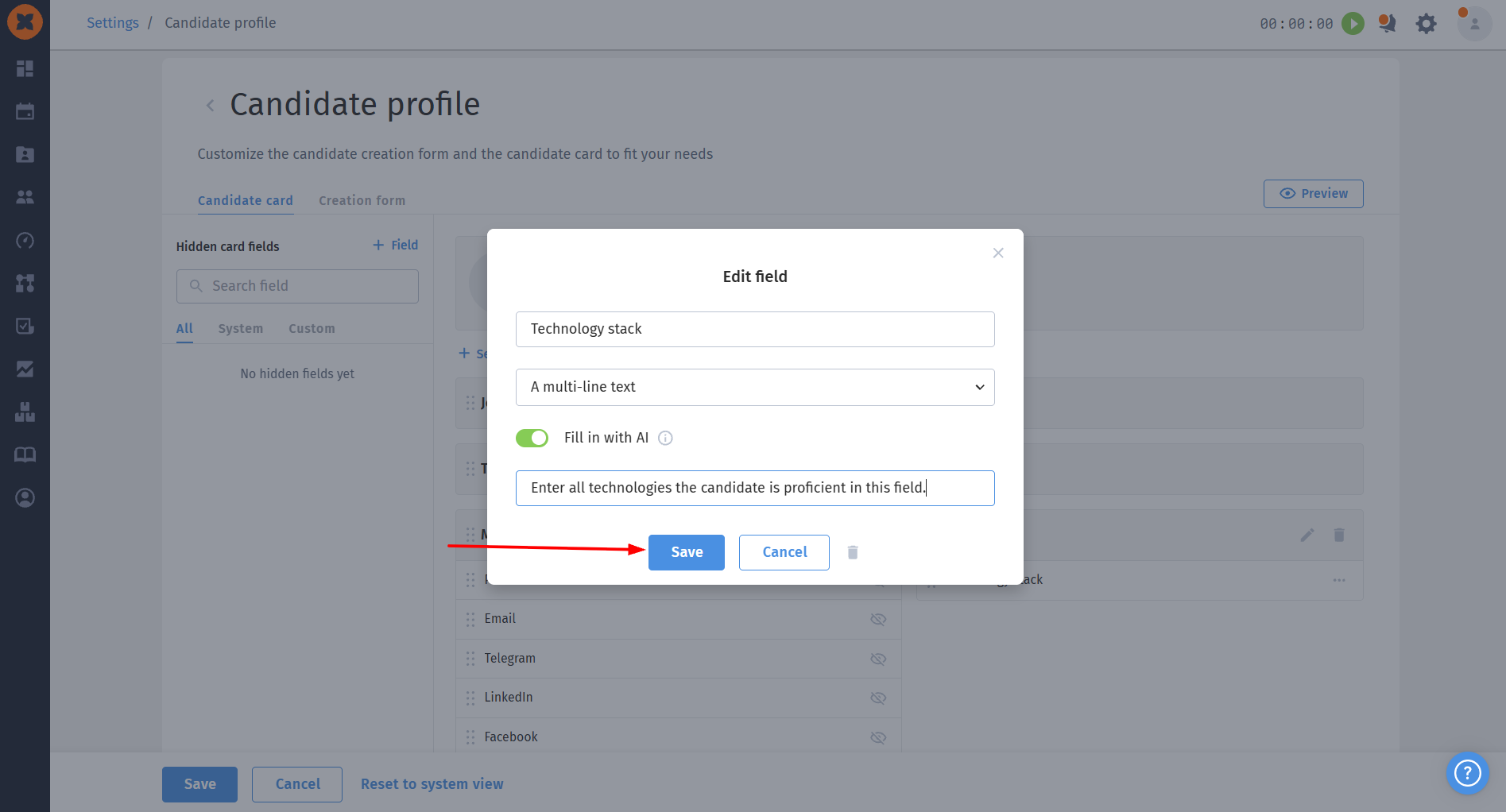
Save the field settings.
Artificial intelligence works best with fields that contain specific words, descriptions, or numbers. Therefore, the “Fill with AI” feature is available for the following field types:
single-line text (for short, single-line answers);
multi-line text (for detailed descriptions or lists);
number (for digits and numbers);
date (for calendar dates).
For fields with a list of options (“Single choice” or “Multiple choice”), this toggle is not displayed because AI enters information as free-form text or numbers.
The AI CV parser automatically reads resume files in two cases: when a recruiter manually adds a document in the “Candidates” section, or when a candidate submits an application through the careers site form.
The standard parser is a reliable assistant for everyday work, quickly transferring data from familiar, clearly structured resumes. The AI CV parser takes on more complex tasks: it understands the meaning and context of sentences, easily handles any formatting, and finds answers to your questions.
What is filled in on a candidate profile | Standard CV parser | AI CV parser |
|---|---|---|
Custom fields | Fills in the system’s standard fields, while the recruiter enters any additional information manually as needed | Carefully reviews the CV, finds all the required skills and other information, and enters them in the field you created |
Candidate’s gender | Specifies gender if the candidate listed it as a separate item in the CV | Determines the candidate’s gender from their name and questionnaire text, then automatically selects the appropriate value |
City and country of residence | Finds the city if it is listed in the usual contact information section | Finds the city (for example, Kyiv) and country, even if they are mentioned anywhere in the CV or within a description |
Language skills | Adds the languages listed in the relevant section | Finds all the languages mentioned and immediately specifies the proficiency level for each |
Position, experience, and schedule | Takes the position from the document heading | Clearly identifies the current and desired positions, calculates total work experience, and indicates the preferred type of employment |
“Education” section | Transfers information from the education section to the candidate profile | Extracts only information about universities, courses, and diplomas, leaving other notes in their original places |
When a candidate finds a vacancy at your company on the careers site, fills out a form, and attaches a resume file, the AI CV parser also automatically processes it (if the feature is enabled and there are credits in your balance).
Sometimes candidates enter one phone number in the form on the site (for example, one they currently use for calls or messaging apps) and leave another number on their resume.
The system ensures that no details are lost:
The numbers do not overwrite or erase one another;
Both phone numbers - the one from the site and the one from the resume file are saved in the candidate profile;
All other information (skills, education, experience, city) is also added to the relevant sections.
The system is designed to ensure recruiters’ work never stops because of unexpected technical glitches or a zero balance.
If you:
have temporarily run out of AI credits (the balance is 0);
AI feature toggles in settings are disabled;
no errors or interruptions occur. HURMA immediately takes over the process with the standard parser. The resume file is parsed without any issues, the usual candidate profile is created, and custom fields are left blank so you can fill them in manually.
Artificial intelligence works on a simple and transparent system of internal credits.
One resume = one credit. Exactly one credit is deducted for parsing one resume file;
The number of fields does not matter. No matter how many additional fields with prompts you configure, the price remains unchanged - only 1 credit for the entire document;
If a resume is processed by the standard parser (when AI is disabled or credits are exhausted), the balance is not reduced.
Renewal on the 1st of each month. A new credit package is added to your balance on the first day of each month, according to the terms of your plan.
Unused balance policy. Credits do not roll over from month to month: on the first day, your balance is simply reset to your plan allowance (for example, if you have 176 credits left from a 200-credit package, your balance will show exactly 200 again on the first day).
Starting during the month. If you subscribe to a plan during the month, your company receives the full monthly credit allowance immediately.
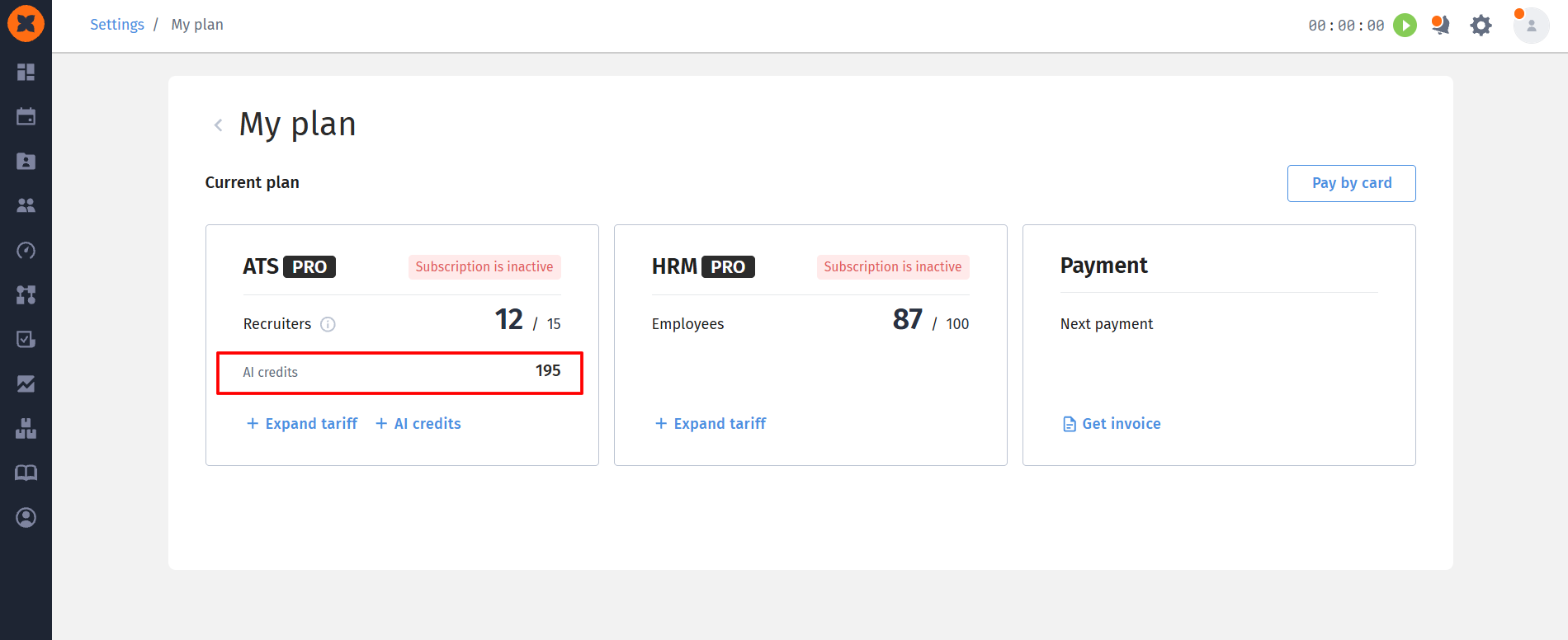
You can check how many credits you have left at any time:
“Settings“ - “AI opportunities”: the panel here displays the current number of available credits;
“Plan and payment“ - “My plan”: here you can review the general terms of your subscription plan and monitor your balance usage.