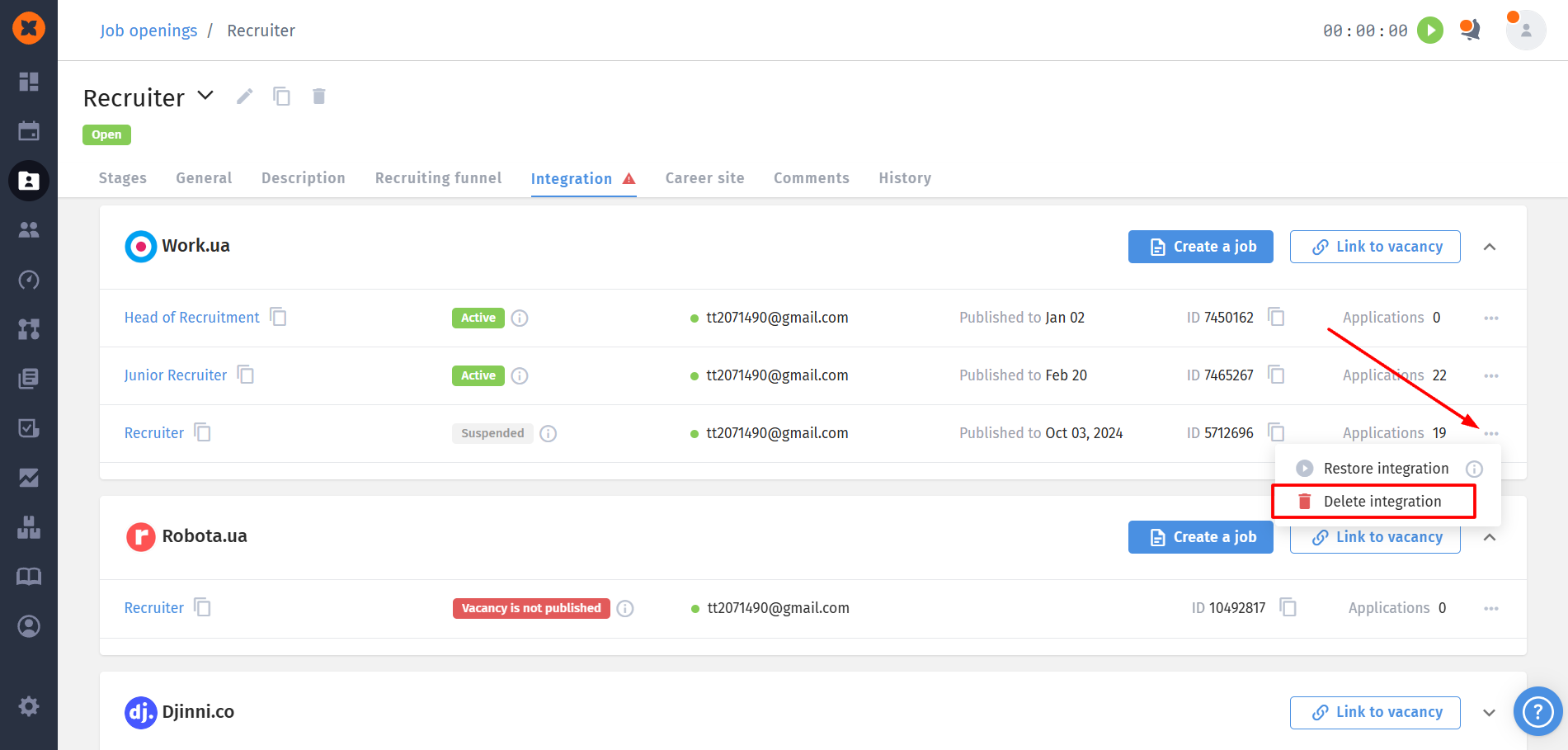
HURMA allows you to connect job portals to collect candidate applications directly into the system. Thanks to this, candidate information is automatically pulled into HURMA. After connecting the resources, candidates who apply for a vacancy will be created in the system as candidate cards.

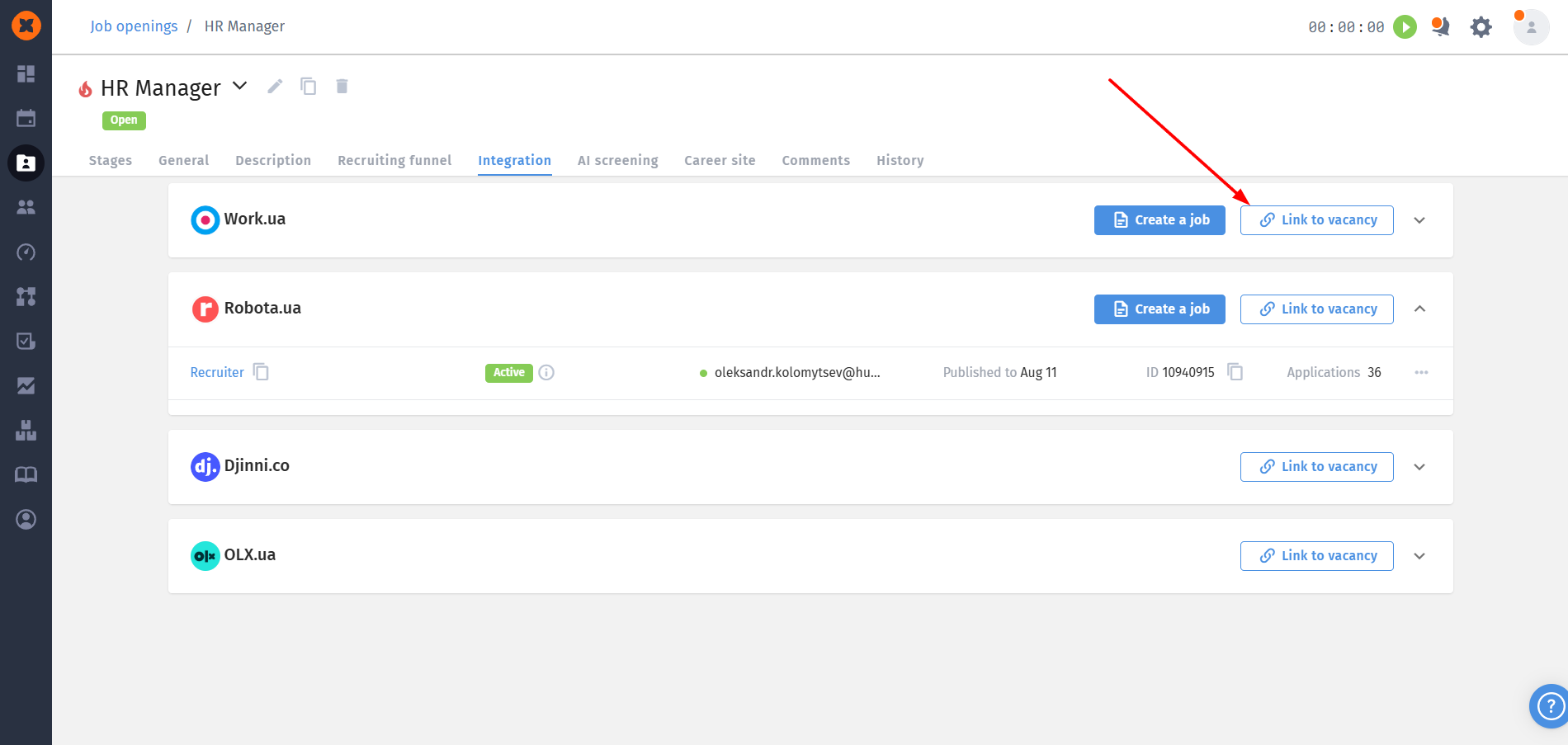
Link to vacancy is an option that allows you to receive applications in the system for an existing vacancy. To do this, follow these steps:
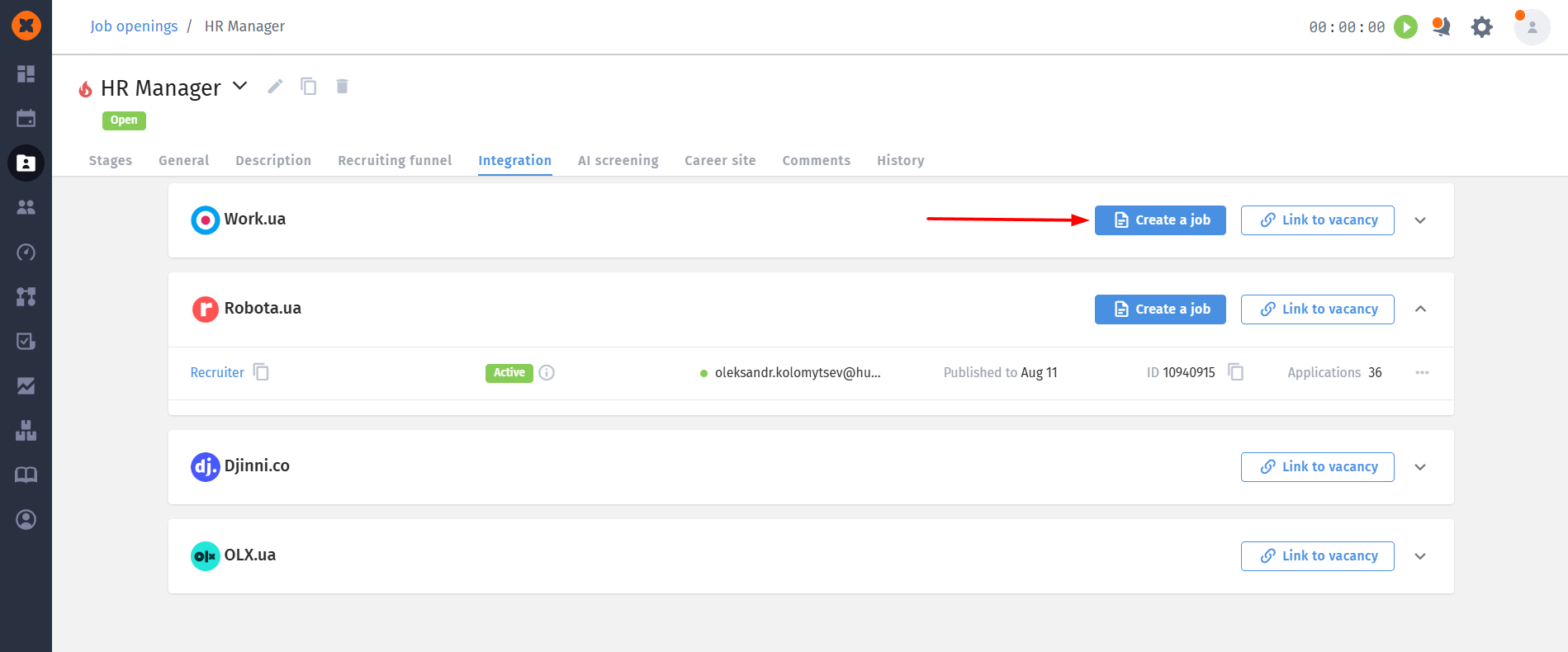
Click the “Link to vacancy” button next to the required job portal.
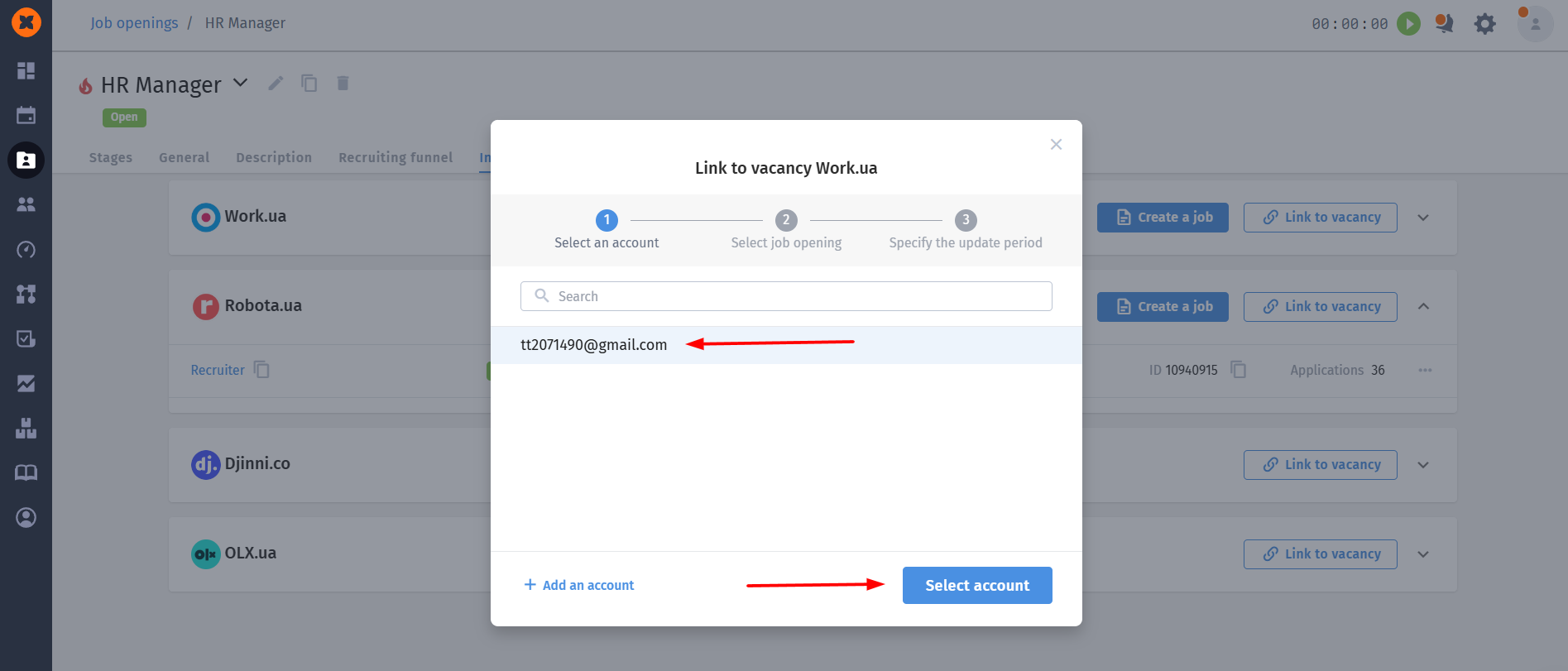
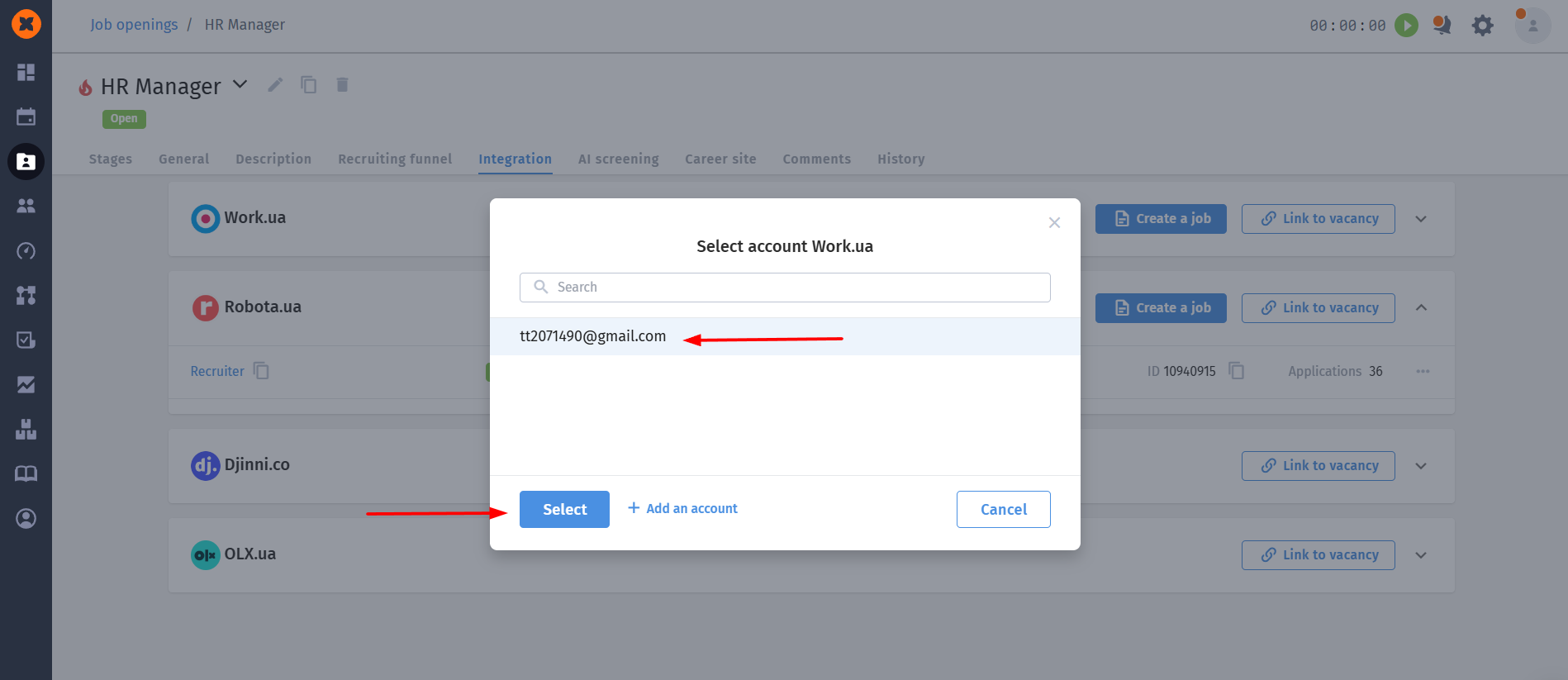
Select the account where the required vacancy is posted and click “Select account.”

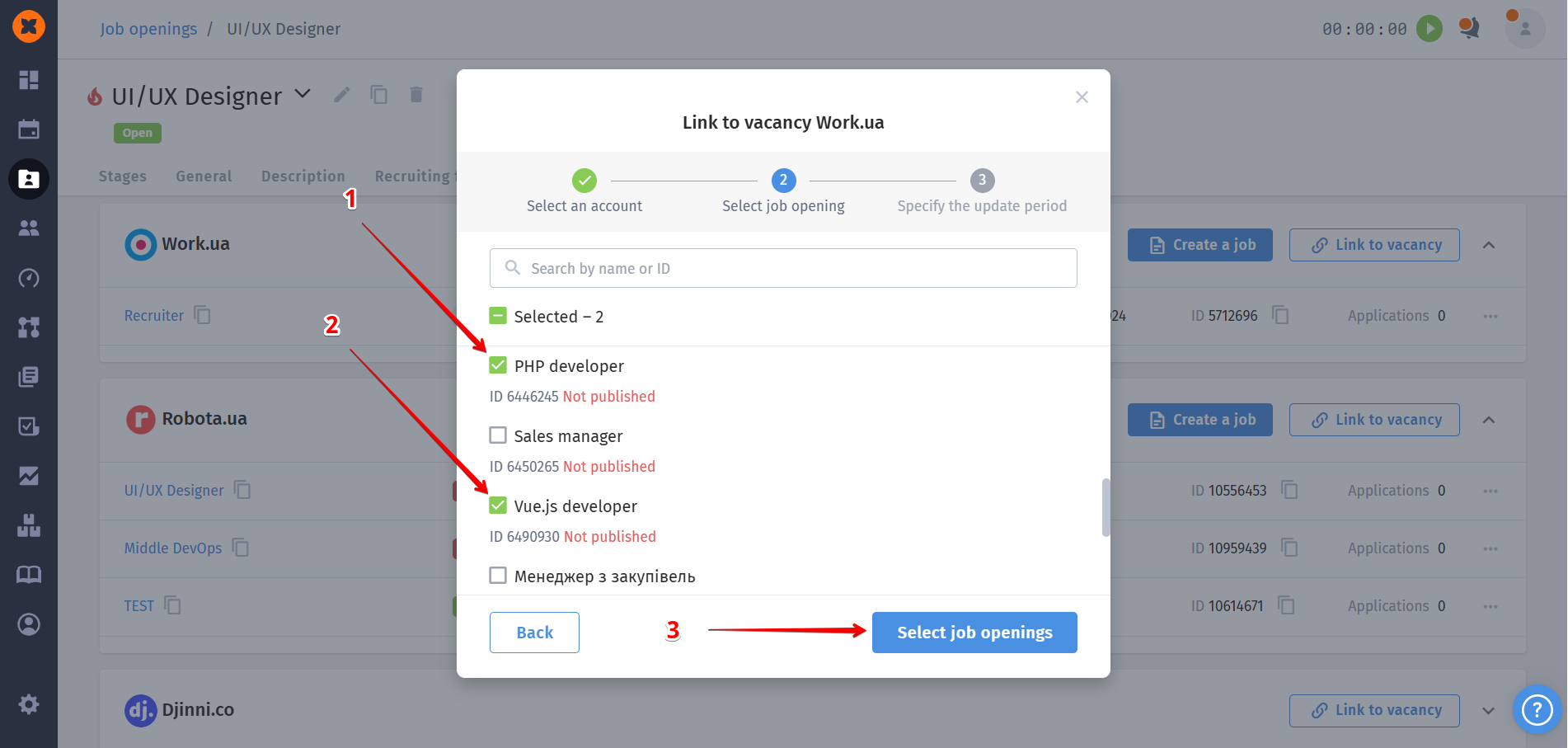
Select the vacancy/vacancies you want to link to this vacancy in the system and click “Select job openings”.

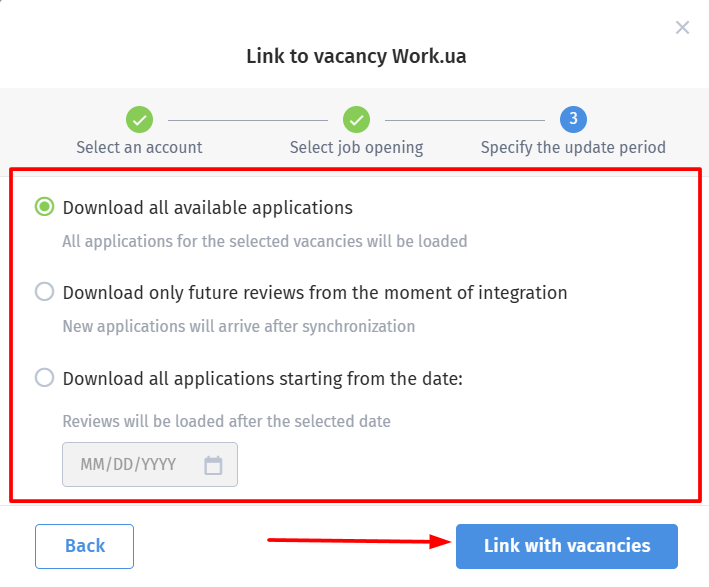
Next, choose which applications should be loaded into the system: all applications, only new ones, or applications from a specific date. Then click “Link with vacancies.”
To publish a vacancy on a job portal:
Click the “Create a job” button next to the required job portal.
Select the required account where you plan to publish the vacancy and click “Select.”
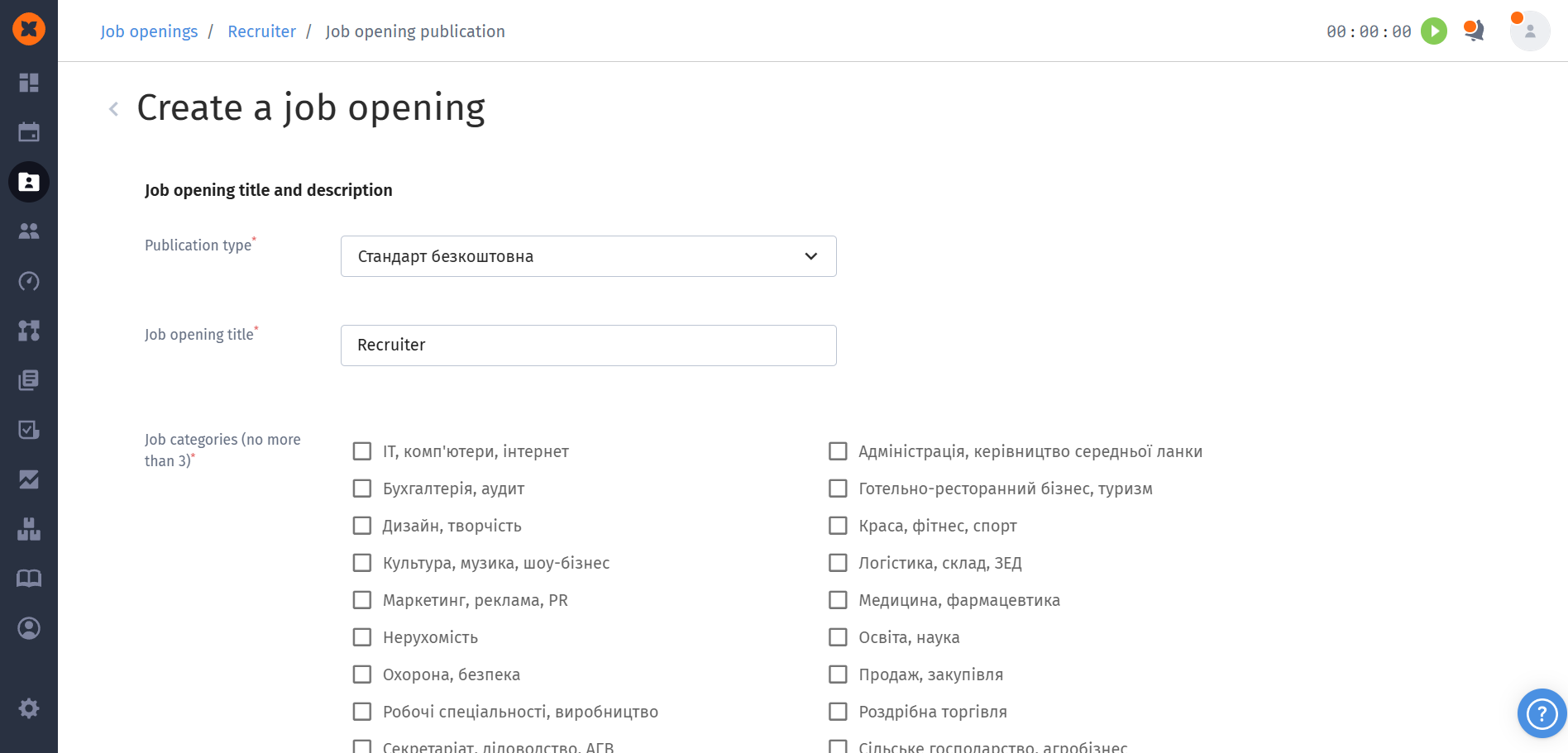
After that, a vacancy creation form will open in the HURMA system, where you can choose the vacancy type and fill in the description.
Once the vacancy is published in the system, a new vacancy will appear on the job portal, and the connection between them will be displayed in HURMA.
After setting up integration with job portals, each connection between the system and an external resource has its own current status. This allows recruiters to instantly assess the publication status and the activity of application collection.
There are 3 connection statuses available in the system:
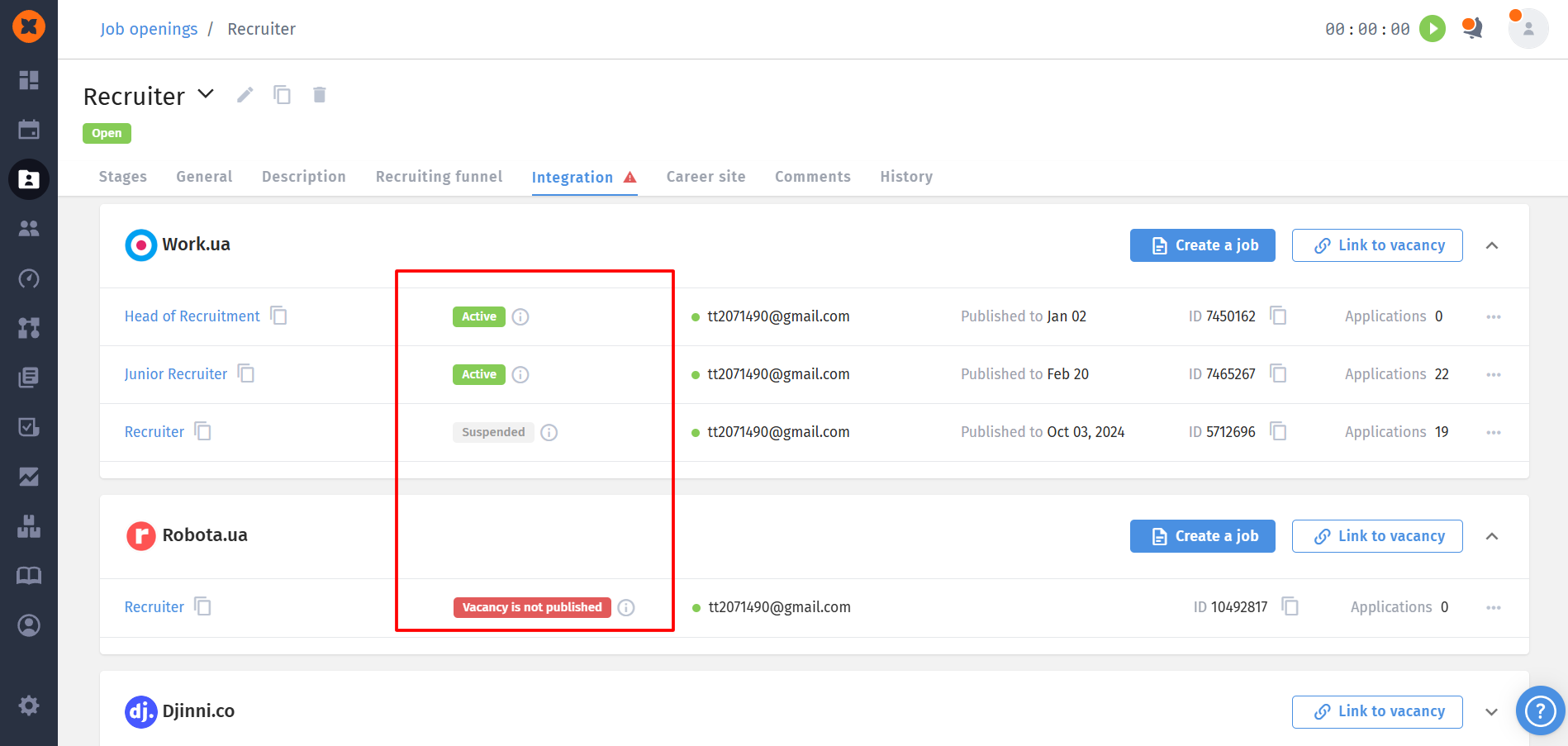
Active – if the vacancy is published on the job portal.
Vacancy is not published – for vacancies that have been unpublished, blocked, etc.
Suspended – may occur if the integration was manually paused or if the vacancy has not been published for more than 180 days.
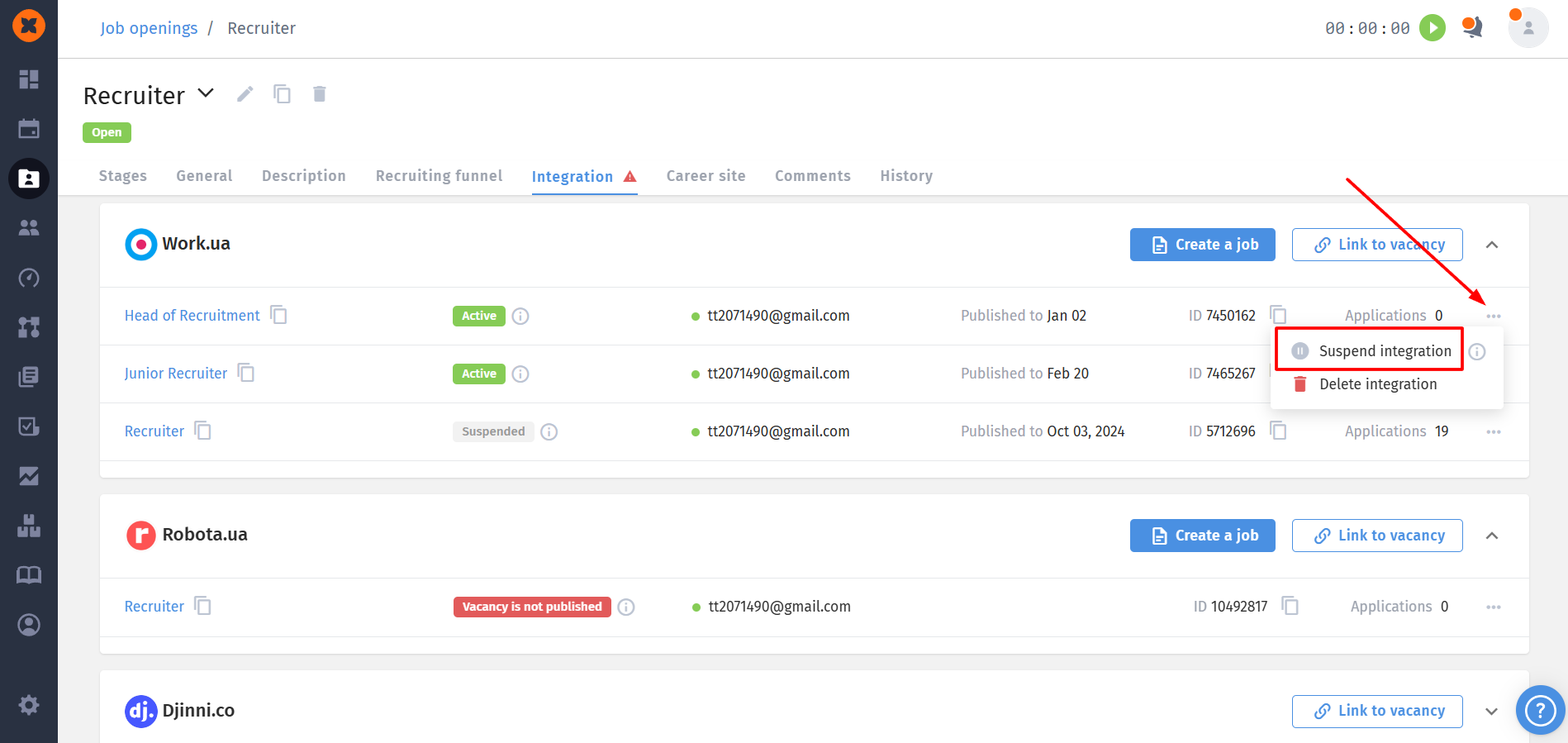
All users who have access to the “Integrations” tab can manage connections and are able to:
Suspend integration – temporarily stop data synchronization with the portal.
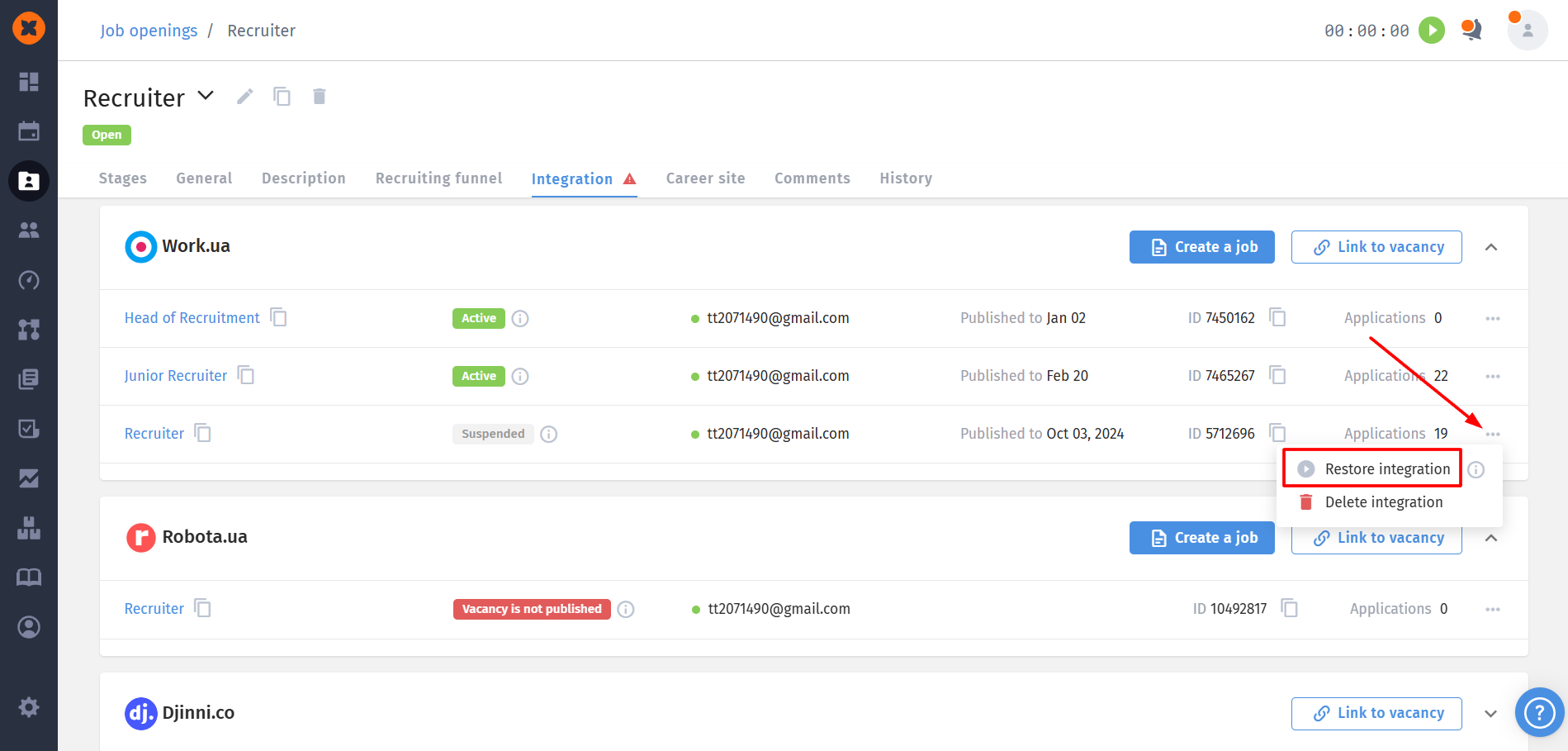
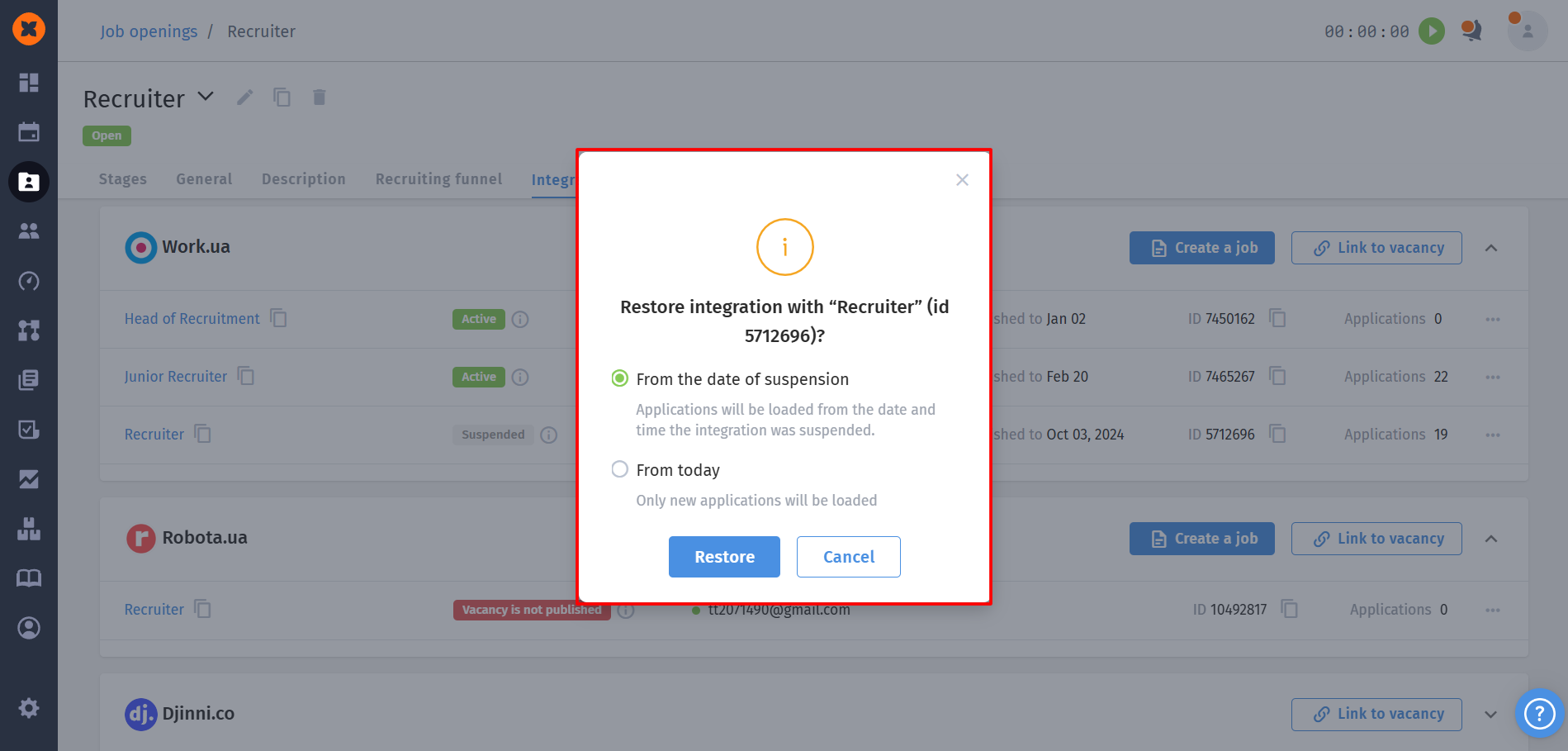
Restore integration – restore active data exchange (you can choose the resume date: “from today” or from the moment it was paused).
Delete integration – completely disconnect the internal vacancy from the job portal posting.