We dedicated the last month of spring to helping you bring perfect order to your processes and free teams from unnecessary routine work. In the May release, HURMA presents powerful solutions that change the way you manage data. We have completely standardized hiring funnels thanks to vacancy templates, created a new tool for automated data collection – “Forms” for candidates, and also added a flexible PDF report builder that will make analyzing 360 feedback results as convenient and illustrative as possible.
We have radically improved how stages and rejection reasons work in vacancies. We added a long-awaited feature – pipeline templates, which let you set up a standardized sequence of selection stages once and use it for lots of similar positions.

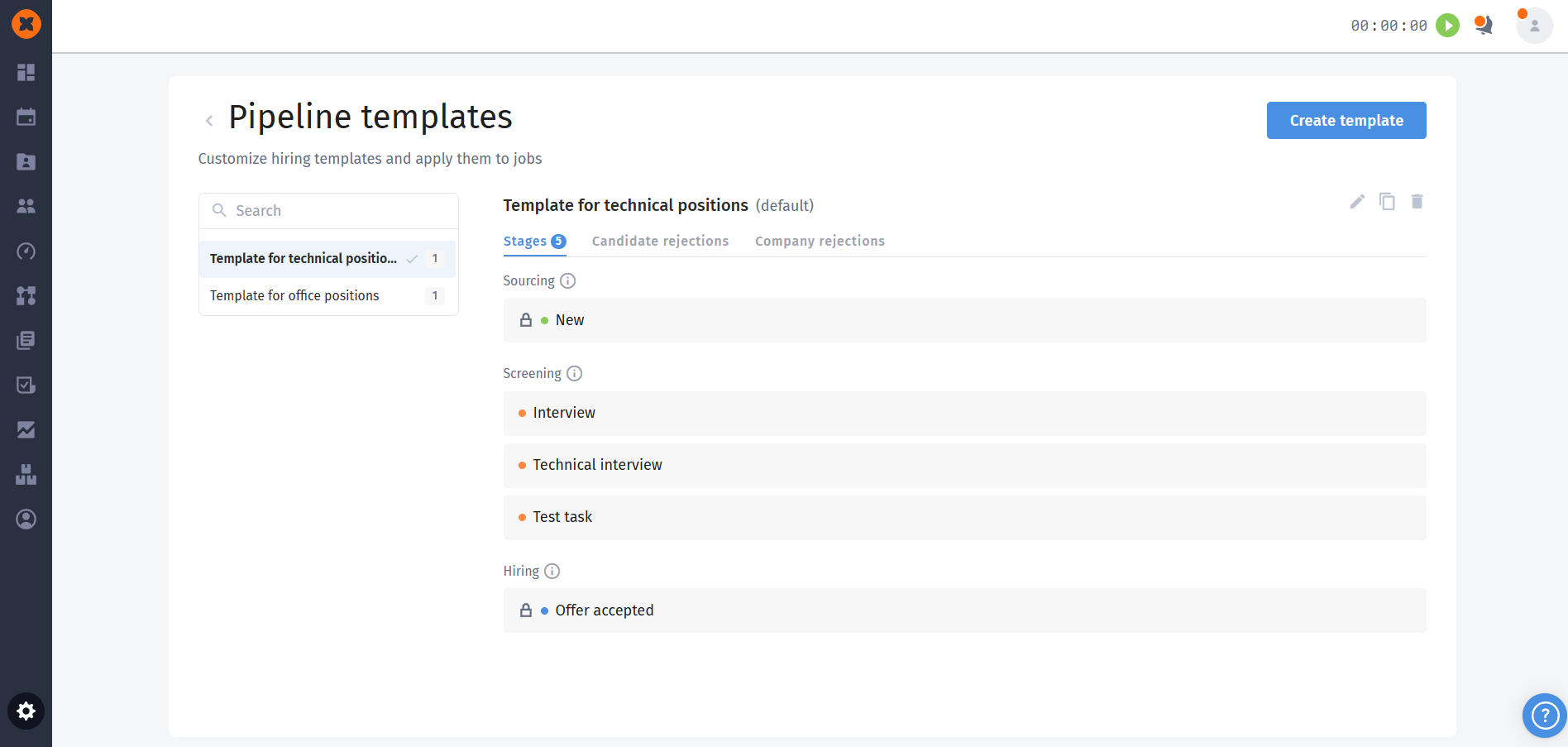
Main capabilities of templates:
Creating unified standards: create your own stage templates in the recruiting settings. You can combine stages of different types, including a new stage type - “Offer”, which will help collect deeper statistics in the future.
Exclusive automation: set up automatic email sending or set candidate limits at specific stages exclusively within the selected template.
Default template: you can choose one of the templates as the basic one. When creating a new vacancy, the system will automatically apply this funnel.
Unified rejection database: all rejection reasons are now shared across the whole system.
New rejection interface in the candidate profile: the process of rejecting a candidate from the profile has been moved to a convenient modal window with quick search, which is separated from the active stages.
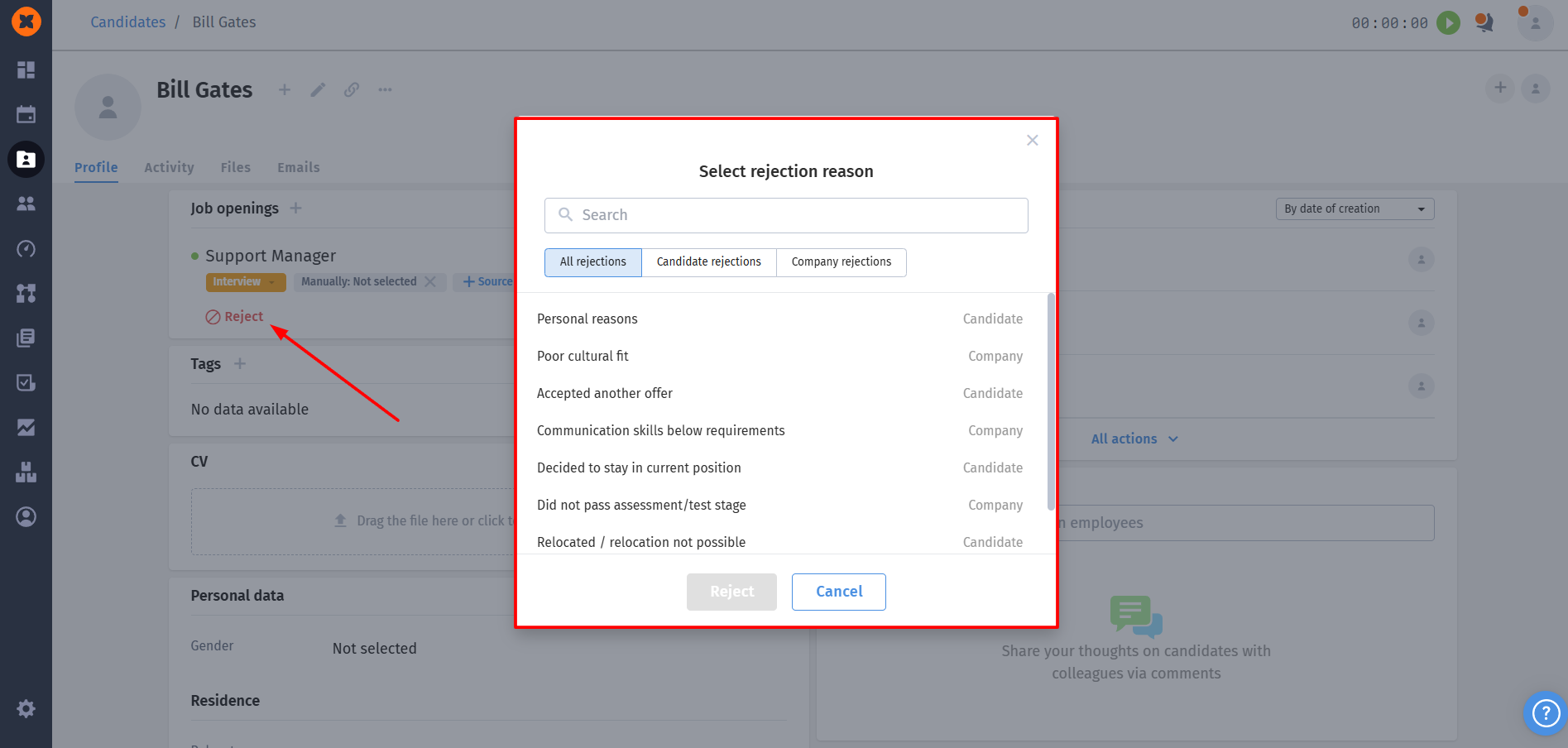
For more detailed information about this functionality, please refer to the article “Creating and setting up pipeline templates”.
In the “Automation” section, we’ve added large-scale functionality for interacting with candidates - “Forms”. Now recruiters can easily create custom questionnaires, send them to candidates by email, and automatically transfer the collected data into the system.
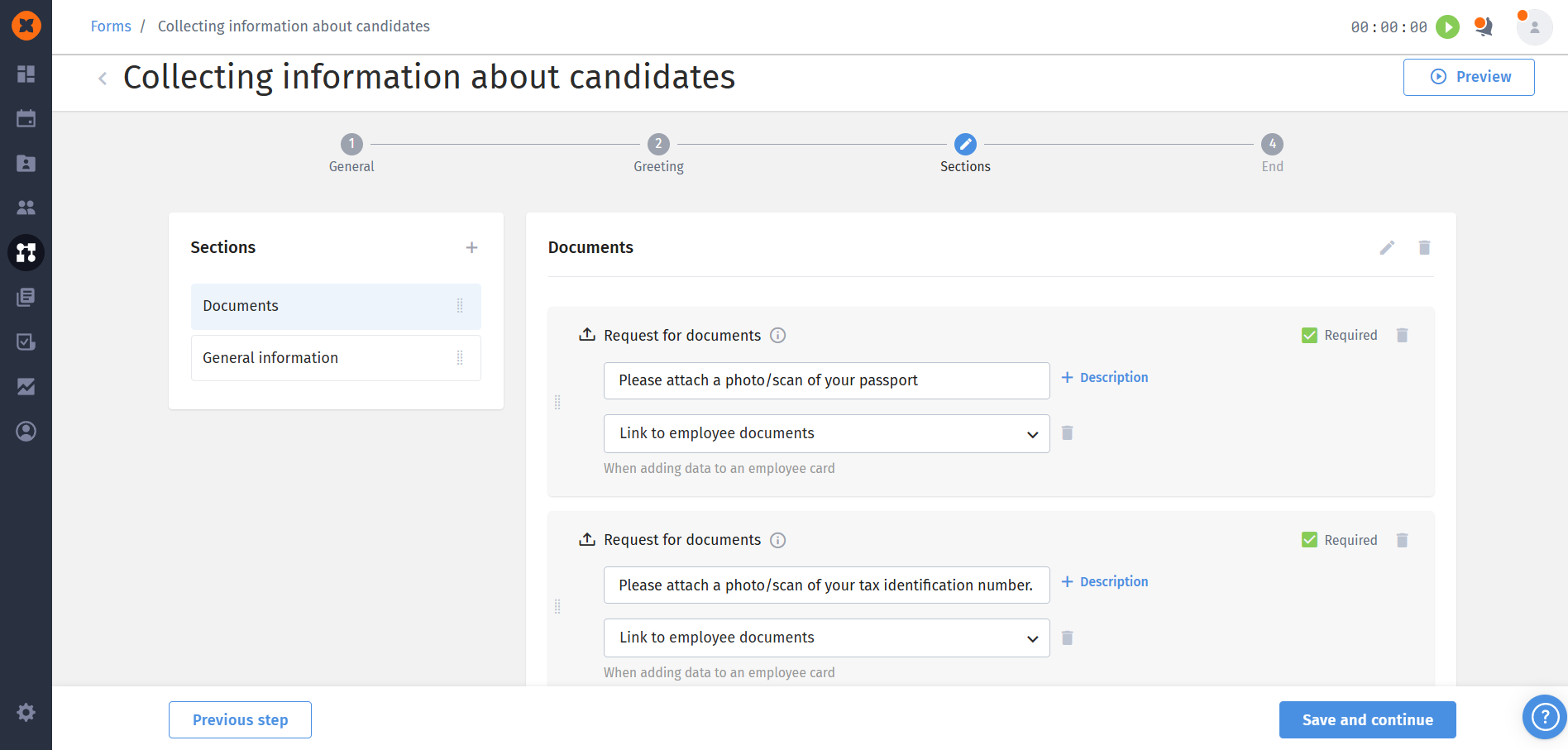
How forms work:
Flexible builder: creating a form consists of 4 steps (general email settings, greeting, settings for sections with questions, and the completion page). You can add up to 50 sections.
Variety of fields: add text fields, attach documents for the candidate to download, or request that they upload their documents (for example, a passport scan).
Sync with the profile: the main advantage is the ability to use special “Employee fields”. The data or files the candidate enters into these fields will automatically be pulled into the system. After filling out the form, the recruiter can, in one click, “Create employee” or “Add to employee”, and all the answers will be instantly transferred to their profile.
Easy sending and tracking: the form is sent directly from the candidate card to their email, and the link stays valid for 5 days. Once it’s filled out, the responsible recruiters will get a system notification (in the system, by email, and in bots), and the form status will change to “Completed”.
You can learn more about this functionality in the section “Forms”.
To make it easier to analyze results, we’ve added a flexible builder for the final PDF report. This feature lets cycle admins generate detailed reports for each evaluated employee directly from the dropdown menu on the “Overall scores” or “Detailed scores” tabs.
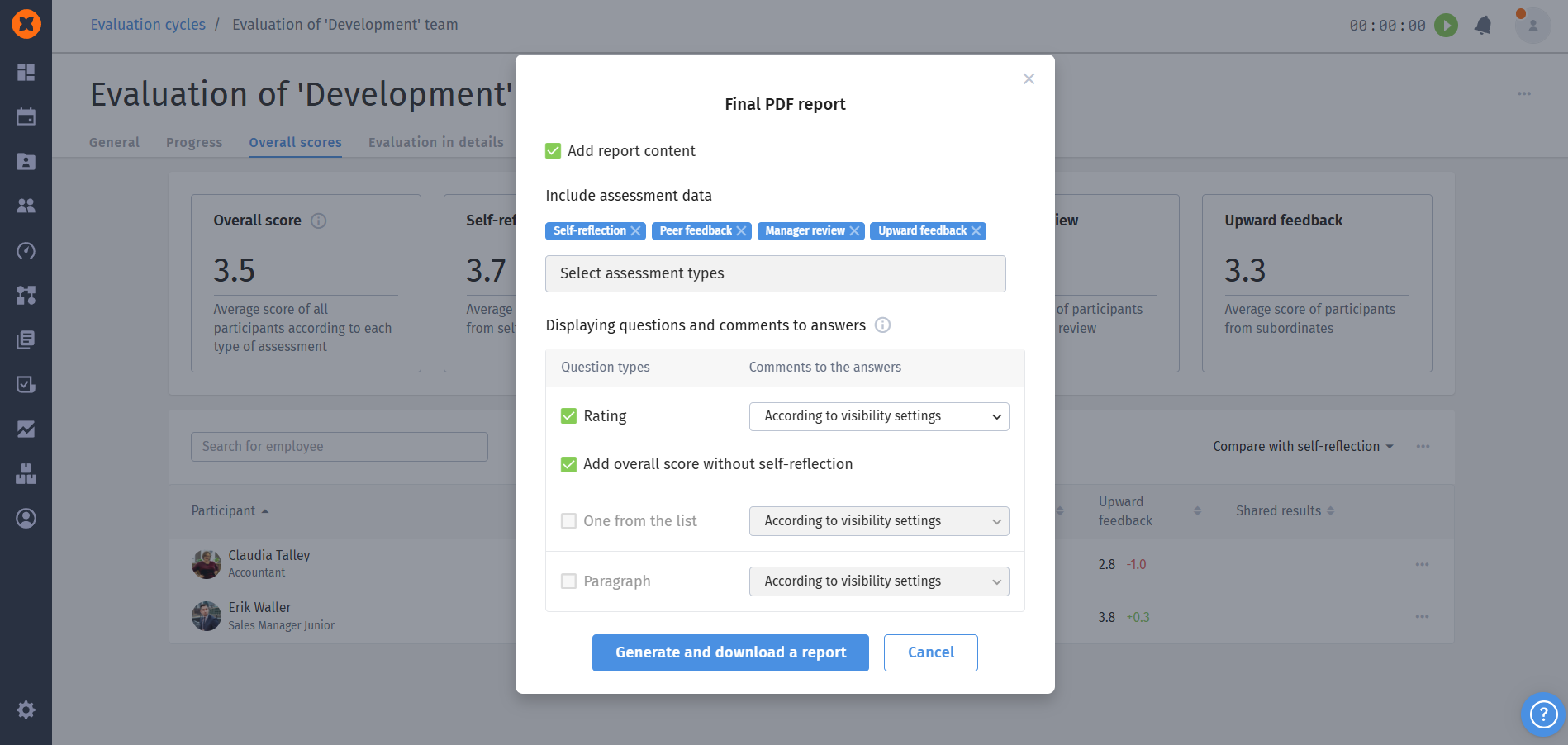
What’s new in PDF reports:
Selecting evaluation types: you decide whose evaluations will be included in the report (for example, only from the manager and colleagues). You can also add a separate column “Overall evaluation from all sides without self-evaluation.”
Question block settings: include only the needed question formats in the report (rating, single choice from a list, text questions). The blocks contain visual representations of answers and handy tables.
Flexible comment management: for each question type, you can configure how comments are displayed (“according to visibility settings” – with names or without), “anonymous” – all comments are labeled as “Employee,” or “do not include in the report” at all)
Our team keeps continuously improving the HURMA system so your daily work becomes simpler, faster, and more efficient!
