We are pleased to present a major update to the HURMA system, designed to make your processes even more transparent, convenient, and manageable. In this release, we've added a powerful tool for working with competencies, 1:1 and other meetings, completely rethought the settings section, implemented job vacancy history logging, and resolved important issues in candidate communication.
We've added the long-awaited competency library, which allows you to standardize employee evaluations.
Library structure: consists of three tabs: "Categories" (for convenient grouping, there are 5 standard ones from the system), "Active" (competencies that can be used in cycles) and "Archive".
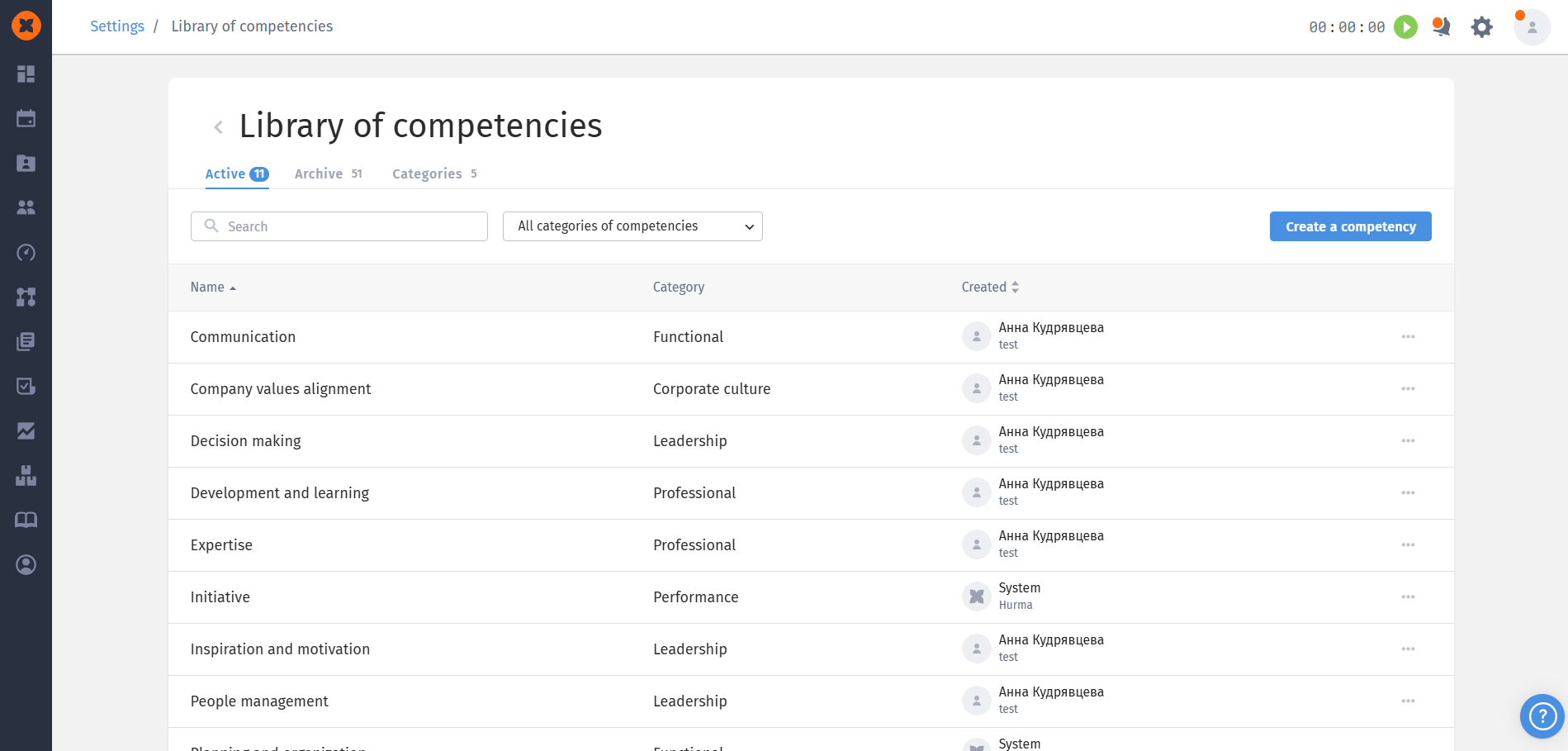
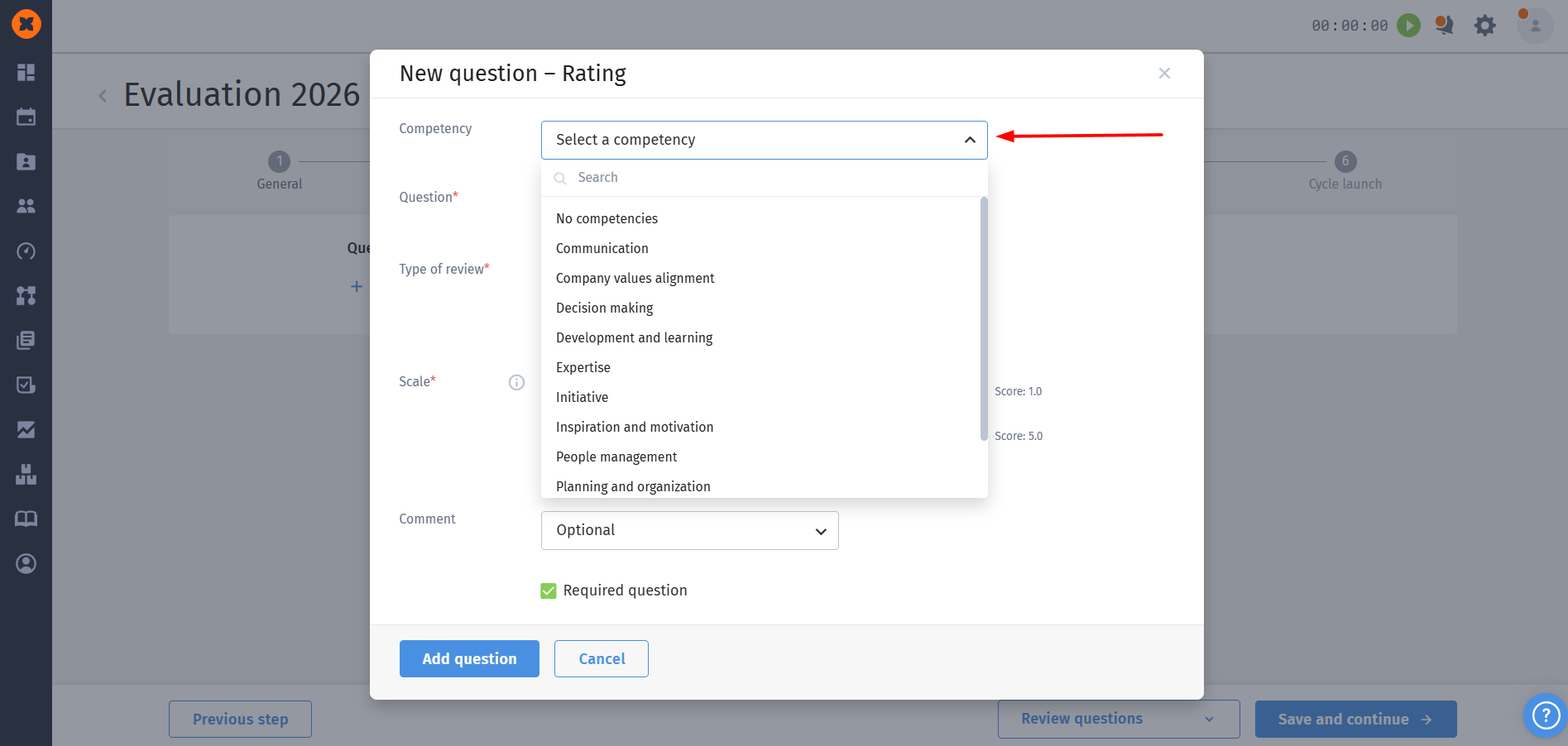
Creation and linking: you can create new competencies, add descriptions and categories to them. In the evaluation cycle builder, these competencies can now be linked to "Rating" type questions. The full name and description (via the information icon) will be displayed above the question.
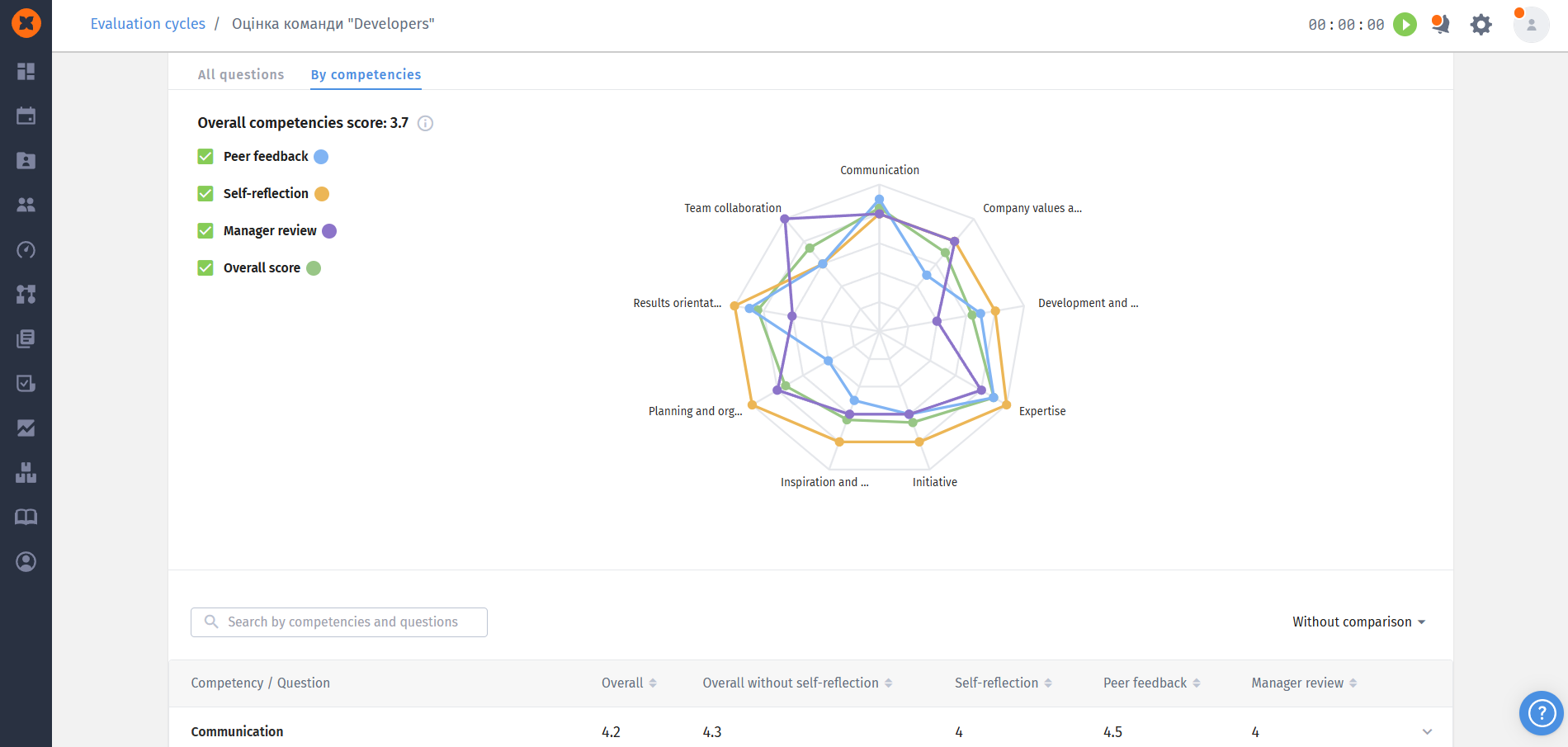
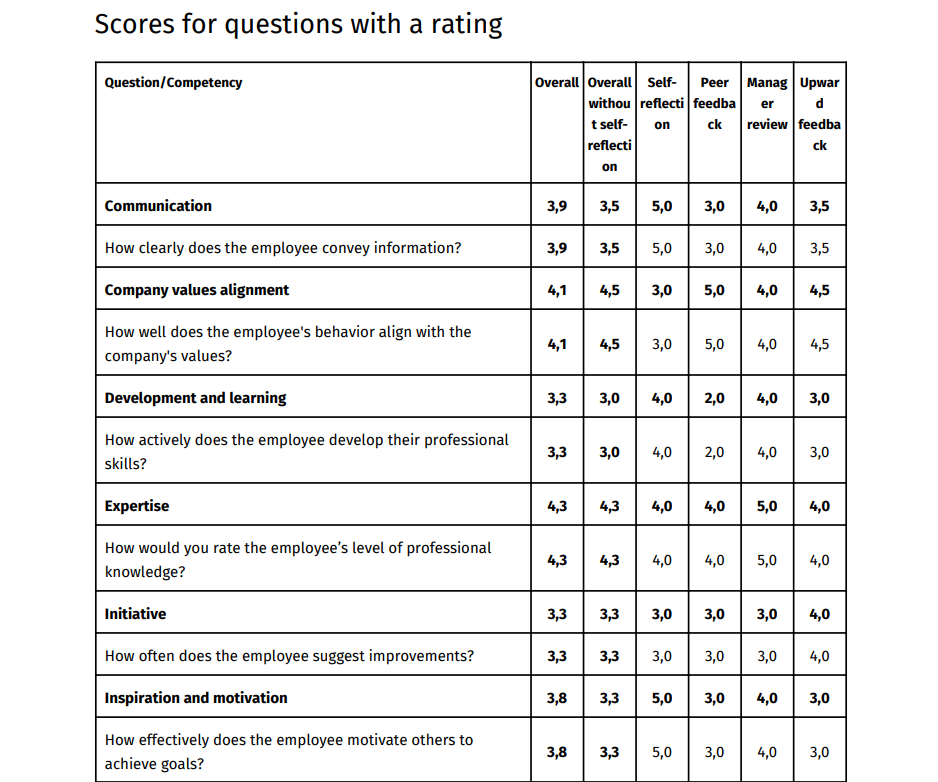
Deep analytics: a new "By competencies" tab has appeared in the detailed cycle results. If at least 3 competencies are evaluated in the cycle, the system automatically builds a chart showing the overall score and ratings from different sides. All questions in the table are also grouped by competencies.
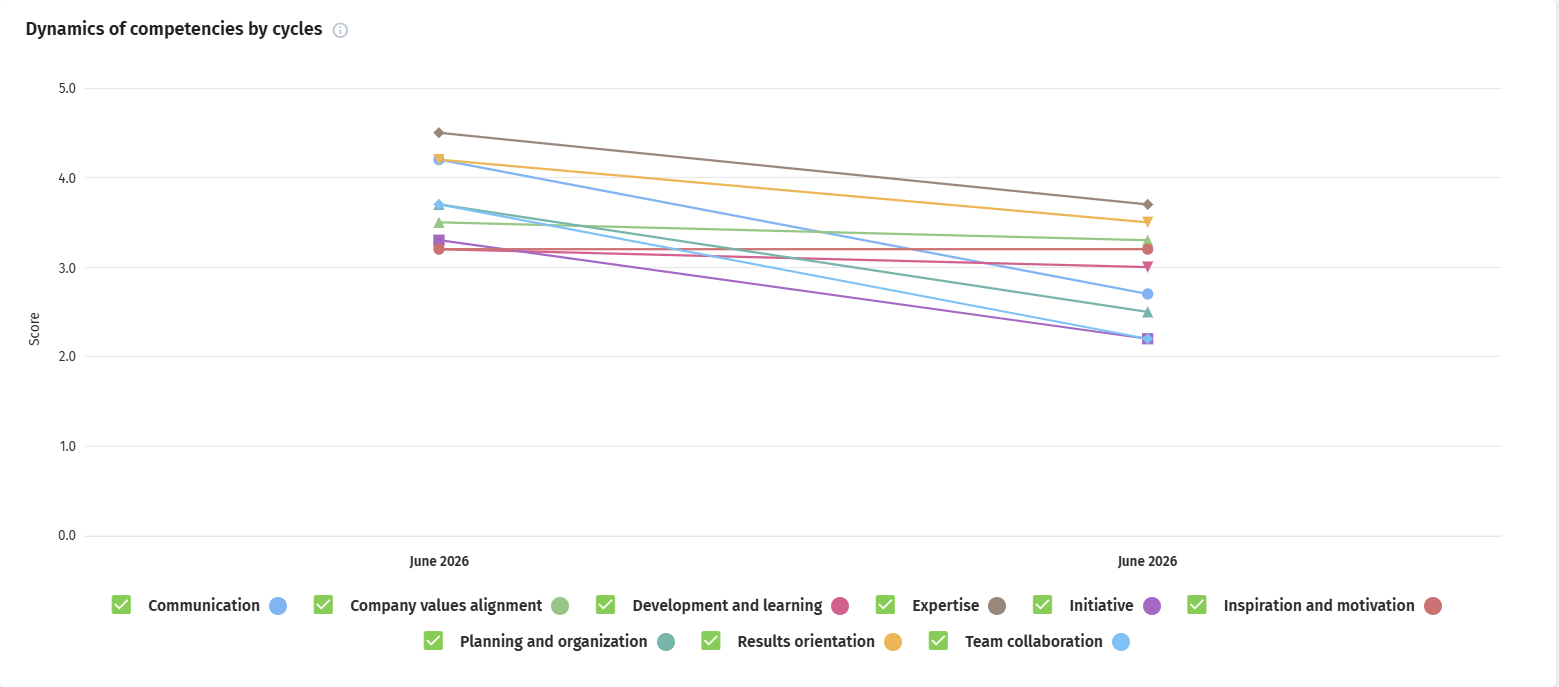
Dynamics in employee profile: a new chart "Competency dynamics across cycles" has been added to the "Performance" section (as well as in the "My Profile" section for the employee themselves). It visualizes changes in the employee's average scores over the last 8 cycles.
Export: a separate "Competency" column has been added to the CSV report, and in the summary PDF report for rating questions, results are now grouped by competencies.
Working with recruitment funnels has become maximally transparent thanks to the appearance of the "History" tab in the job vacancy profile.
The system records all actions in detail: linking or changing funnel templates, adding or removing stages, changing their order, as well as configuring sheets and limits at specific stages.
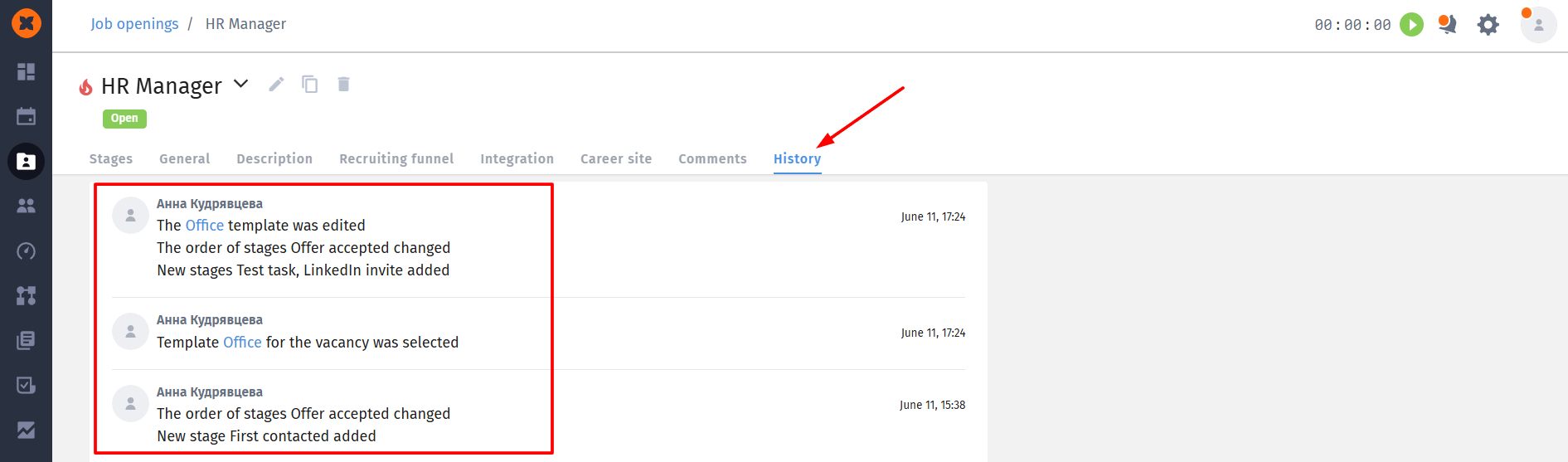
All changes that an administrator makes during one editing session are conveniently grouped into one record.
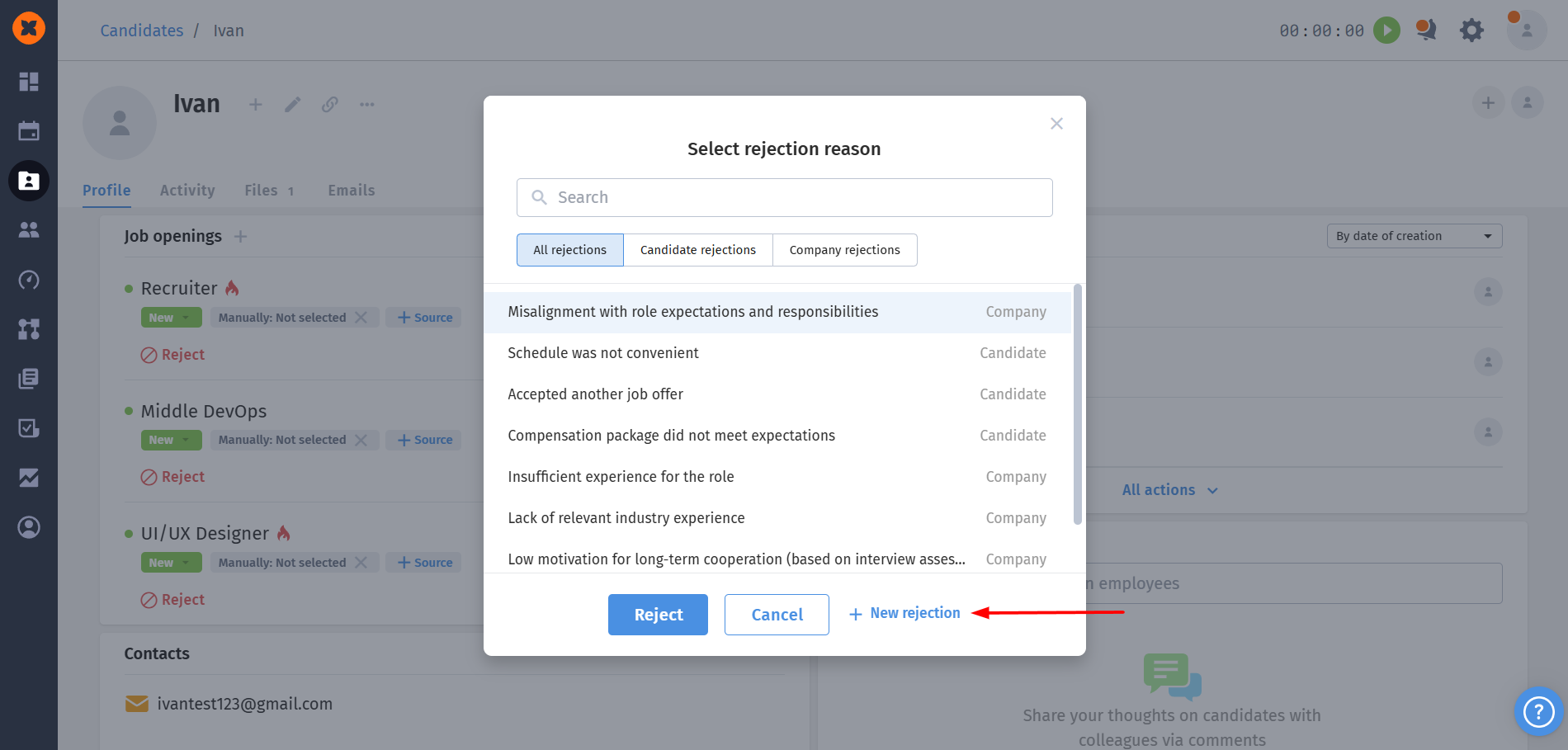
Creating rejections: now recruiters can create new rejection reasons directly from the kanban board or from the candidate's profile in a modal window when moving to the rejection stage.
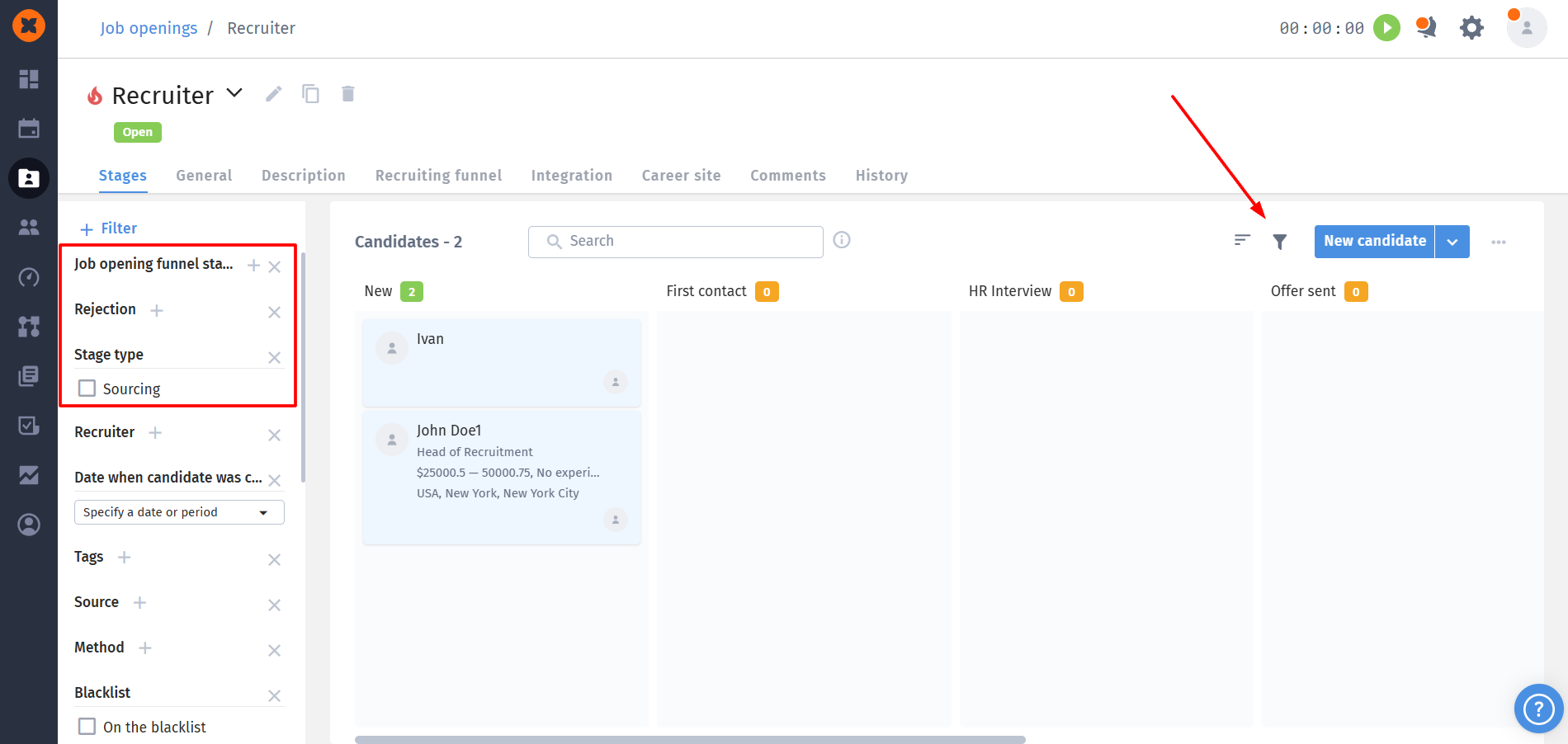
New filters: on the kanban and in the candidate database we separated the filters: now "Rejection" and "Job Stage" exist separately. Additionally, a new filter "Stage Type" has been added (Recruitment, Selection, Offer)
We resolved the complexity of sending letters to candidates who are applying for multiple positions in the company.
Job selector: when writing a letter (from scratch or using a template) a new job selection field appeared. If a candidate is added to multiple jobs, you must choose which one the letter refers to.
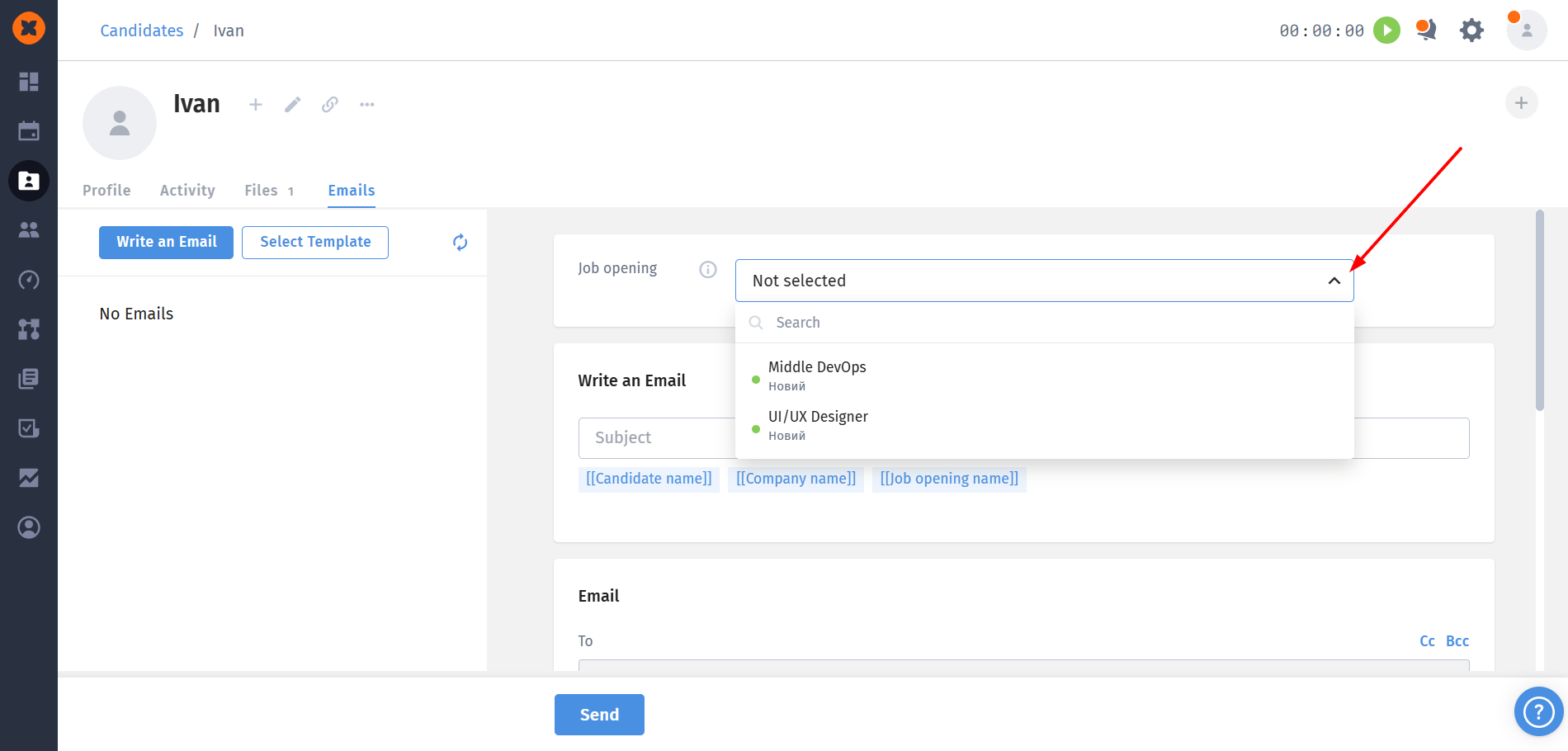
Foolproof tags: this guarantees that system tags [[Job opening name]] and [[Public job opening link]] will always substitute the correct data. Without selecting a job, the system simply won't allow you to send a message with these tags.
Error protection: if a candidate is not linked to any job, these tags are blocked from use, and a tooltip with an explanation appears on hover.
Auto-inheritance: when using the "Reply" or "Reply with template" buttons, the system automatically pulls the job that was mentioned in the previous (parent) message.
We completely updated the approach to system navigation.
New hub and location: the familiar "gear" icon has moved to the top header (next to your profile) and is now animated. Instead of a long dropdown menu, you'll land on a convenient hub page with cards that logically group all modules: "General", "Content management", "HRM", "Recruiting", "Absences", "Integrations and security", and "Plan & Payment".
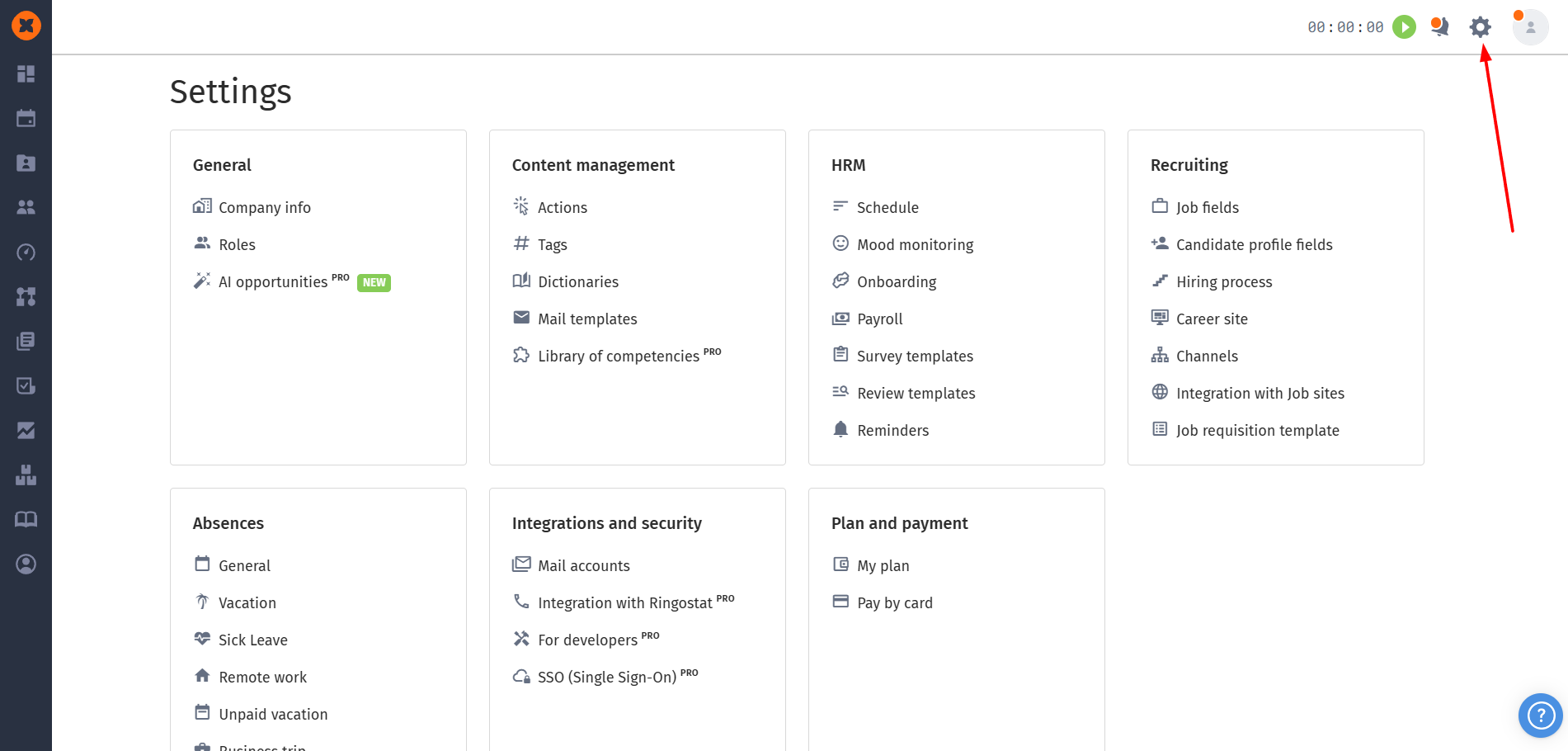
Logical grouping: settings have become more structured. For example, the "Recruiting" section now contains separate pages for job posting fields, candidate fields, and the hiring process (which is divided into tabs: "Funnel Templates", "Stages", "Rejections"). And sentiment monitoring settings have been separated from reviews.
Plan adaptability: the settings interface now dynamically adjusts to your pricing plan. If you don't have the ATS module (recruiting) enabled, the recruiting settings card won't be displayed at all.
We moved 1:1 from "HR Actions" to a separate section "Performance" - "1:1 Meetings". Now all your HR meetings are gathered in one place: they're easy to schedule, filter, track status and risk level for each employee. This is the first step, and soon we'll add statistics and analytics for 1:1 meetings.
Previously, 1:1 and other employee meetings "lived" inside HR Actions - together with tasks. This caused several inconveniences that you regularly pointed out to us:
The feature was hard to find.
There was no clear "meeting" entity. An action could be a task, a meeting, or a note. The system didn't "understand" what it was dealing with, so 1:1, Welcome meeting, Performance review and other meetings couldn't be correctly collected in analytics - some meetings would simply get lost if they were created without a template or with a custom template.
This blocked your requests. Meeting ratings, risk level, discussion topics, person history - all of this ran into the problem that "1:1" was technically no different from any other action.
A separate section solves the root problem: now a 1:1 meeting is an independent entity with its own fields, statuses, and logic. This is the foundation on which we can build everything you asked for.

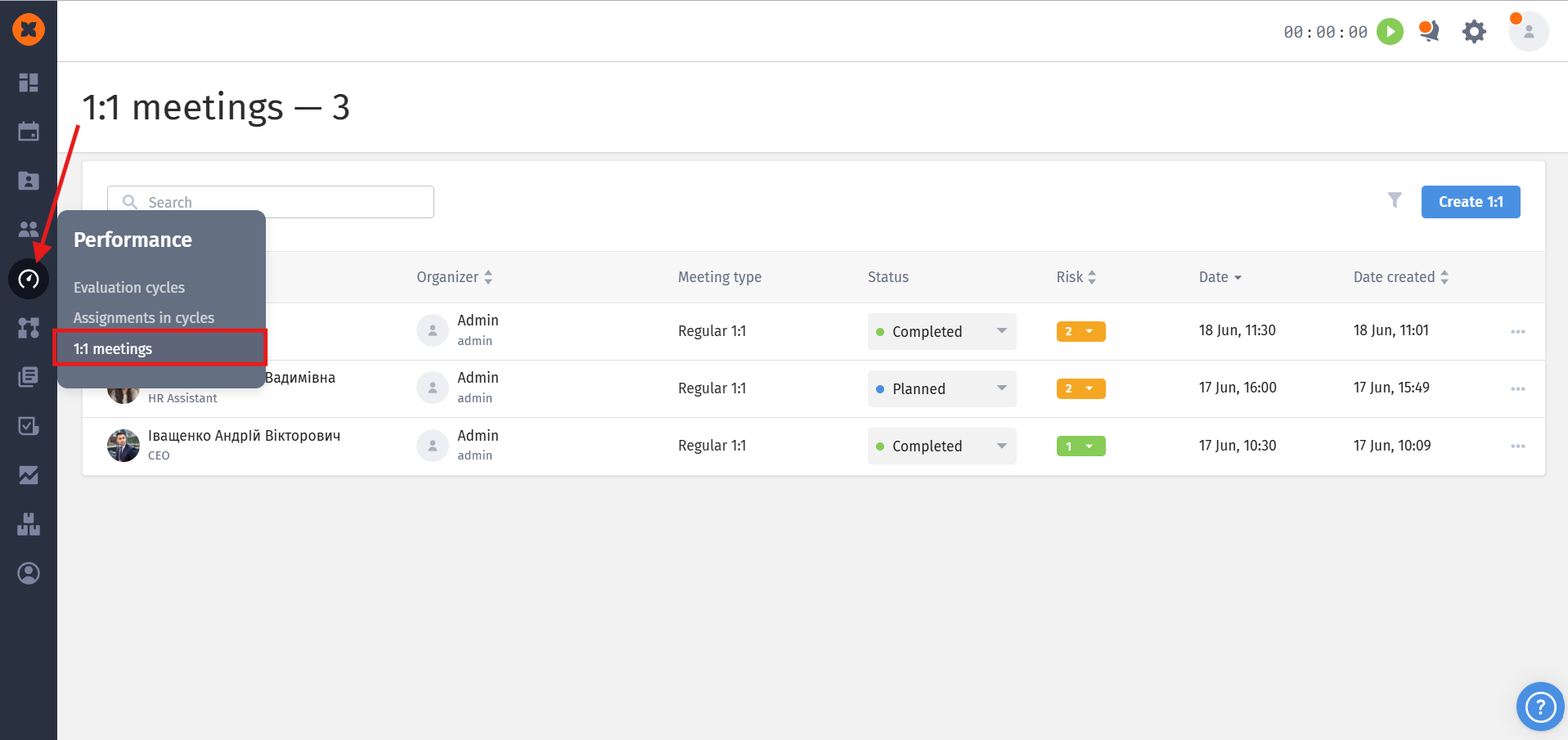
The section is located in the "Performance" menu - "1:1 Meetings".
By default, access to the "1:1 Meetings" section is available to users with HR and Administrator roles.
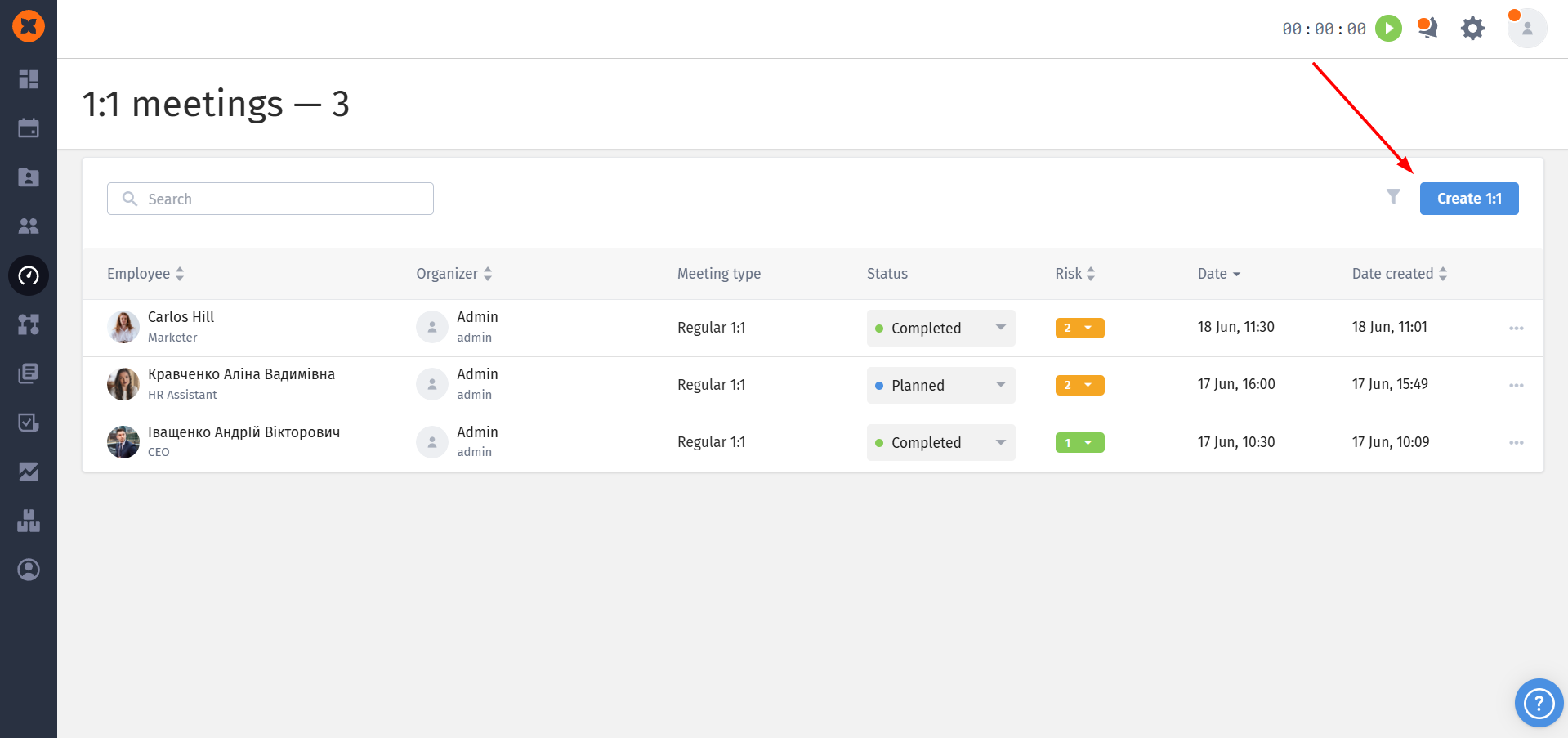
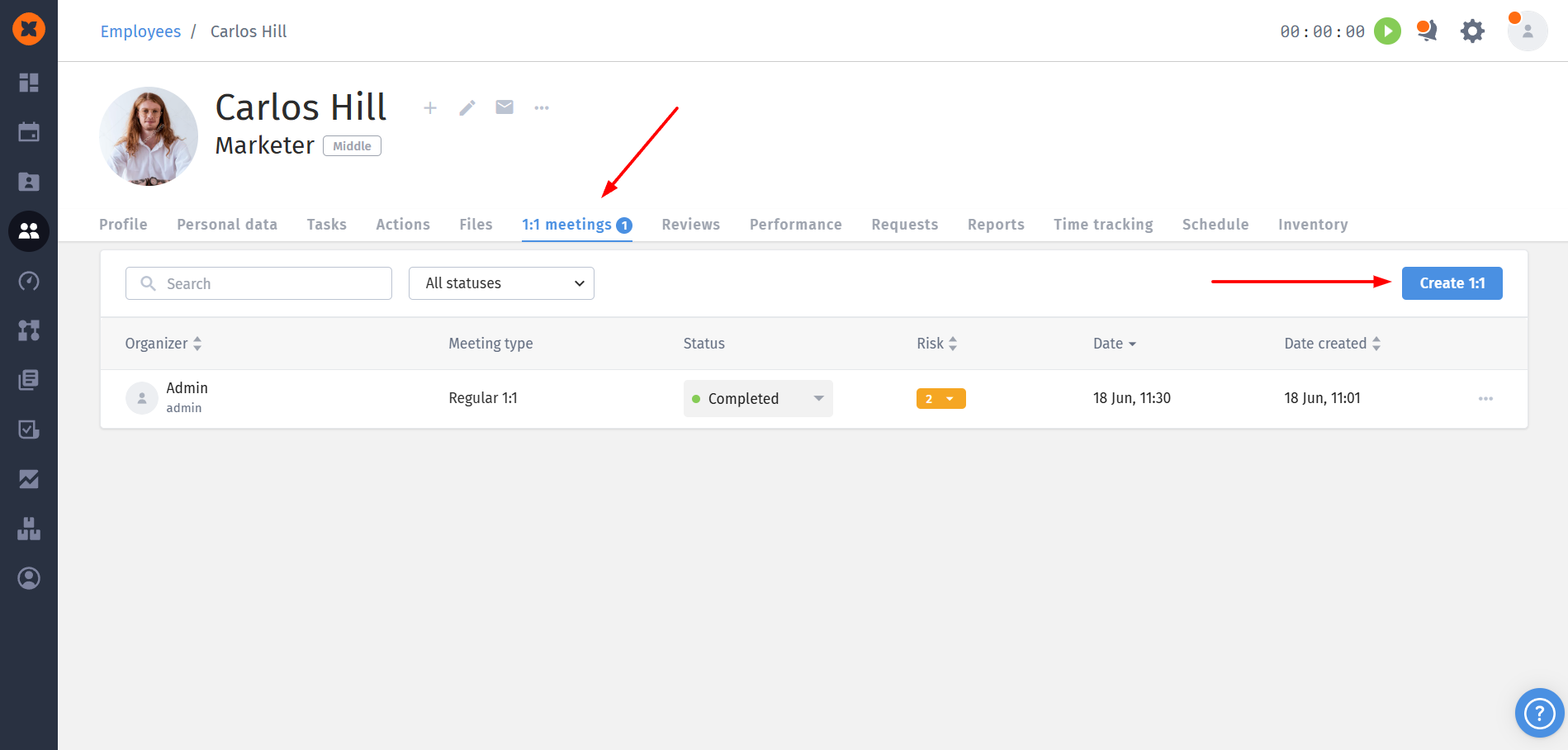
You can create a meeting by going to the general list in the "Performance" menu - "1:1 Meetings" and clicking the "Create 1:1" button, or directly in the employee's profile. After that, a window will open to create the meeting.
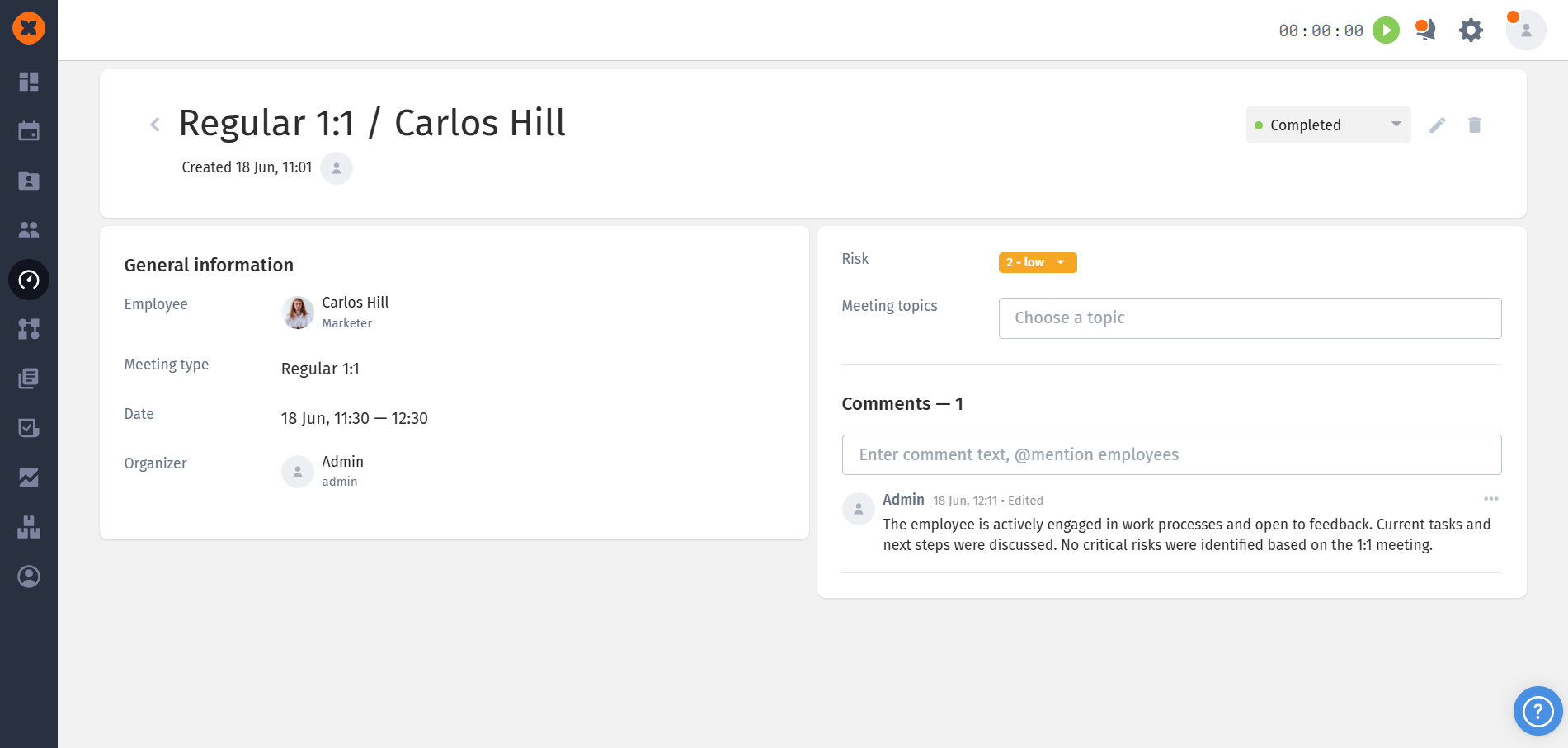
After saving, the meeting is created with the status "Scheduled", and the employee, organizer, and participants will receive a corresponding notification in the system, via email, and in connected bots. After the meeting is held, the organizer can change its status to "Completed", optionally leave a comment with flexible visibility settings, and set the risk level on a scale from 1 (minimal) to 5 (critical).
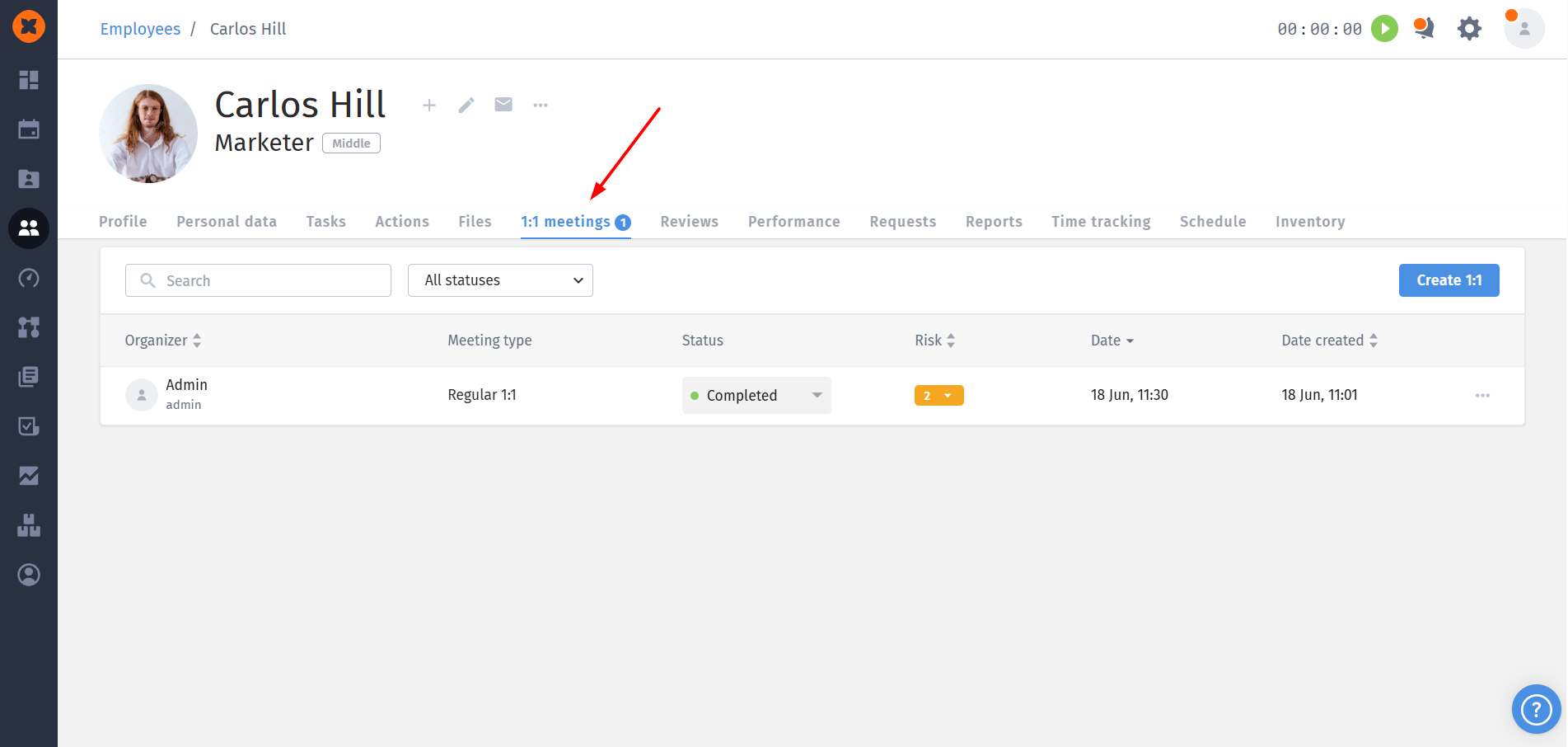
The entire history of 1:1 meetings is stored in the employee's profile with whom the meeting was held, in a separate "1:1" tab. At any time, you can return to it and view information, for example, when the last 1:1 was held, what topics were discussed, what feedback was in the comments, and what risk level was recorded.
You can learn more about the functionality in the article "1:1 meetings"
This section is just the foundation. Here's what we're working on next:
Statistics and analytics for 1:1 (coming soon). Summary reports on conducted and planned meetings for a period - broken down by employees, teams and company, taking into account both current and dismissed employees. Risk dynamics per person (how the situation changes from 'red' zone to 'green'), analytics on the most discussed and problematic topics, heat map of 1:1 results.
Feedback forms after 1:1 - custom forms with ratings and average risk output, so stakeholders pay attention primarily to problematic meetings.
Action points - tasks from 1:1 results with assignment to a responsible person.
Since the old “HR Actions” continue to work in parallel, your feedback is very important to us: let us know if the new section is missing something for your process - this directly affects the priorities of the next steps.
You can send us your suggestions at [email protected]
