We’ve expanded our recruitment capabilities and added the long-awaited integration with the OLX platform. You can now connect your job ads, automatically collect applications, and analyze the effectiveness of this channel directly in HURMA.
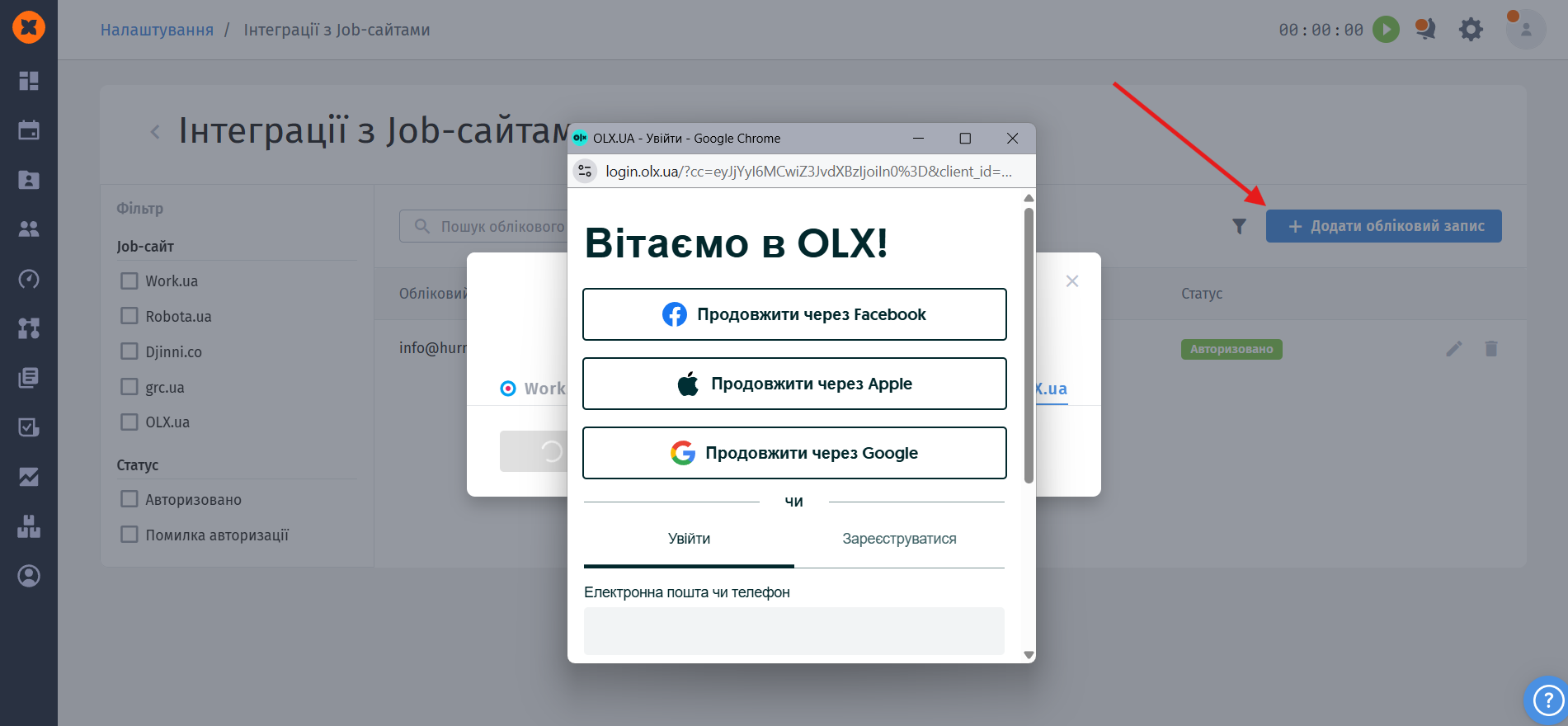
Secure connection and management: a separate OLX tab is now available in the job portal integration settings. Authorization is handled securely through the portal’s own website. Filtering is also available on the page for your convenience;
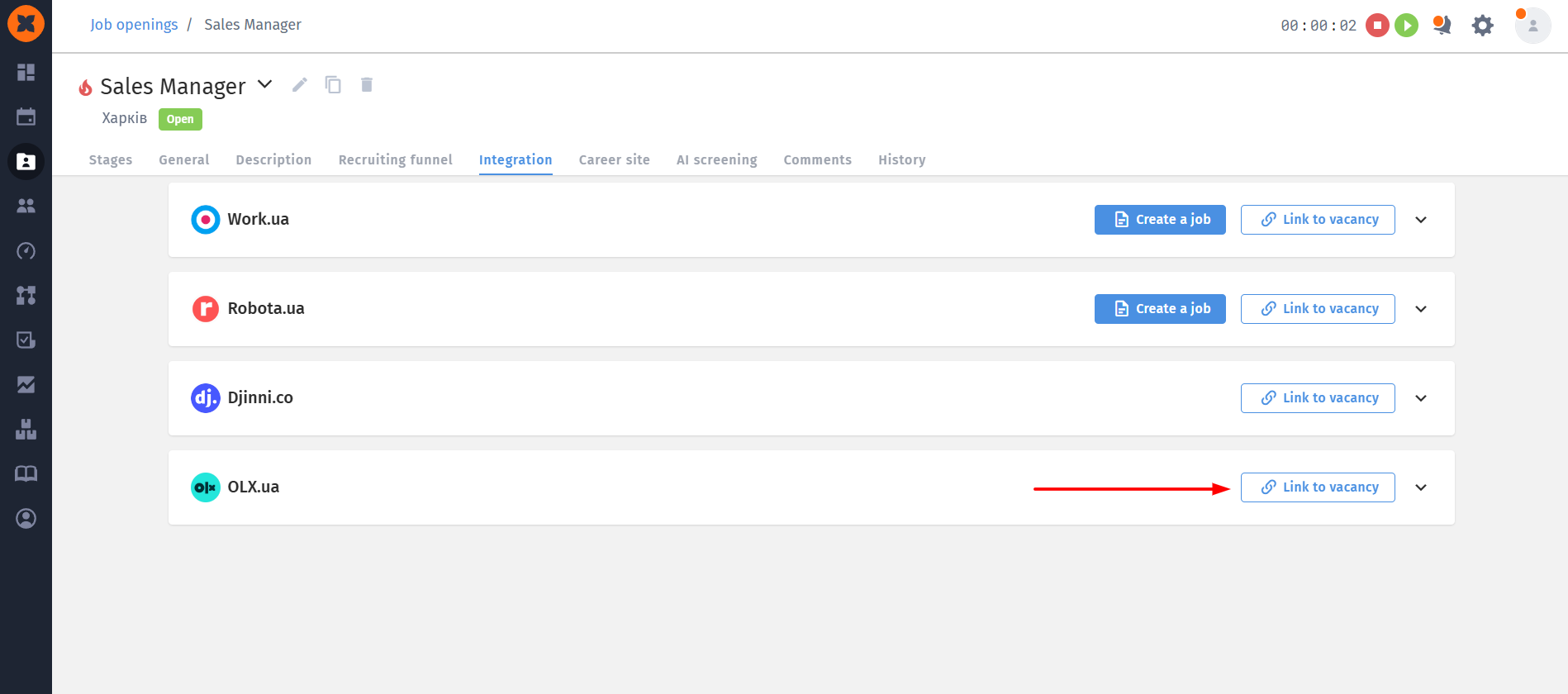
Easy job ad linking: when you link an ad to a vacancy, the system automatically fetches your active ads from OLX (only ads from the “Jobs” and “Jobs abroad” sections are available);
Status automation: the integration status is updated automatically based on changes on the OLX website itself.
Available standard statuses: if an ad is removed upon expiration - «Job unpublished», if deleted - «Job deleted». In addition, if a vacancy in the HURMA system changes to the "Closed" or "Canceled" status, the collection of applications is automatically suspended;
Maximum data in the candidate profile: an application from OLX is considered to be the candidate's first message, the text of which is automatically saved as a "Cover letter".
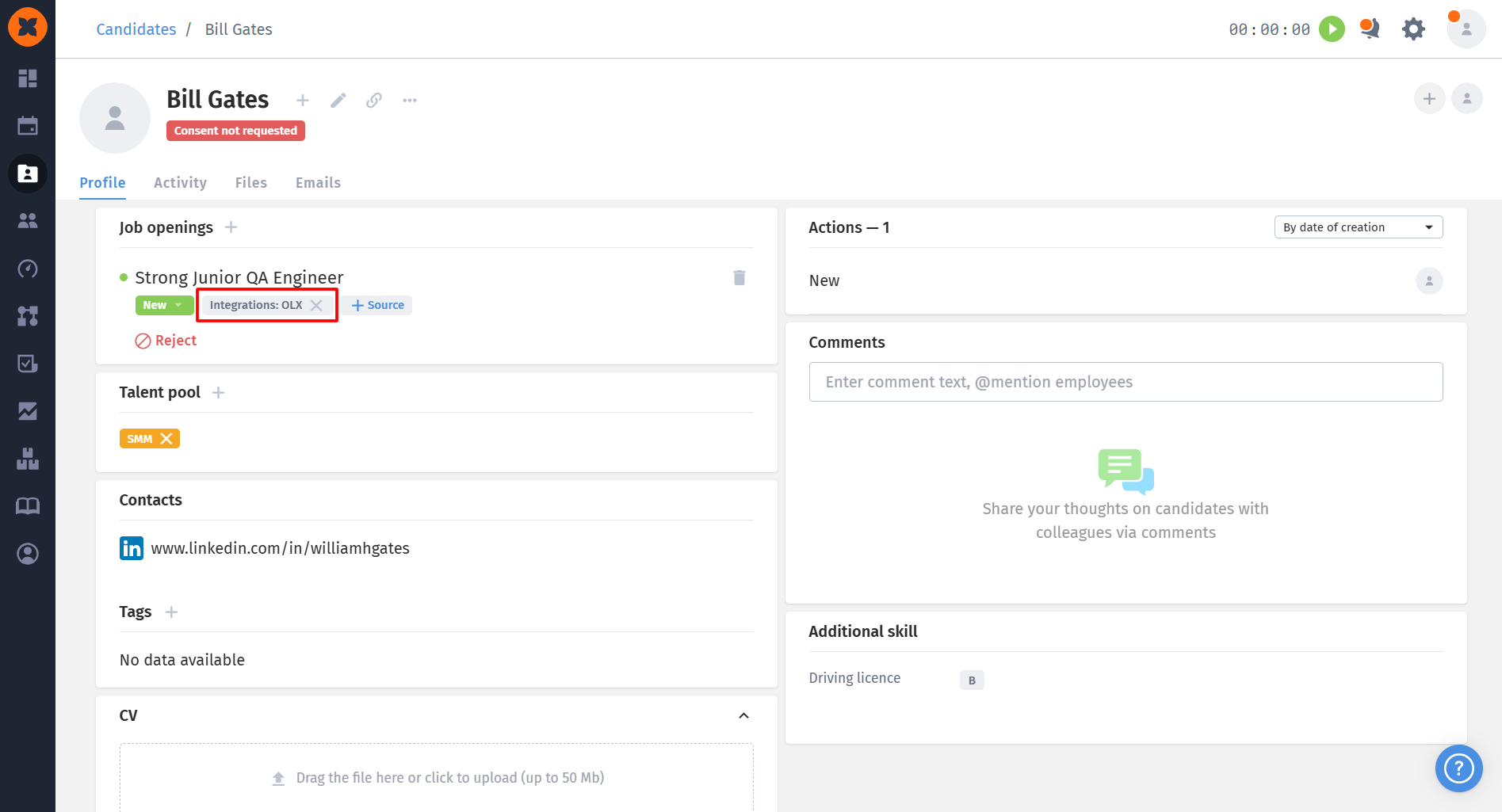
HURMA creates a profile automatically, importing the candidate's full name, phone number, email address (if provided), CV, and even profile avatar. Any additional attachments are saved in the "Files" tab. A link to the candidate's OLX page is also added to the profile, if it is publicly accessible;
Duplicate protection: the system carefully checks new applications by phone number and email address.
If the candidate is already in your database, HURMA will not create a duplicate, but will simply update the existing profile with fresh data, record the activity, and upload new files.
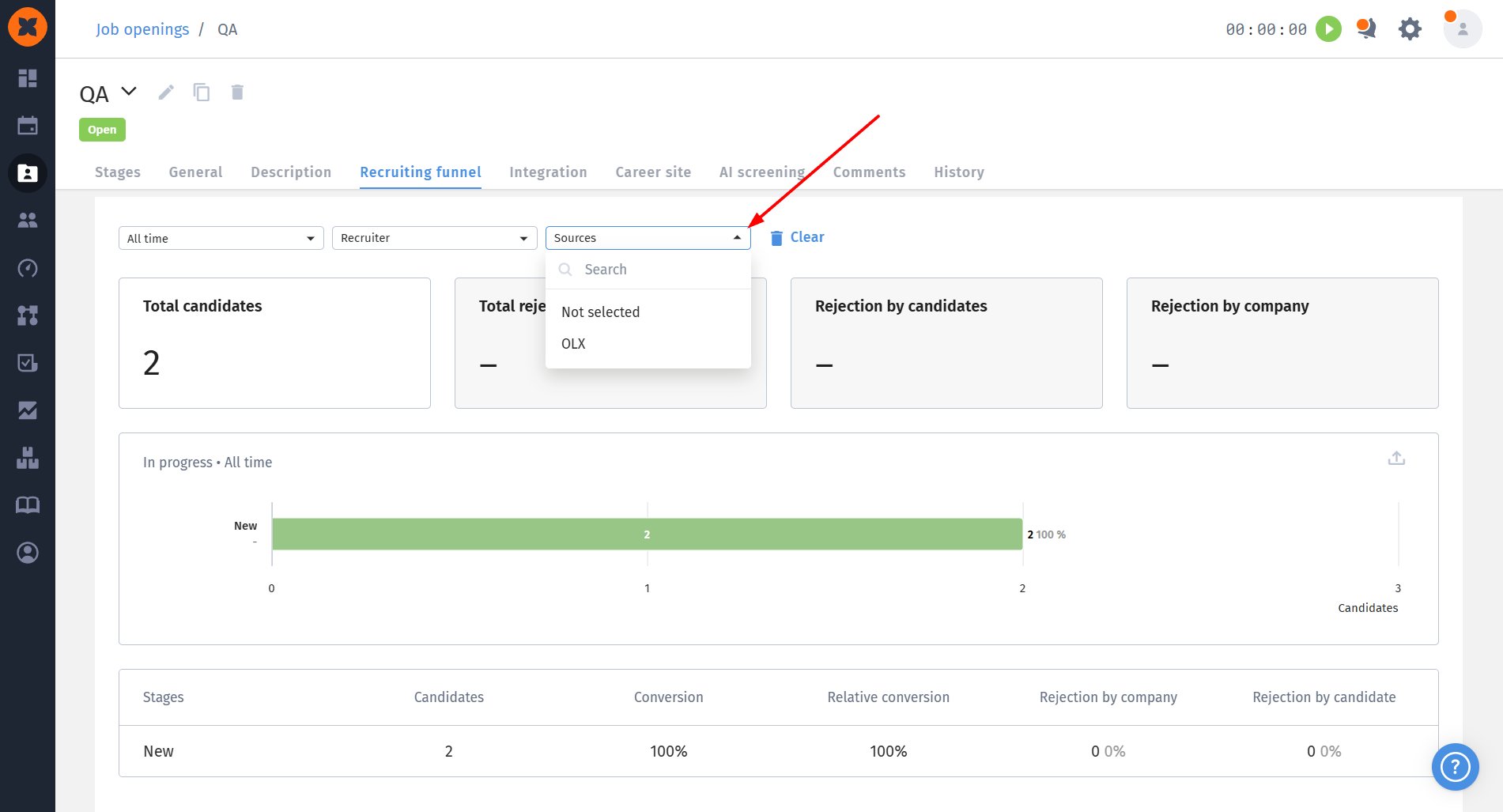
Transparent analytics: candidates received from this source can be filtered both on the general candidates page and in the vacancy profile.
The OLX channel is also included in analytics reports: it appears among application sources, in the recruitment funnel, in the “Recruiting sources efficiency” chart, and in export files.
As announced in our previous update, the 1:1 meeting functionality continues to evolve. In the July release, we added a powerful tool for analyzing them - a new report in the statistics section. It is available to users on the HRM plan with access rights to HR statistics.

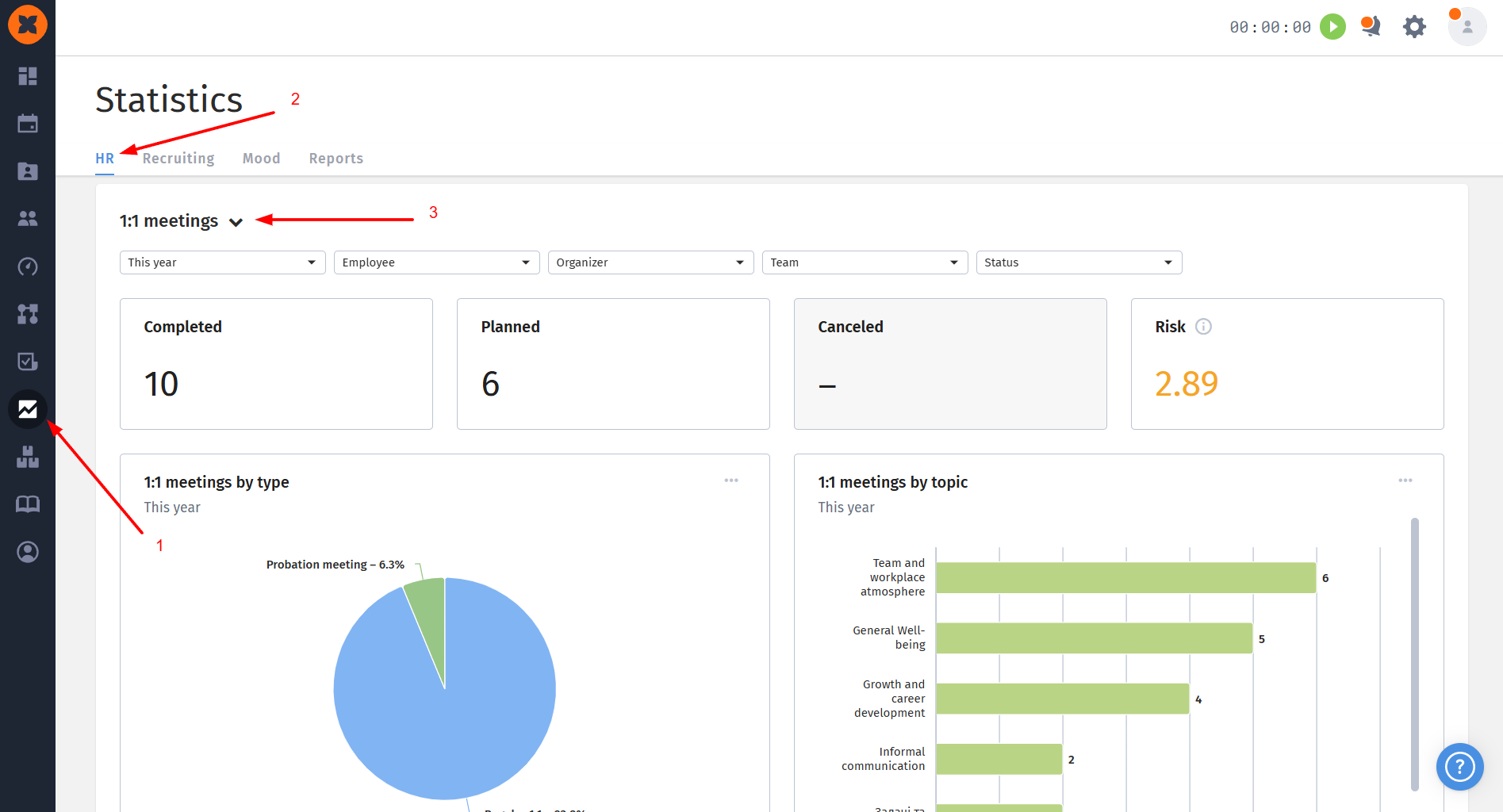
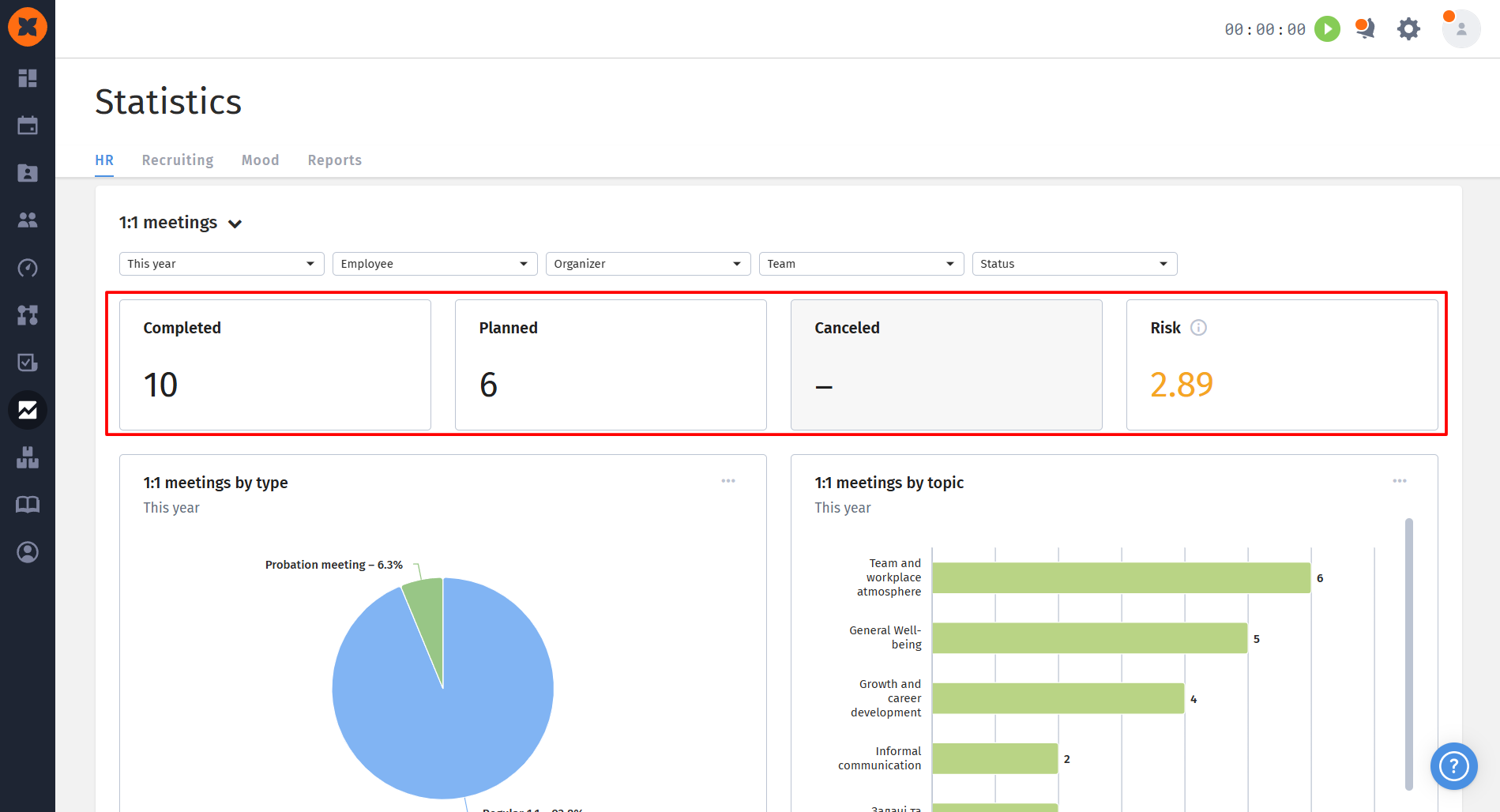
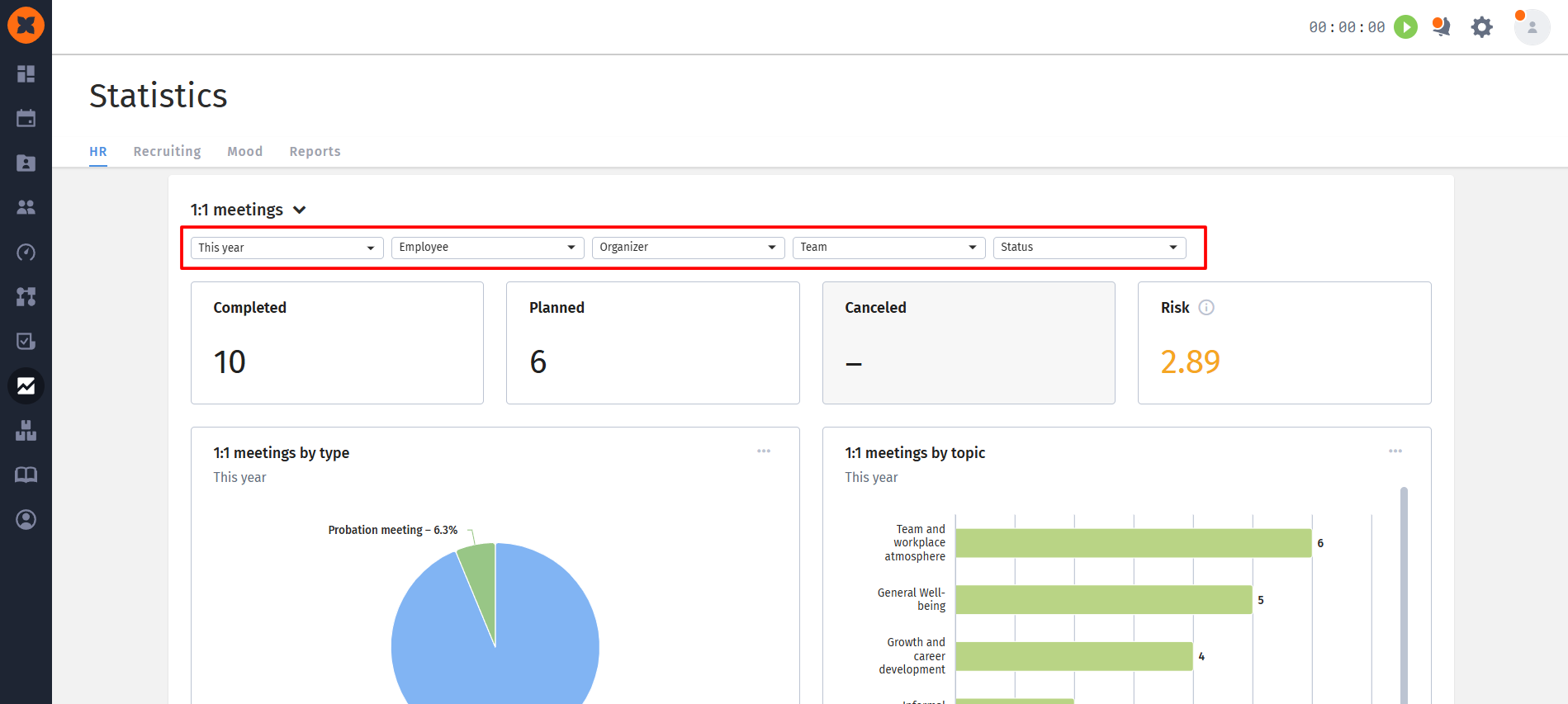
Four main widgets are now displayed at the top of the page for a quick overview of the data:
Meeting statuses: The “Completed,” “Planned,” and “Canceled” widgets show the total number of meetings in each status. Clicking them opens a modal window with a detailed list of meetings, which can easily be exported in XLSX format.
Risk level: This widget calculates the average risk level of completed meetings. For convenience, it uses color indicators: green (from 1 to 1.99), orange (from 2 to 3.99), and red (from 4 to 5).
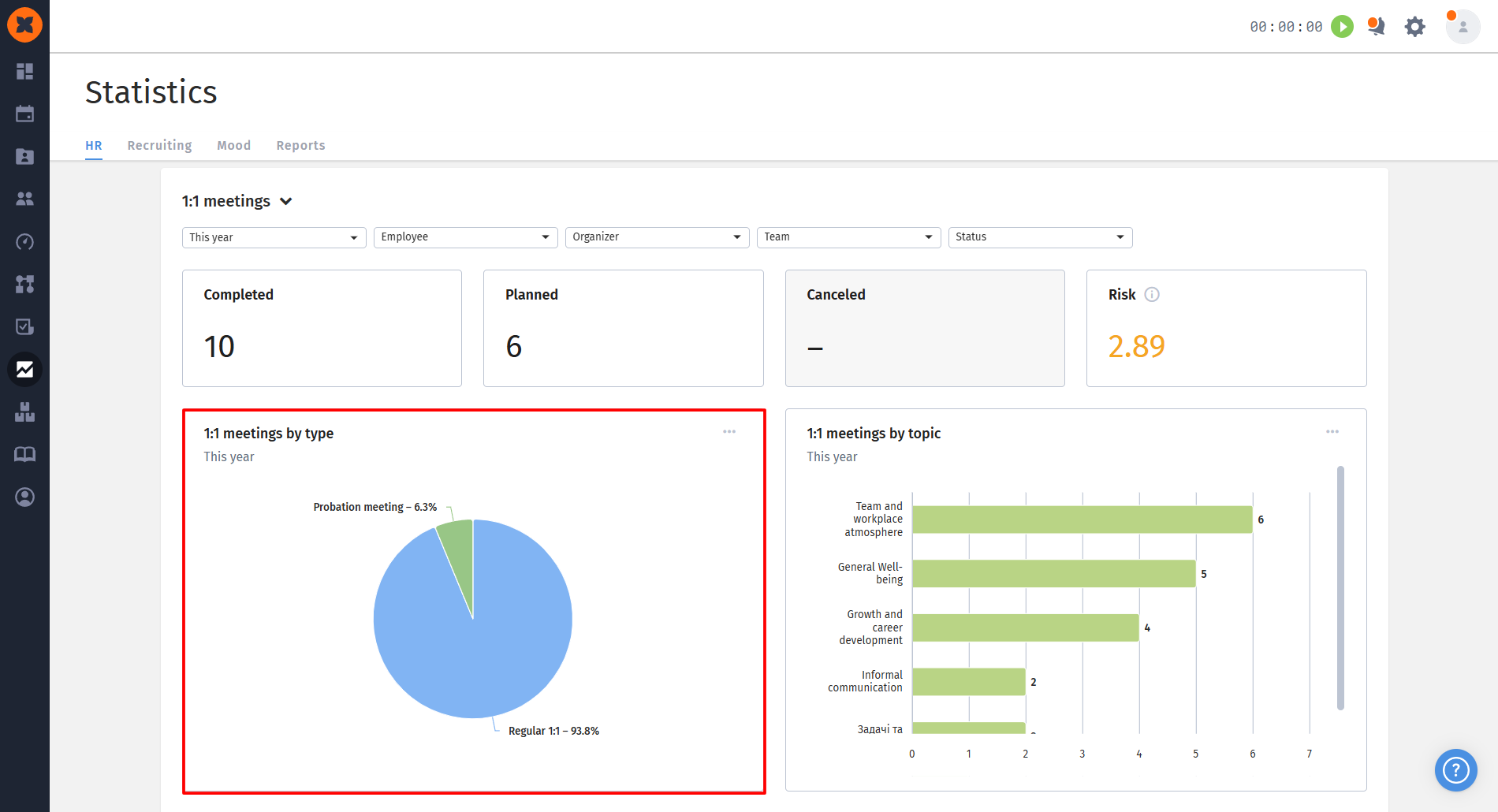
For a deeper analysis, we’ve added three interactive charts:
1:1 meetings by type: a pie chart showing the percentage breakdown of meetings by format;
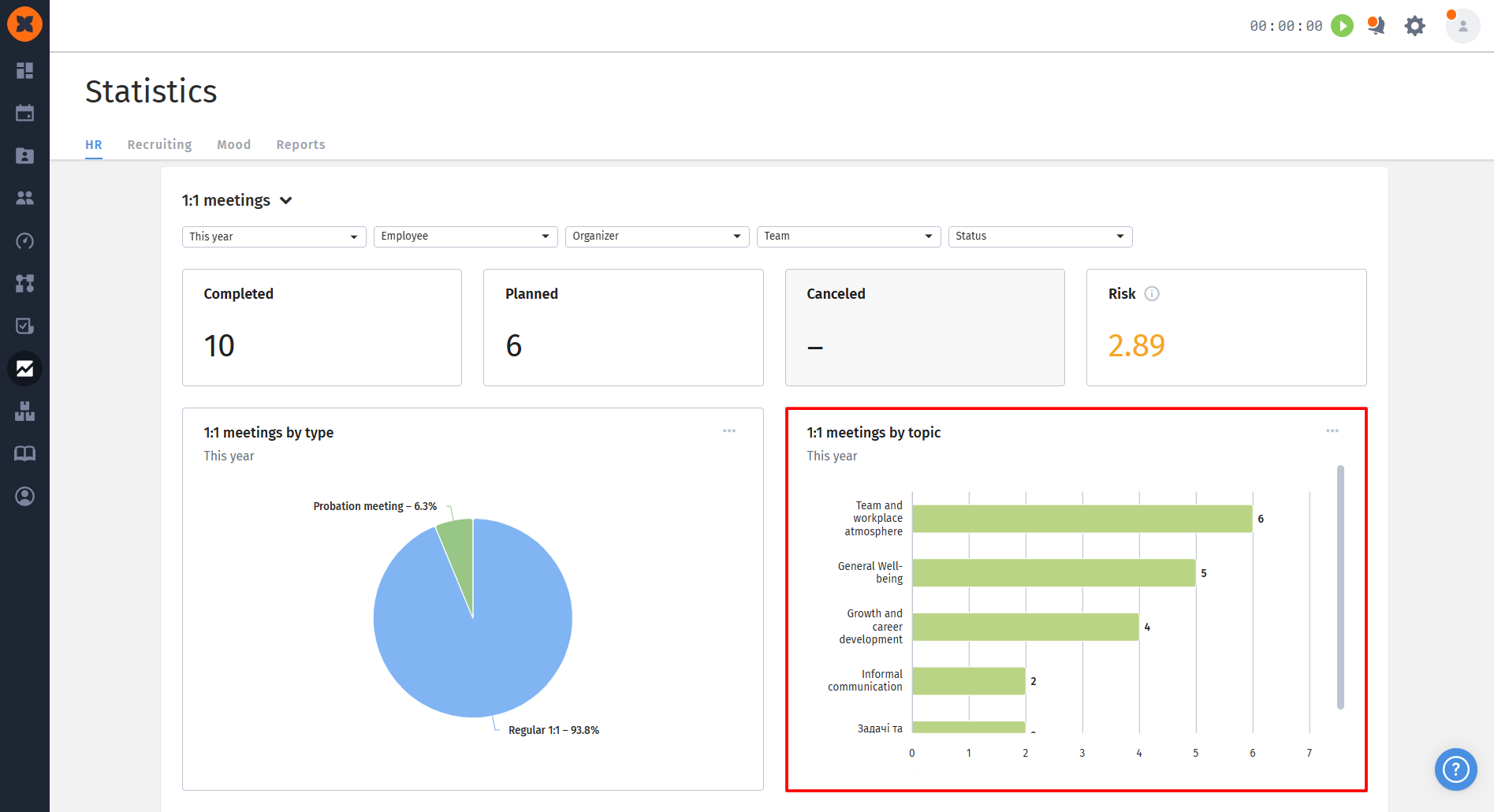
1:1 meetings by topic: a bar chart showing the most popular topics (if a meeting covered several topics, it will be counted under each one);
1:1 meetings by organizer: a convenient chart for tracking the number of meetings held by each manager or HR manager;
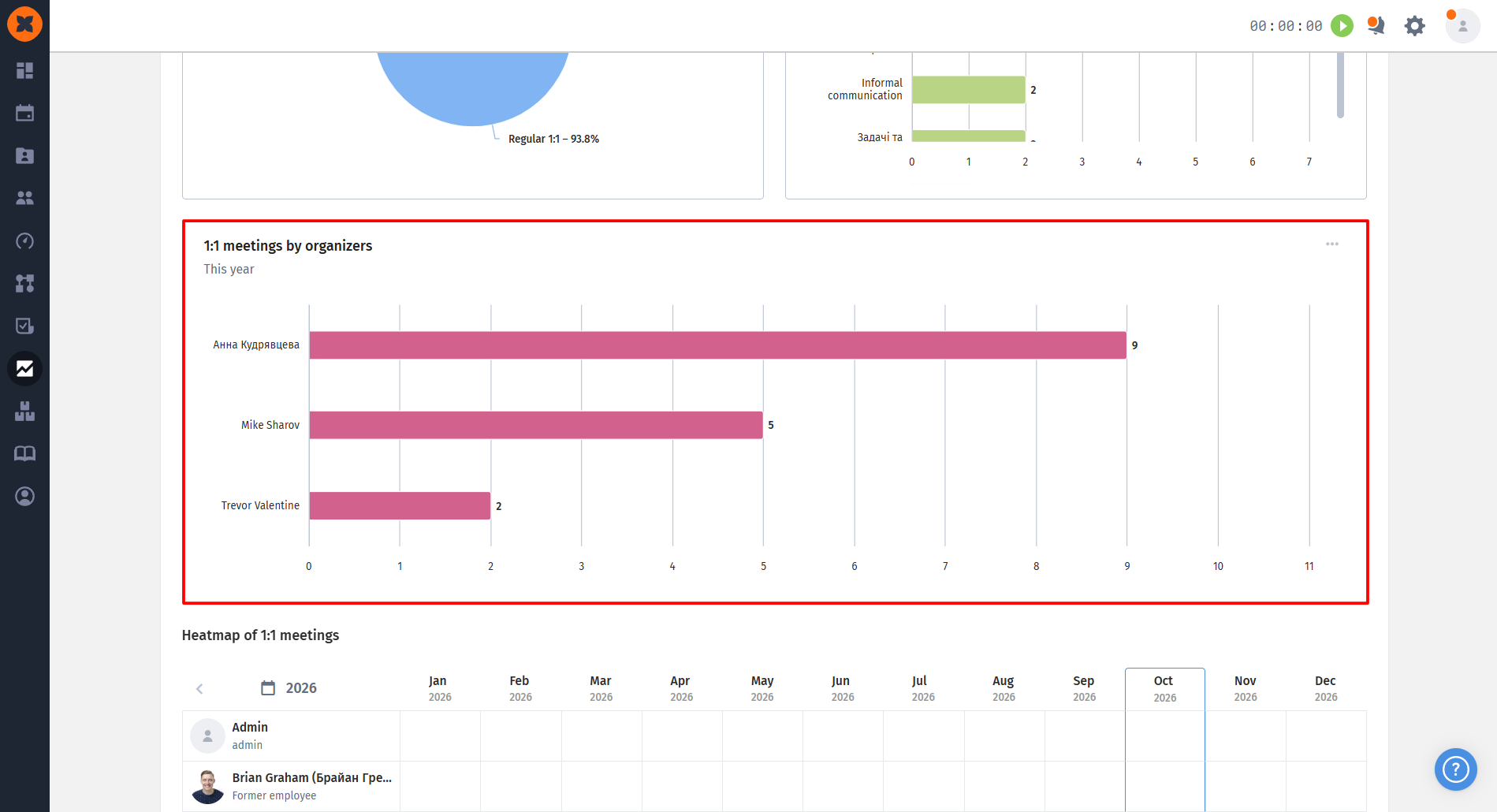
Each chart can be quickly downloaded in PDF format (as an image) or CSV. In addition, clicking any chart element opens a list of relevant meetings, with the option to download an Excel file.
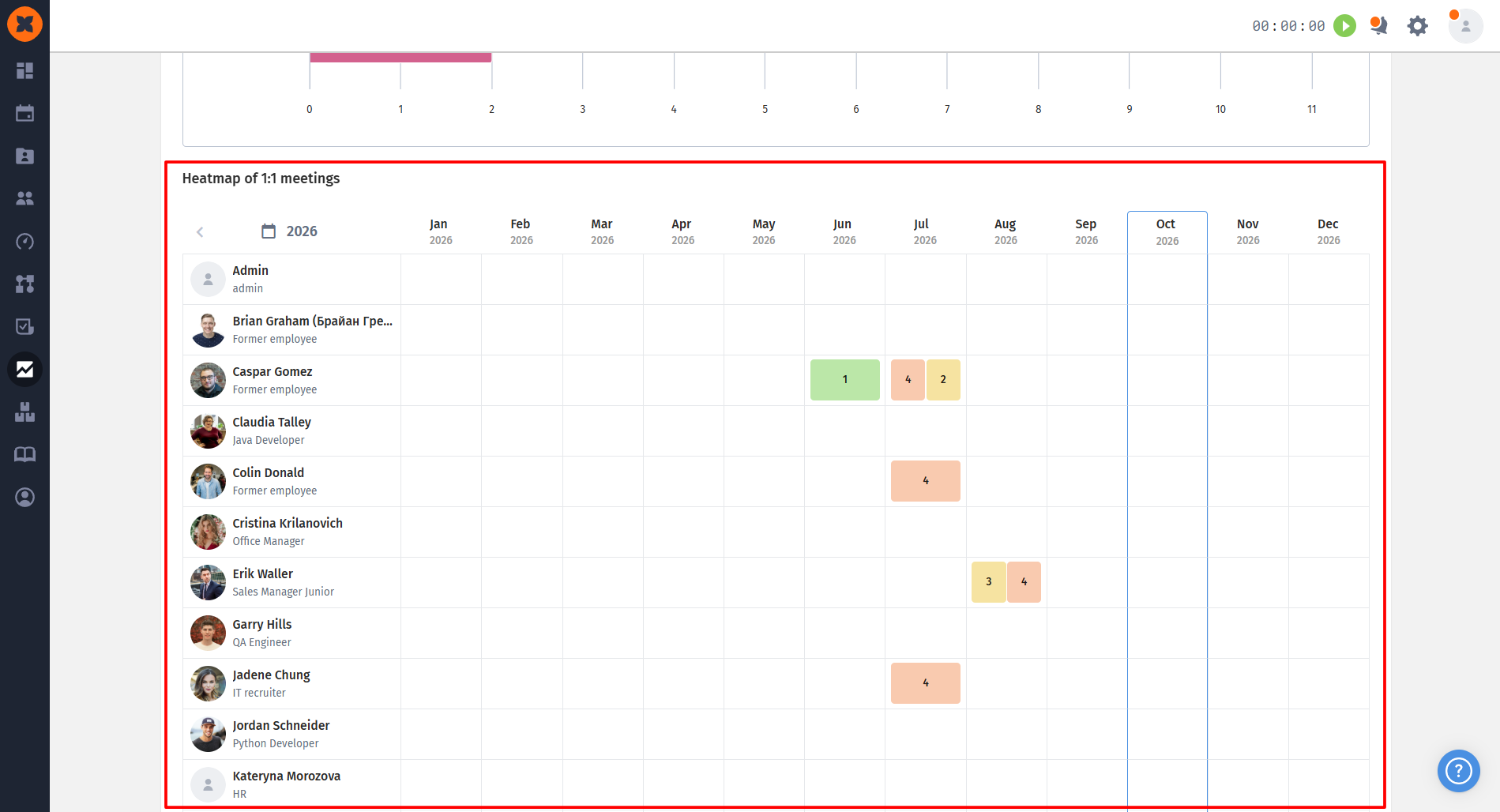
This is a new, convenient format for visualizing the company's meeting history for the current or previous year.
Monthly overview: the matrix displays all employees vertically and 12 months horizontally;
Quick access: cells are filled with meeting icons colored according to their risk rating. Click an icon to go directly to that meeting's profile in a new tab.
Analyze statistics using convenient filters: by period (month, quarter, year), a specific employee, organizer, team, or meeting status.

We’ve added the ability to automatically move candidates through the hiring funnel stages according to configured rules. Now all AI assistant settings are gathered in a new, convenient “AI screening” tab directly in the job profile. It’s important to note that AI credits are deducted only for evaluating candidates, while automatic actions based on the evaluation results are free.
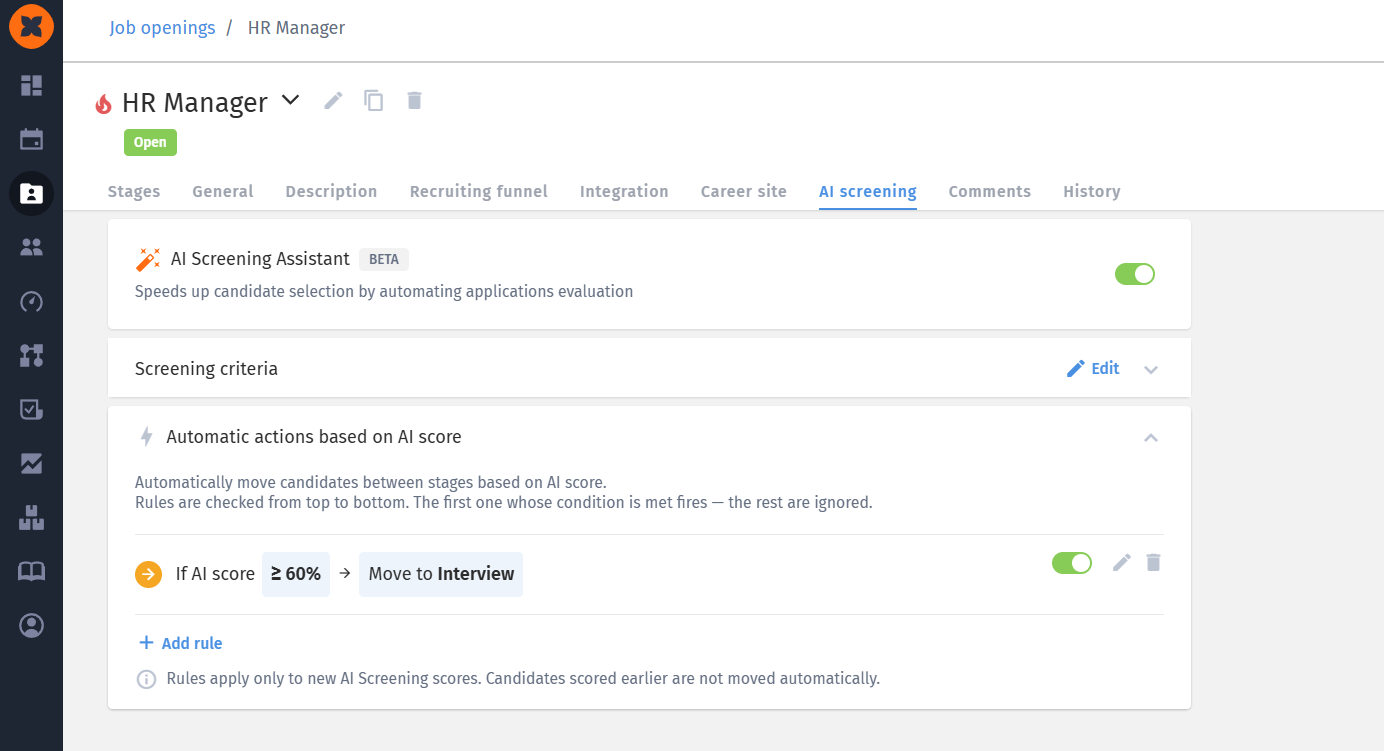
In the new “Automatic actions based on AI score” section, you can configure how candidates are moved:
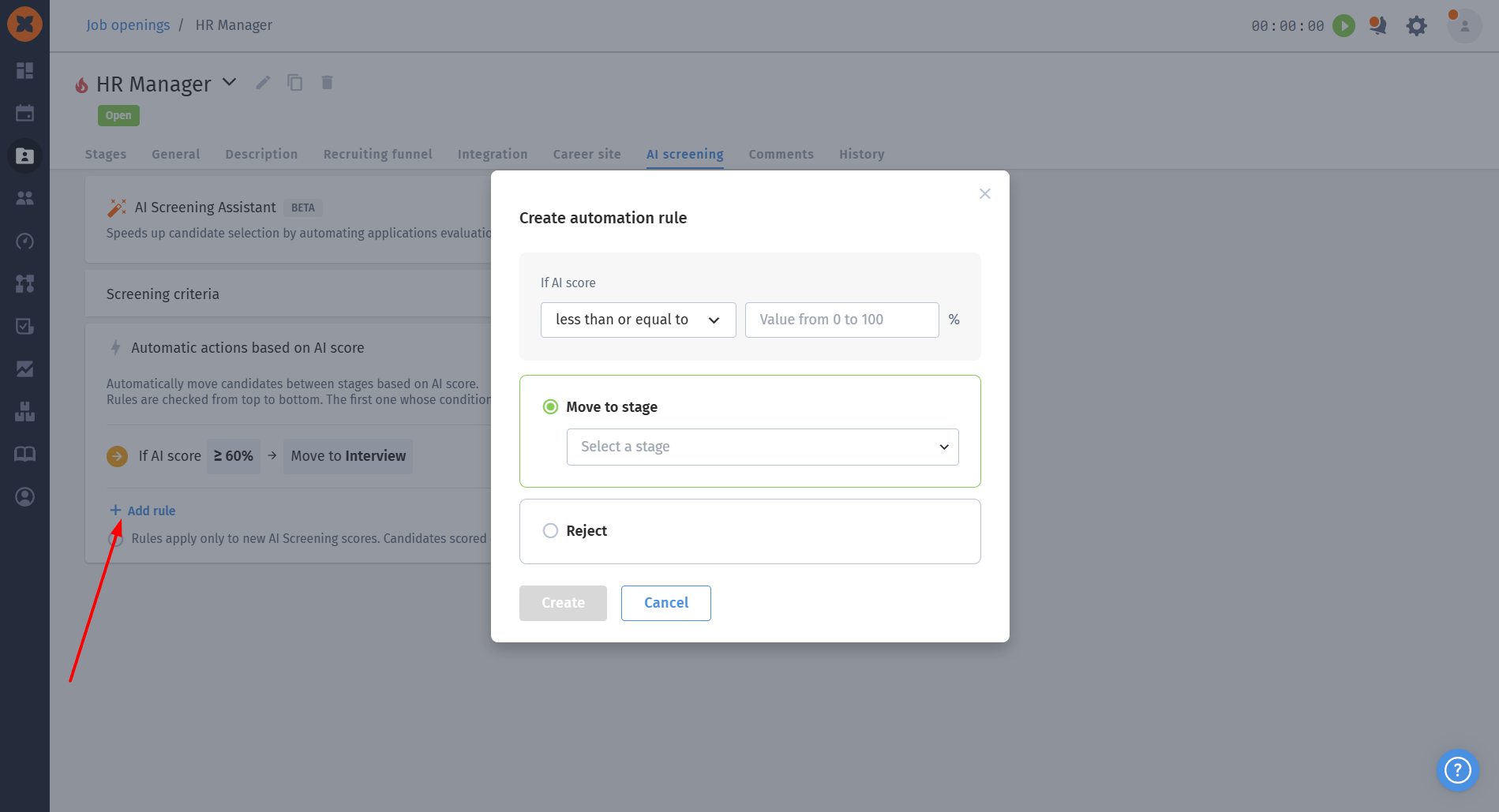
Flexible settings: when creating a rule, you can select the required operator (greater than, less than, etc.), specify the target evaluation percentage, and choose the stage or rejection reason the candidate will move to;
Limits and management: a maximum of 10 rules can be created for one vacancy. All created rules can be easily edited, deleted, or temporarily enabled/disabled using the toggle;
Error protection: if a hiring stage or rejection reason used in a rule is deleted from the system, the rule will stop working, and the system will display a notification asking you to update it.
We have carefully considered various recruiting scenarios to ensure automation works predictably and flawlessly:
Forward-only movement: the system allows candidates to move automatically along the kanban board only to the right (to subsequent stages) or to the rejection stage. If a rule requires moving a candidate to a previous stage (to the left), it will be skipped and the next relevant rule will be applied;
Priority: if a candidate's results meet the conditions of several rules at once, the first rule in the list will be applied, after which the check will stop. If the candidate does not meet any of the rules, they simply remain at the current stage;
Exceptions for final stages: if a recruiter adds a candidate directly to the rejection stage or to stages such as “Offer” or “Hire,” the automatic rules will not be applied to them;
Communication control: if an automatic email is linked to the stage to which the candidate was moved automatically, it will be sent automatically;
Complete action logging: any automatic movement of a candidate between stages is recorded in their profile (the “Actions” and “Activity” sections), where the action author is listed as “System.” All changes to the rules themselves (creation, deletion, editing) are logged in the vacancy history.
We’ve improved the process for configuring rejection reasons by adding the long-awaited ability to archive them. This will help keep your settings up to date without permanently deleting obsolete reasons and losing historical data.
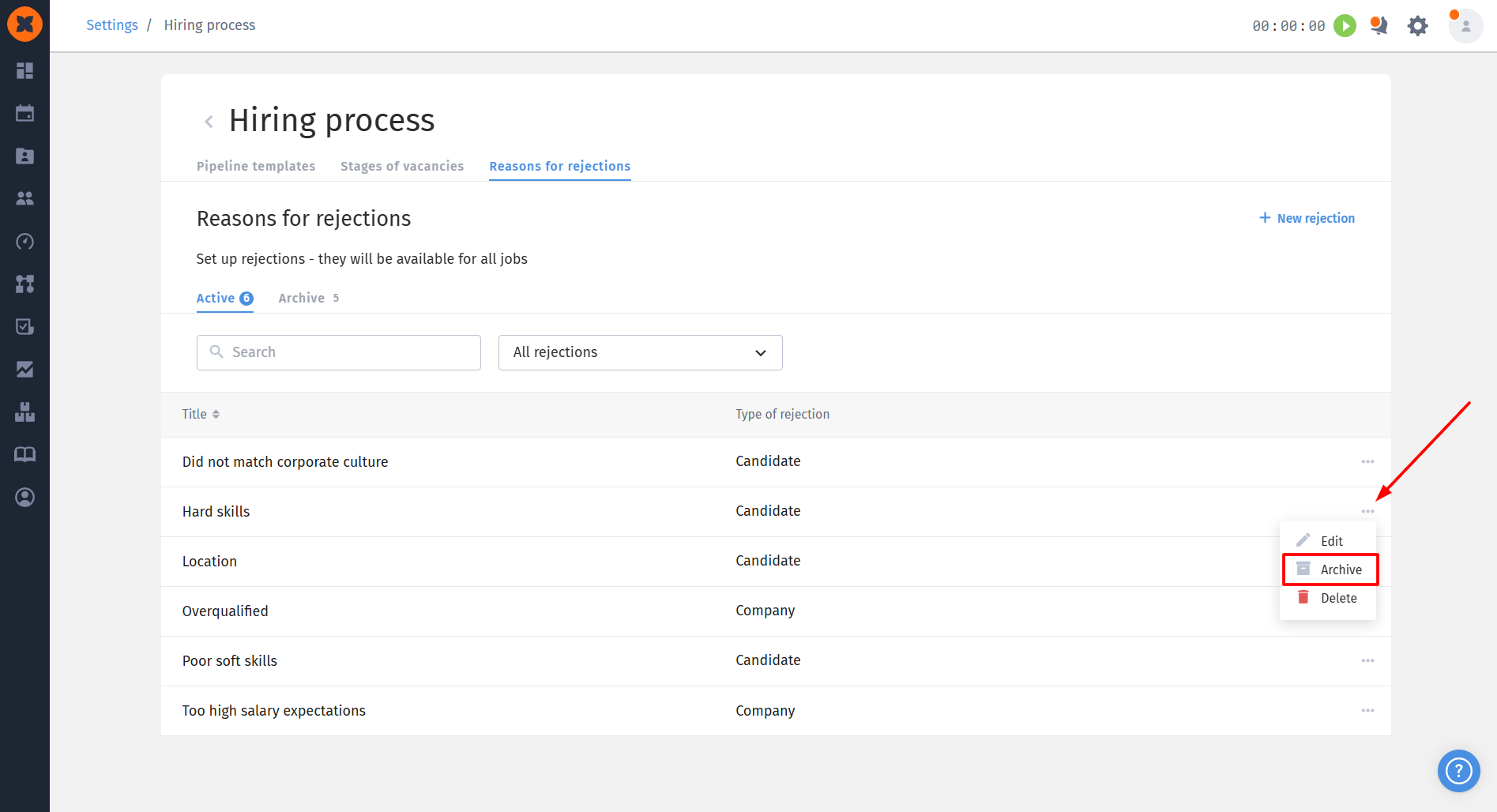
The interface in the hiring process settings section (“Rejection reasons”) has been updated, with new management features added:
Convenient tabs: for easier navigation, the list of all configured rejection reasons is now clearly divided into two separate tabs: “Active” (with current reasons) and “Archive” (where obsolete ones are moved).
Quick archiving: the action menu (three-dot icon) next to each rejection reason now includes a new “Archive” button, in addition to the standard “Edit” and “Delete” options;
Global access: as before, all active rejection reasons you configure in this section are automatically available for use across all your job openings in the system.
Usage restrictions: after moving it to the archive, you will no longer be able to select this rejection reason when rejecting new candidates;
Data retention: despite being archived, the rejection reason remains fully available in the system for filtering candidates, maintaining history, and generating analytics;
Flexible restoration: if an archived reason becomes relevant to you again, you can easily restore it to the list of active reasons at any time.
We have added the ability to connect external AI assistants (such as Claude, ChatGPT, or Grok) directly to the HURMA system using an MCP client. You can now allow artificial intelligence to work directly with your internal data - candidates, vacancies, or employees - to find information quickly and conveniently.
Key features and settings:
Flexible data management: when creating a connection in the developers section, you choose (using checkboxes) exactly what information the AI agent can use to read and formulate responses.
Sensitive information security: you have full control over whether to give the agent access to sensitive candidate and employee fields. Please note that the agent is granted access for reading only - it cannot modify or create this data.
Team access settings: you can clearly define which employees will be able to use this connection.
Quick connection to popular AI tools: to integrate, simply copy the generated URL and add it as a connector or plugin in your AI agent's settings. To connect successfully, the AI agent must use the same email address as your HURMA account.
Status tracking: you can monitor integration activity in the HURMA system. If you or your employees have successfully connected through an agent, the system will display the status “connected”.
Multiple connections: you can create as many different MCP connections as needed (for example, with different access levels) and select the one you need in your agents for a specific request.
The process of creating an MCP client and connecting it is described in the article “How to connect an AI assistant through an MCP client“.
